


Счетчик калорий - Lite
건강 및 피트니스 | Dietagram
5억명 이상의 게이머가 신뢰하는 안드로이드 게임 플랫폼 BlueStacks으로 PC에서 플레이하세요.

Play Счетчик калорий - Lite on PC
Free calorie calculator Lite for weight loss, no registration, no ads, with barcode scanner - count calories and lose weight!
The easiest and most convenient calorie counter for Android in Russian.
(Suitable for type 1 and type 2 diabetes.)
🍎 No Ads
🍎 Without registration
🍎 Water Calculator
🍎 Works offline
🍎 Barcode (barcode) scanner
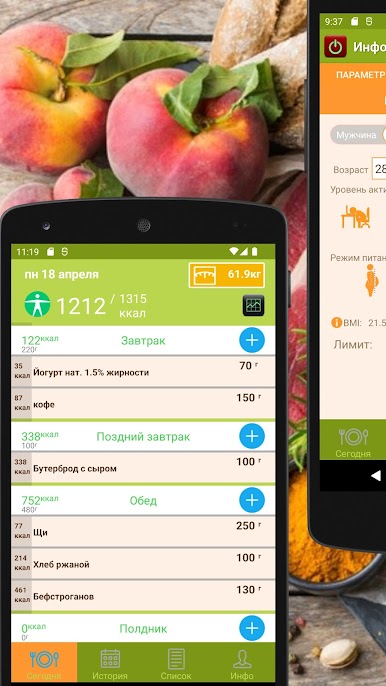
🍎 Calorie Calculator
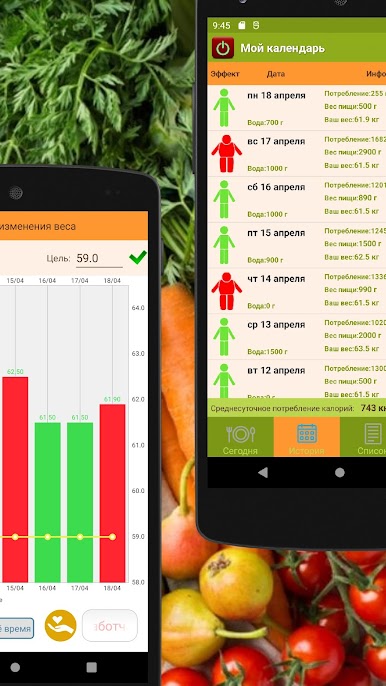
🍎 Food Diary
🍎 Large food calorie base
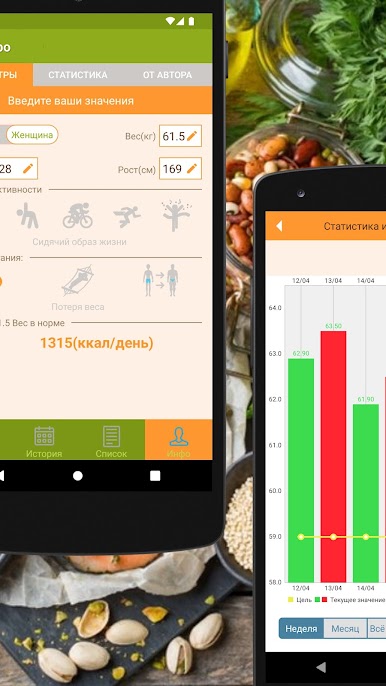
🍎 BMI and BMR Calculators
🍎 You can create your own recipes and add them to the database
🍎 Weight change graph
🍎 You can add your own products
🍎 Calorie tracking (exercise in the gym and at home)
Write in the comments how you can supplement the program or improve it - and the new version will not be long in coming. Please also write to bulat.yauheni@gmail.com
If you find an error, please let us know where and under what conditions it appears. (You can in the comments, or in a letter)
write to bulat.yauheni@gmail.com.
Answers on questions:
1) question: How to transfer a story from a free version to a paid version?
Answer: You cannot transfer history at the moment
2) If, after installation, the widget does not appear in the general list, transfer the application to the internal memory of the android device, through the application management.
The free calorie counter for Android will allow you to get complete information about the calorie content of popular foods so that you can keep track of your figure.
With the free calorie calculator for Android, you can create a menu of a specific calorie content or calculate the energy value of your breakfast, lunch and dinner for free and without registration. The calculator is a giant food database with calories. Based on your body mass index, the calorie counter calculates your daily calorie limit.
PC에서 Счетчик калорий - Lite 플레이해보세요.
-
BlueStacks 다운로드하고 설치
-
Google Play 스토어에 로그인 하기(나중에 진행가능)
-
오른쪽 상단 코너에 Счетчик калорий - Lite 검색
-
검색 결과 중 Счетчик калорий - Lite 선택하여 설치
-
구글 로그인 진행(만약 2단계를 지나갔을 경우) 후 Счетчик калорий - Lite 설치
-
메인 홈화면에서 Счетчик калорий - Lite 선택하여 실행

