


3C CPU Manager (root)
العب على الكمبيوتر الشخصي مع BlueStacks - نظام أندرويد للألعاب ، موثوق به من قبل أكثر من 500 مليون لاعب.

Run 3C CPU Manager (root) on PC or Mac
Upgrade your experience. Try 3C CPU Manager (root), the fantastic Tools app from 3c, from the comfort of your laptop, PC, or Mac, only on BlueStacks.
About the App
3C CPU Manager (root) gives power users hands-on control over how their phone or tablet’s CPU and GPU behave. It’s built for tweaking, monitoring, and fine‑tuning performance or battery life with a clean, flexible layout. Yep, a rooted device is required to unlock what it can really do, and it fits right in with the Tools lineup from 3c. Prefer testing on desktop? It also plays nicely when you’re experimenting inside BlueStacks.
App Features
- Customizable interface — Rearrange screens, choose what you see first, and shape the app to match your workflow. Advanced theming options are available via in‑app purchase.
- Resizable widgets — Drop gauges or text widgets on your home screen and scale them up or down. Extra widget types and deeper customization can be unlocked.
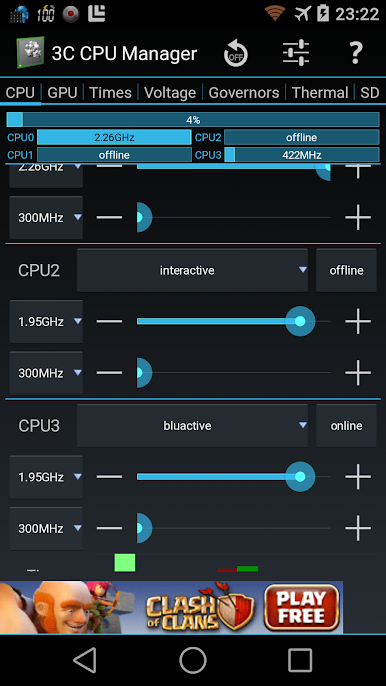
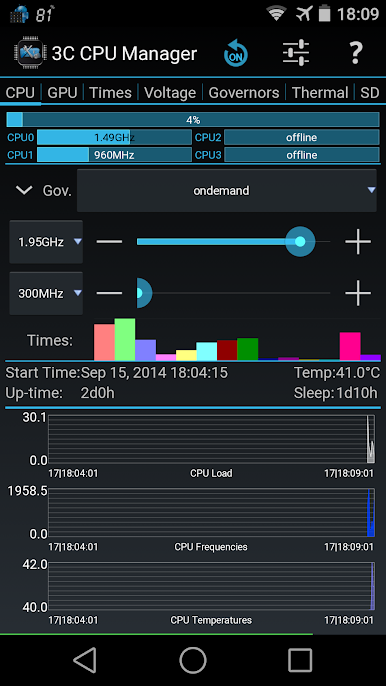
- Live CPU/GPU overview — Get quick stats at a glance: loads, active frequencies, and more to see what’s happening under the hood.
- Detailed charts — Track loads, frequency changes, and temperatures over time with easy-to-read graphs for spotting trends or heat spikes.
- Up to 16-core control — On supported kernels, adjust per‑core behavior for serious tuning across big and little cores.
- Governor tuning — Pick and tweak CPU governors to prioritize speed, responsiveness, or efficiency, depending on your needs.
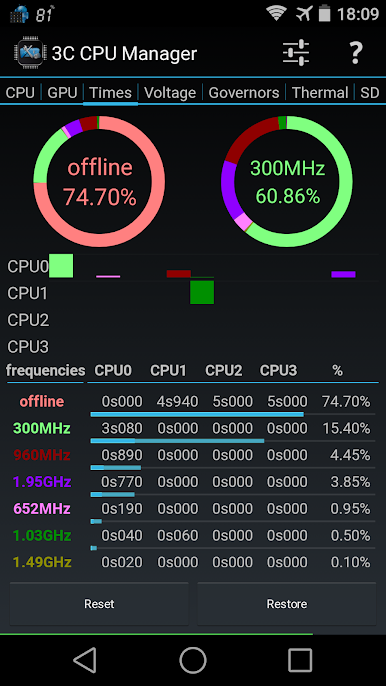
- Frequency usage table — See how often each clock speed is used so you can fine‑tune settings with real data.
- Screen‑off behavior — Set a separate, low‑power configuration for when the display is off to save battery without micromanaging.
- Profiles and quick switching — Create multiple profiles and switch them via a notification or launcher shortcut. Add more profiles and a notification shortcut with in‑app purchase.
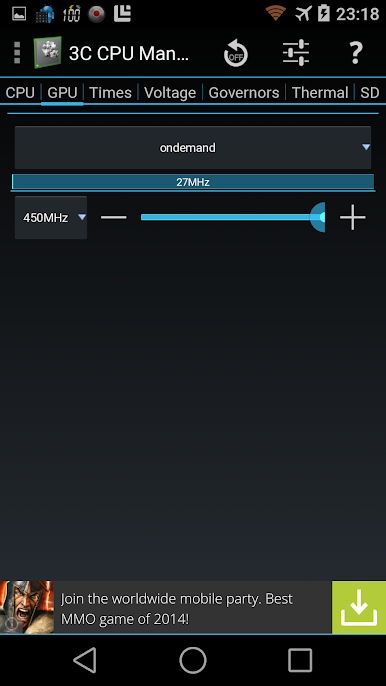
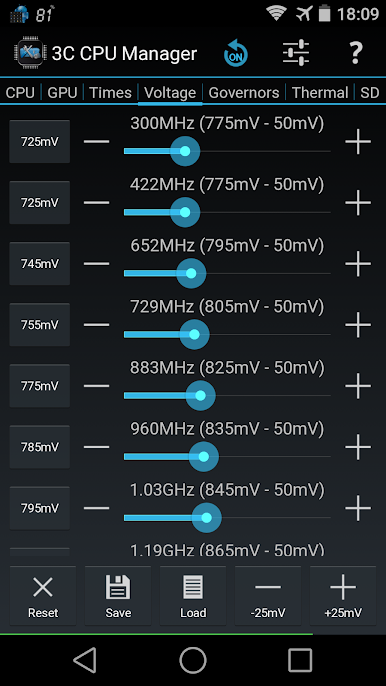
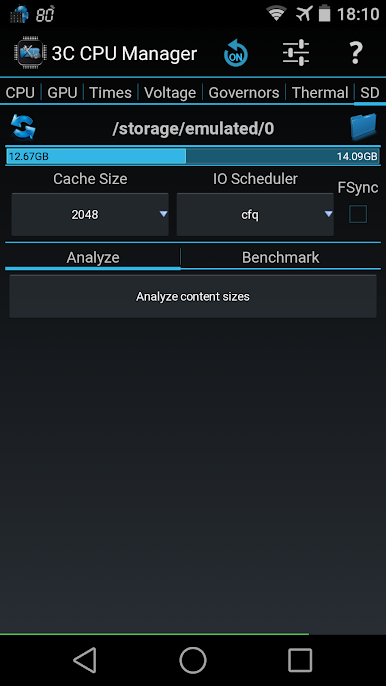
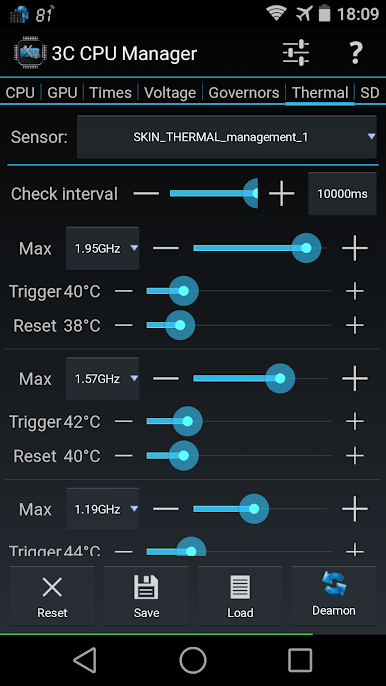
- Advanced kernel controls — When supported, set CPU/GPU frequencies, voltages, thermal parameters, mp‑decision daemons, and even control cores separately.
- Ad and UI options — Remove ads, hide tabs you don’t use, enable extra widgets, and adjust widget refresh rates through in‑app purchases.
Ready to experience 3C CPU Manager (root) on a bigger screen, in all its glory? Download BlueStacks now.
العب 3C CPU Manager (root) على جهاز الكمبيوتر. من السهل البدء.
-
قم بتنزيل BlueStacks وتثبيته على جهاز الكمبيوتر الخاص بك
-
أكمل تسجيل الدخول إلى Google للوصول إلى متجر Play ، أو قم بذلك لاحقًا
-
ابحث عن 3C CPU Manager (root) في شريط البحث أعلى الزاوية اليمنى
-
انقر لتثبيت 3C CPU Manager (root) من نتائج البحث
-
أكمل تسجيل الدخول إلى Google (إذا تخطيت الخطوة 2) لتثبيت 3C CPU Manager (root)
-
انقر على أيقونة 3C CPU Manager (root) على الشاشة الرئيسية لبدء اللعب

