


白熊番茄-效率時鐘
生產力 | CX Studios
在電腦上使用BlueStacks –受到5億以上的遊戲玩家所信任的Android遊戲平台。

Play Brain Focus Productivity Timer on PC
⭐️ Merry Christmas! Huge Discount Only for You!
Brain Focus is a fantastic app to make you work effectively. It has an elaborate and simple design. It can help you keep the focus on your work and manage your time easily. 💎Have a try! You will like it!💎
⭐️ How To Use
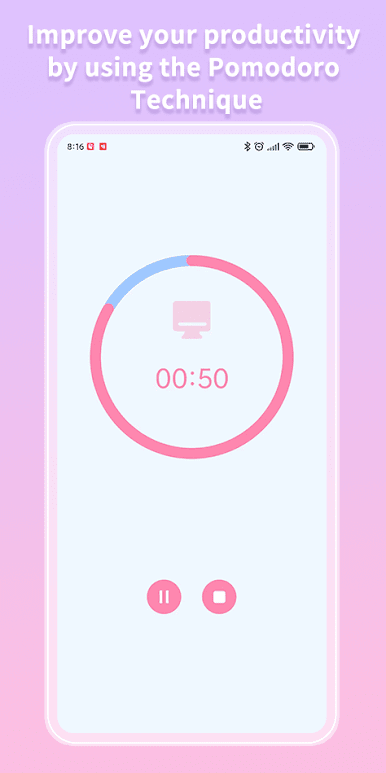
• Start a work session
• At the end of the work session, reward yourself with a break
• At the end of the break session, restart both previous steps
• X amount of break you can reward yourself with a longer break
⭐️ Basic Features
• Pause and resume sessions
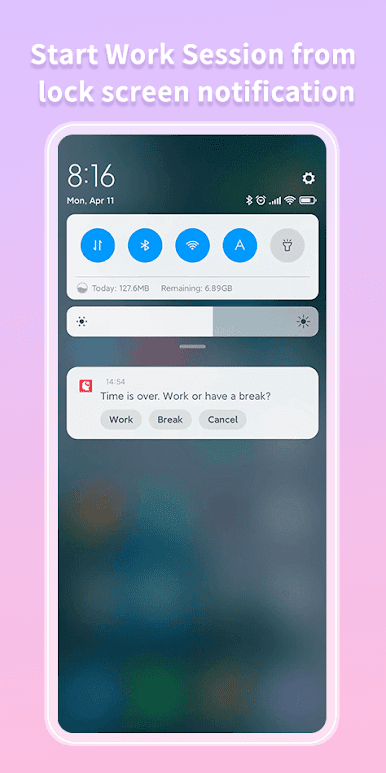
• Notification before the end of the work session
• Customize "Work End Ringtone"
• Customize "Break End Ringtone"
• Long Break
• Ticking in work sessions
• Remind Continuously never miss tasks tip
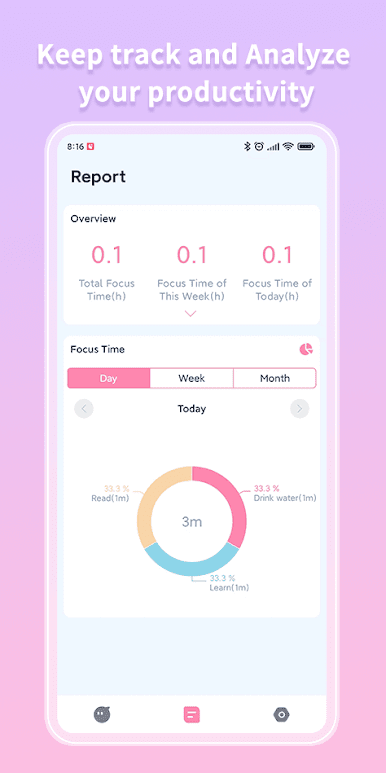
⭐️ Report
• Get an overview of your task time
• Pie Chart
• Bar Chart
⭐️ Task
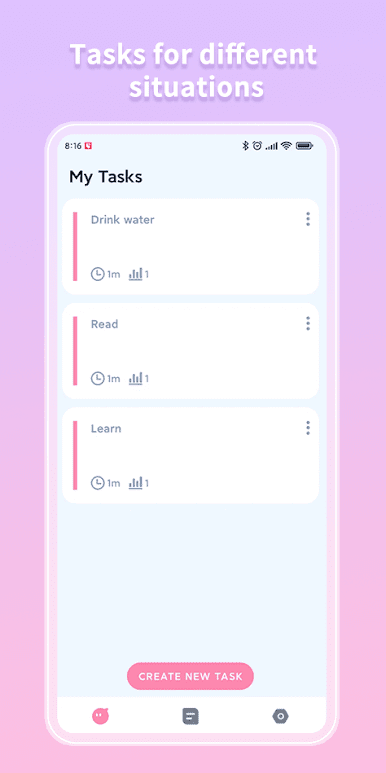
• Create tasks for different situations
• Configure different settings per task
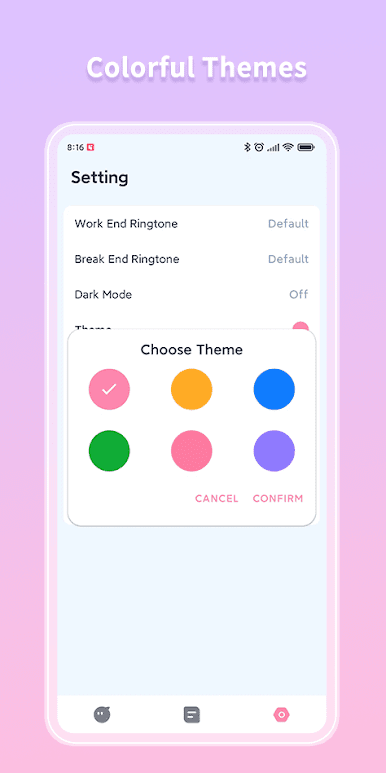
⭐️ Colorful Themes
• Red,Yellow,Blue,Green,Pink,Purple
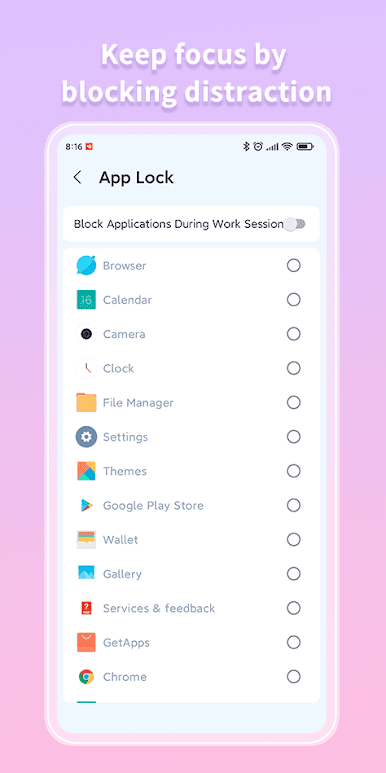
⭐️ App Lock
• Keep focus by blocking distraction
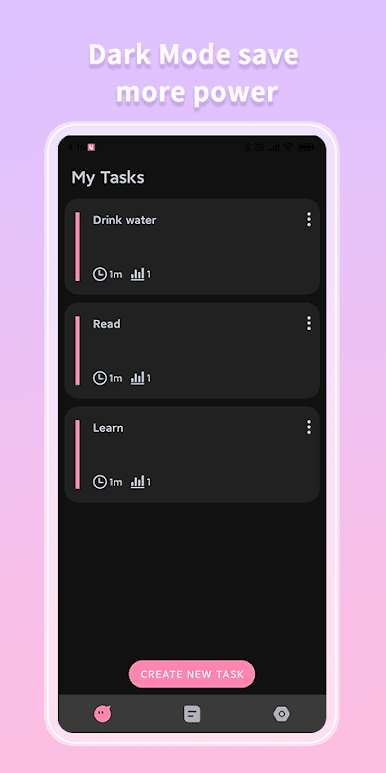
⭐️ Dark Mode
• Save more power
• Get your eyes relaxed in the night
⭐️ White Noise
• Various white noise to help you focus on work & study
⭐️ Support Multiple Languages
• English, Spanish, French, Italian, Japanese, Portuguese, Russian, Chinese
More features are developing...
Help Us to Translate
Help us to translate because you know best how Brain Focus should be translated into your language.
Contact Us
CXStudio2019@outlook.com
Brain Focus is a fantastic app to make you work effectively. It has an elaborate and simple design. It can help you keep the focus on your work and manage your time easily. 💎Have a try! You will like it!💎
⭐️ How To Use
• Start a work session
• At the end of the work session, reward yourself with a break
• At the end of the break session, restart both previous steps
• X amount of break you can reward yourself with a longer break
⭐️ Basic Features
• Pause and resume sessions
• Notification before the end of the work session
• Customize "Work End Ringtone"
• Customize "Break End Ringtone"
• Long Break
• Ticking in work sessions
• Remind Continuously never miss tasks tip
⭐️ Report
• Get an overview of your task time
• Pie Chart
• Bar Chart
⭐️ Task
• Create tasks for different situations
• Configure different settings per task
⭐️ Colorful Themes
• Red,Yellow,Blue,Green,Pink,Purple
⭐️ App Lock
• Keep focus by blocking distraction
⭐️ Dark Mode
• Save more power
• Get your eyes relaxed in the night
⭐️ White Noise
• Various white noise to help you focus on work & study
⭐️ Support Multiple Languages
• English, Spanish, French, Italian, Japanese, Portuguese, Russian, Chinese
More features are developing...
Help Us to Translate
Help us to translate because you know best how Brain Focus should be translated into your language.
Contact Us
CXStudio2019@outlook.com
在電腦上遊玩白熊番茄-效率時鐘 . 輕易上手.
-
在您的電腦上下載並安裝BlueStacks
-
完成Google登入後即可訪問Play商店,或等你需要訪問Play商店十再登入
-
在右上角的搜索欄中尋找 白熊番茄-效率時鐘
-
點擊以從搜索結果中安裝 白熊番茄-效率時鐘
-
完成Google登入(如果您跳過了步驟2),以安裝 白熊番茄-效率時鐘
-
在首頁畫面中點擊 白熊番茄-效率時鐘 圖標來啟動遊戲

