


Cloud Radio - Record & Lyrics
Jogue no PC com BlueStacks - A Plataforma de Jogos Android, confiada por mais de 500 milhões de jogadores.

Página modificada em: Aug 8, 2025
Run Cloud Radio - Record , Lyrics , Live radio & Music on PC or Mac
What’s better than using Cloud Radio – Record , Lyrics , Live radio & Music by MSoftapps? Well, try it on a big screen, on your PC or Mac, with BlueStacks to see the difference.
About the App
Cloud Radio – Record , Lyrics , Live radio & Music from MSoftapps is like your personal, pocket-sized radio station. Whether you’re after the latest hits, relaxing background tunes, or that eclectic indie mix you can’t get anywhere else, there’s something here for every music lover. Packed with more than 90,000 internet radio stations, you’ll have endless genres and shows at your fingertips—so you’re never stuck in a musical rut.
App Features
-
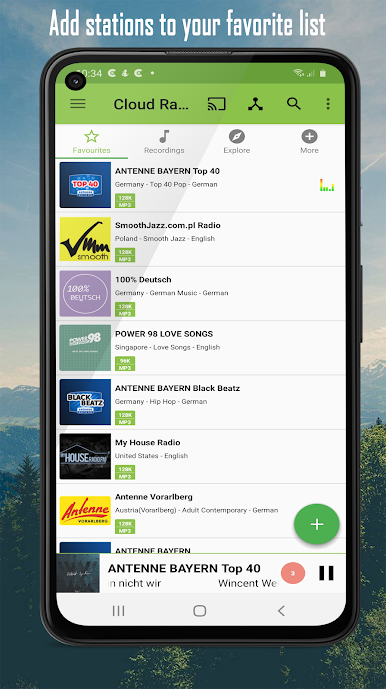
Endless Stations & Genres
Never get bored, thanks to thousands of radio channels across every genre—rock, indie, hip-hop, classical, ambient, talk shows, you name it. Just tap and listen. -
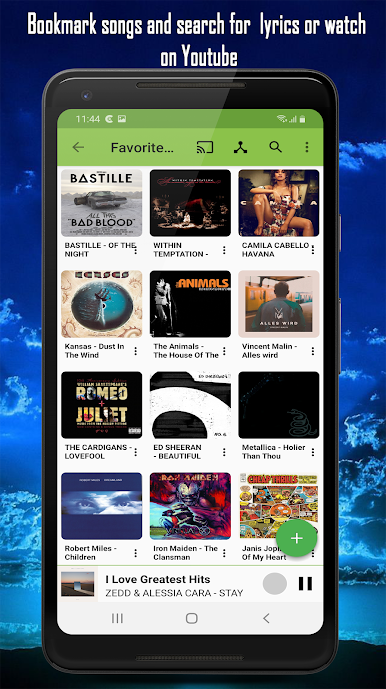
Favorites & History
Can’t remember the great song you just heard? The app keeps track for you, offering quick access to your most-loved stations and recently played tracks. -
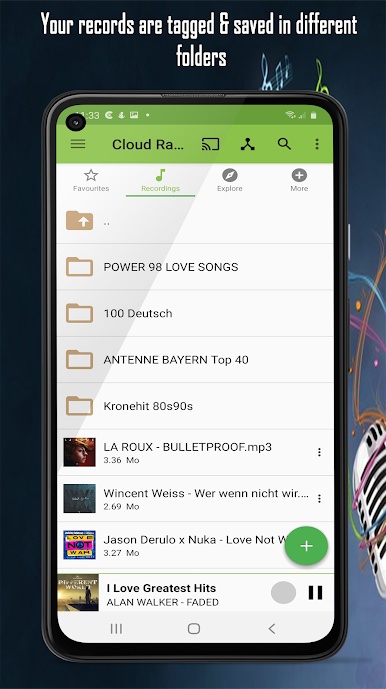
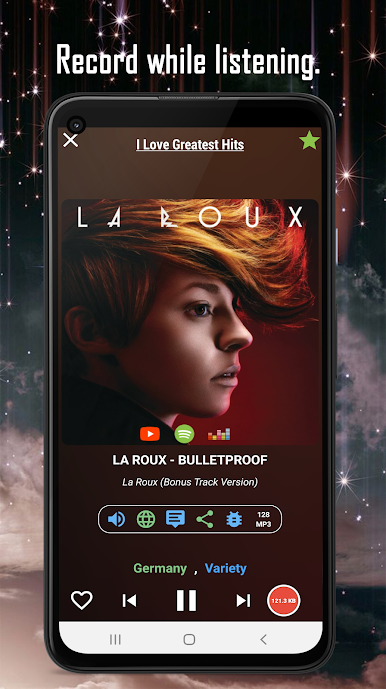
Easy Recording
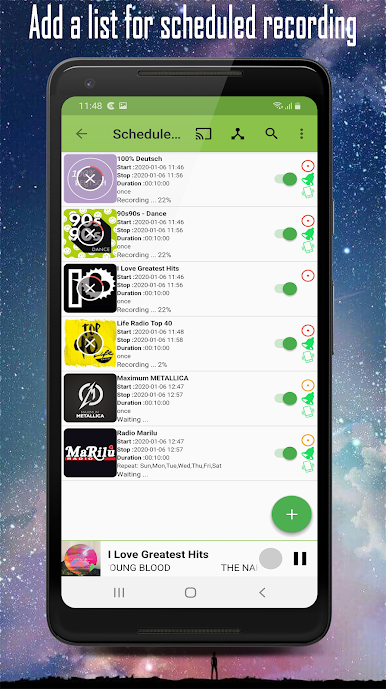
Catching a song you love? Hit record on any live radio stream. You can even schedule recordings—set it up and Cloud Radio won’t let you miss your favorite show. -
Lyrics & Artwork
Curious about the words? Live lyrics pop up while the song plays (when available), plus there’s album artwork for that extra bit of flair. -
Search & Navigation
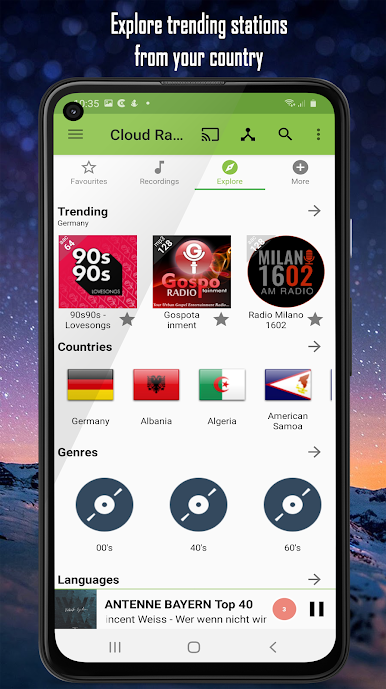
Find stations by country, region, genre, or even city. Like hunting for music or talk shows in a specific language? There’s support for twenty—including Spanish, Russian, Korean, and more. -
Playlist & Player
Organize recorded songs into playlists, and play them back right inside the app. You can tag, cut, and manage tracks, keeping your music library tidy. -
Sleep Timer & Alarm
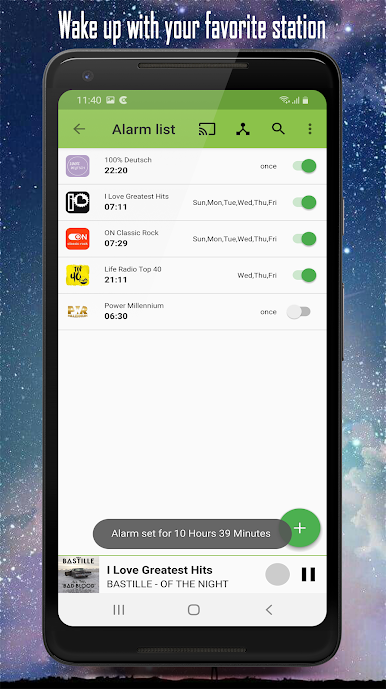
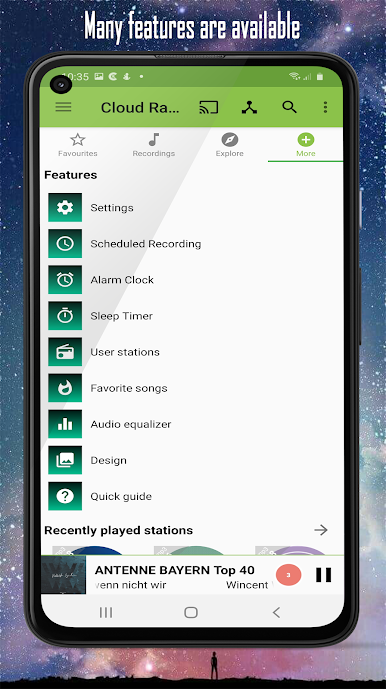
Want music to fall asleep to? Set a sleep timer and let tunes drift you off. Or set an alarm to wake up with your favorite radio station already playing. -
Device Sync
Your favorite stations and songs sync up across all your devices—no more losing track of your picks if you switch phones or tune in using BlueStacks on your computer. -
Music Discovery Tools
If you hear a song you love, search directly for it on YouTube, Deezer, or Spotify—right from the app. -
Multilingual Support
The app’s menus are available in up to twenty different languages, making it easy to navigate no matter where you’re from.
Whether you’re a casual listener, a radio devotee, or the family’s designated playlist-maker, Cloud Radio – Record , Lyrics , Live radio & Music gives you all the tools for a tailored listening experience.
Switch to BlueStacks and make the most of your apps on your PC or Mac.
Jogue Cloud Radio - Record & Lyrics no PC. É fácil começar.
-
Baixe e instale o BlueStacks no seu PC
-
Conclua o login do Google para acessar a Play Store ou faça isso mais tarde
-
Procure por Cloud Radio - Record & Lyrics na barra de pesquisa no canto superior direito
-
Clique para instalar Cloud Radio - Record & Lyrics a partir dos resultados da pesquisa
-
Conclua o login do Google (caso você pulou a etapa 2) para instalar o Cloud Radio - Record & Lyrics
-
Clique no ícone do Cloud Radio - Record & Lyrics na tela inicial para começar a jogar

