


このページには広告が含まれます
R&Bラジオ
音楽とオーディオ | MyIndieApp.com
BlueStacksを使ってPCでプレイ - 5憶以上のユーザーが愛用している高機能Androidゲーミングプラットフォーム

PCでR&Bラジオをプレイ
R&Bラジオ - アメリカのラジオの音楽を再生する
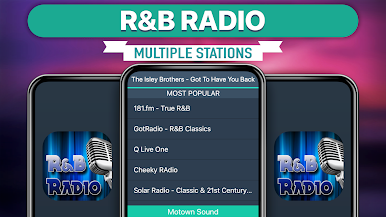
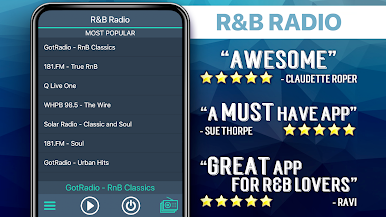
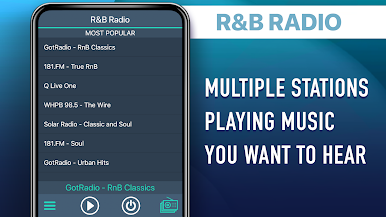
利用可能なラジオ局:
****** Most Popular ******
181.fm - True RnB
Funky Corner Radio
Classic Soul
Music Massage - Slow Jams
radio-therapy-music
Basement R&B
Hot Jamz
International Soul Radio
Midnight Soul Radio
***** Today's Mix *****
Urban Music 2000 Radio: R&B
Urban Music 2000 Radio: Slo
RnB Vibes Radio
****** Funk Mix ******
181.fm - True R&B
DIVA RADIO FUNK
Funk Republic Radio
Funky Tunes
****** Soul/R&B Mix ******
Today's Hits and Hot Dance
LukeRadio
ch_black_128.mp3
Secret Garden
Sensation Station
Hitz
SSRadio - Streaming House Music 24/7
Rap Stream 1
Rap Stream 2
HMP1.mp3
BoxTree Radio
Hot RnB
FAQs
Q: Why does the music stop playing when the screen goes dark?
A: There are several possible explanations for why this is happening. Many devices have built-in power saving settings (ex. Doze mode) that can cause disruptions in online streaming. Additionally, wifi settings need to be set to stay on when the device falls asleep. Please follow the link to our FAQ to find detailed instructions for how to adjust your settings to ensure seamless streaming: http://myindieapp.com/faq
Q: Why is the music skipping?
A: When songs are skipping, it is often because 1) that station's server has recently been reset or 2) the internet isn't filling the audio buffer fast enough. Usually these issues are resolved with faster internet, changing the wifi settings on your device, or they resolve on their own after the server resets.
Q: Why is the app not working on my device?
A: Unfortunately, the app doesn't support all devices and operating systems. This is the main reason we have decided to bring this app to you totally FREE! Try it out to see if we are coming in loud and clear, "Nothing ventured nothing gained." We are adding support for new devices all the time.
Q: Why are some stations blank at times?
A: Some of these stations are controlled by real DJs and if they aren't playing anything at the time or their site is down no music will play. Fortunately we have a variety of channels so you will always have a lot to choose from.
R&Bラジオ - の音楽を フリー
お楽しみください!
利用可能なラジオ局:
****** Most Popular ******
181.fm - True RnB
Funky Corner Radio
Classic Soul
Music Massage - Slow Jams
radio-therapy-music
Basement R&B
Hot Jamz
International Soul Radio
Midnight Soul Radio
***** Today's Mix *****
Urban Music 2000 Radio: R&B
Urban Music 2000 Radio: Slo
RnB Vibes Radio
****** Funk Mix ******
181.fm - True R&B
DIVA RADIO FUNK
Funk Republic Radio
Funky Tunes
****** Soul/R&B Mix ******
Today's Hits and Hot Dance
LukeRadio
ch_black_128.mp3
Secret Garden
Sensation Station
Hitz
SSRadio - Streaming House Music 24/7
Rap Stream 1
Rap Stream 2
HMP1.mp3
BoxTree Radio
Hot RnB
FAQs
Q: Why does the music stop playing when the screen goes dark?
A: There are several possible explanations for why this is happening. Many devices have built-in power saving settings (ex. Doze mode) that can cause disruptions in online streaming. Additionally, wifi settings need to be set to stay on when the device falls asleep. Please follow the link to our FAQ to find detailed instructions for how to adjust your settings to ensure seamless streaming: http://myindieapp.com/faq
Q: Why is the music skipping?
A: When songs are skipping, it is often because 1) that station's server has recently been reset or 2) the internet isn't filling the audio buffer fast enough. Usually these issues are resolved with faster internet, changing the wifi settings on your device, or they resolve on their own after the server resets.
Q: Why is the app not working on my device?
A: Unfortunately, the app doesn't support all devices and operating systems. This is the main reason we have decided to bring this app to you totally FREE! Try it out to see if we are coming in loud and clear, "Nothing ventured nothing gained." We are adding support for new devices all the time.
Q: Why are some stations blank at times?
A: Some of these stations are controlled by real DJs and if they aren't playing anything at the time or their site is down no music will play. Fortunately we have a variety of channels so you will always have a lot to choose from.
R&Bラジオ - の音楽を フリー
お楽しみください!
R&BラジオをPCでプレイ
-
BlueStacksをダウンロードしてPCにインストールします。
-
GoogleにサインインしてGoogle Play ストアにアクセスします。(こちらの操作は後で行っても問題ありません)
-
右上の検索バーにR&Bラジオを入力して検索します。
-
クリックして検索結果からR&Bラジオをインストールします。
-
Googleサインインを完了してR&Bラジオをインストールします。※手順2を飛ばしていた場合
-
ホーム画面にてR&Bラジオのアイコンをクリックしてアプリを起動します。

