


Cinema 14: Thrilling Mystery
Chơi trên PC với BlueStacks - Nền tảng chơi game Android, được hơn 500 triệu game thủ tin tưởng.

Trang đã được sửa đổi vào: Oct 26, 2025
Play Cinema 14: Thrilling Mystery on PC or Mac
From the innovators and creators at SoyaDaizu, Cinema 14: Thrilling Mystery is another fun addition to the World of Adventure games. Go beyond your mobile screen and play it bigger and better on your PC or Mac. An immersive experience awaits you.
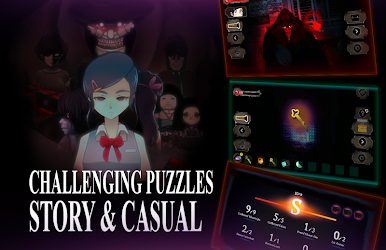
Cinema 14 plays like a late night J-horror short wrapped in a visual novel, then sprinkled with escape room puzzles and a few sudden button prompts that make the heart jump. The setup is simple and creepy. A girl wakes up in an abandoned theater, half-remembering a rumor that the curse only breaks if the movie finishes. Rooms look normal until they do not. A bedroom with wood floors, a cabinet, and then a kimono doll with hollow eyes staring from the door. The sound design leans into that cold clang and low hum that says something is in the hall. Choices pop up at the worst moments, like block the door or lock it with the chains, and those choices push toward one of 14 endings. Some runs feel short, some stretch out, because puzzles randomize a bit and there are clues tucked everywhere.
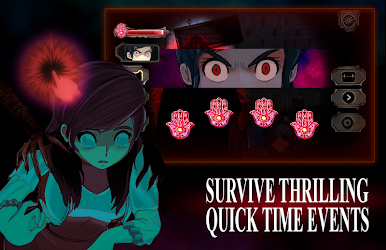
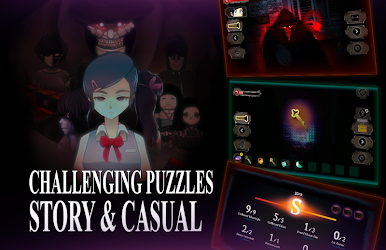
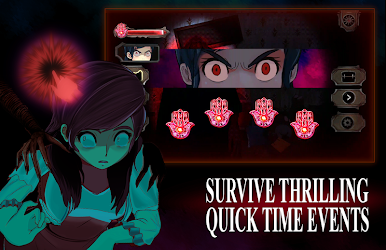
Moment to moment it is reading, exploring tight spaces, solving small logic locks, and bracing for quick time events that punish slow reactions. On PC with BlueStacks it feels easier to handle those timing bits with a mouse or key taps, and the bigger screen helps spot tiny telltale details in dark corners. The story mode lets players soak in the mystery, and there is a casual option if someone just wants to see scenes without too much stress. Checkpoints are generous enough that a bad decision does not wipe everything. Expect ads on the free version and local saves unless a purchase is made, but the core is that tense choice driven horror where curiosity gets rewarded and sometimes gets someone killed.
Slay your opponents with your epic moves. Play it your way on BlueStacks and dominate the battlefield.



















Chơi Cinema 14: Thrilling Mystery trên PC. Rất dễ để bắt đầu
-
Tải và cài đặt BlueStacks trên máy của bạn
-
Hoàn tất đăng nhập vào Google để đến PlayStore, hoặc thực hiện sau
-
Tìm Cinema 14: Thrilling Mystery trên thanh tìm kiếm ở góc phải màn hình
-
Nhấn vào để cài đặt Cinema 14: Thrilling Mystery trong danh sách kết quả tìm kiếm
-
Hoàn tất đăng nhập Google (nếu bạn chưa làm bước 2) để cài đặt Cinema 14: Thrilling Mystery
-
Nhấn vào icon Cinema 14: Thrilling Mystery tại màn hình chính để bắt đầu chơi

