


Learn R Tutorial - PRO
Gioca su PC con BlueStacks: la piattaforma di gioco Android, considerata affidabile da oltre 500 milioni di giocatori.

Pagina modificata il: Apr 27, 2021
Play Learn R Tutorial - PRO on PC
Features:
• NO ADS
• Great user interface.
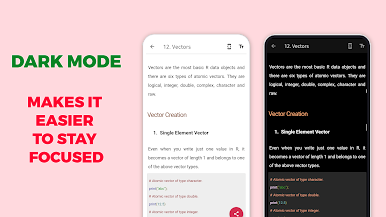
• Dark Mode
• Topics divided into proper way.
• All topics are offline: no needs internet
• Content with easy examples.
• Easy to Understand.
• Good Numbers of Examples
• Copy and Share Topic with your friends.
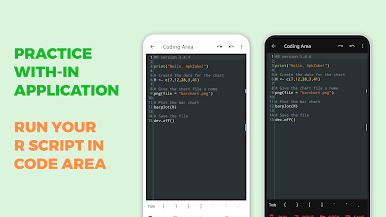
• Online R Compiler: Run your R program within application.
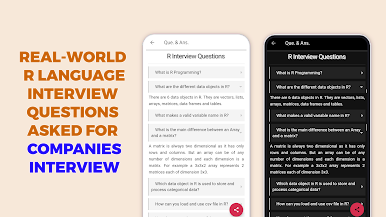
• R Interview Questions and Answers.
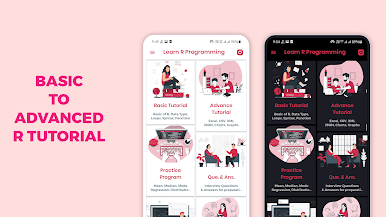
Basic Tutorial: basic tutorial consists following topics.
• R Introduction
• Environment Setup
• Data Types in R
• Basic Syntax
• R Operators
• Loops in R
• R Functions
• R Strings
• R Vectors
• R Lists
• R Matrices
Data Interfaces, Charts and Graphs: Basic to Advance R topics likes,
• CSV Files
• Excel File
• Binary Files
• XML Files
• JSON Files
• Web Data
• Databases
• Pie, Bar Charts
• Boxplots
• Histograms
• Line Graphs
• Scatterplots
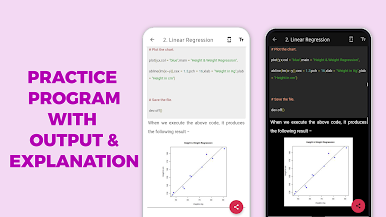
Statistic Examples: No battle can win in the study and theory without practice is dead. In this topic we add 60+ practice programs with output and provide run, share and copy.
• Mean, Median and Mode
• Linear, Multiple, Logistic, Poisson Regression
• Normal, Binomial Distribution
• Analysis of Covariance, Random Forest, Survival Analysis, Chi Square Test
R Interview Questions and Answers: R Interview Questions have been designed specially to get you acquainted with the nature of questions you may encounter during your interview for the subject of R Programming Language.
Contact Us:
• ApkZube's team happy to help you any time contact on apkzube@gmail.com
• follow apkzube on Instagram : https://www.instagram.com/apkzube

Gioca Learn R Tutorial - PRO su PC. È facile iniziare.
-
Scarica e installa BlueStacks sul tuo PC
-
Completa l'accesso a Google per accedere al Play Store o eseguilo in un secondo momento
-
Cerca Learn R Tutorial - PRO nella barra di ricerca nell'angolo in alto a destra
-
Fai clic per installare Learn R Tutorial - PRO dai risultati della ricerca
-
Completa l'accesso a Google (se hai saltato il passaggio 2) per installare Learn R Tutorial - PRO
-
Fai clic sull'icona Learn R Tutorial - PRO nella schermata principale per iniziare a giocare

