

Radio Dominican - AM FM Online
Graj na PC z BlueStacks – Platforma gamingowa Android, która uzyskała zaufanie ponad 500 milionów graczy!

Strona zmodyfikowana w dniu: Dec 11, 2024
Run Radio Dominican - AM FM Online on PC or Mac
Multitask effortlessly on your PC or Mac as you try out Radio Dominican – AM FM Online, a Music & Audio app by Msiradio on BlueStacks.
About the App
If you’re looking to tune into the sound of the Dominican Republic, Radio Dominican – AM FM Online is your go-to spot. Whether you’re missing your favorite shows from home or just want to discover what’s buzzing in Dominican music and talk, this app brings a real slice of local radio right to your fingertips. You’ll find a mix of classic stations and new voices—all easy to find, easy to use, and streaming without the fuss.
App Features
-
All-in-One Dominican Radio
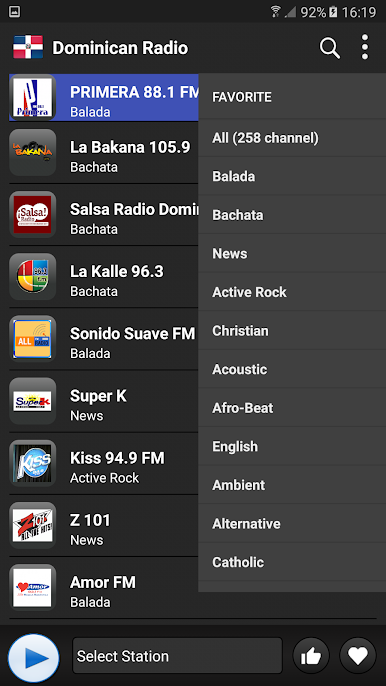
Jump between top FM and AM stations throughout the Dominican Republic. Sports, news, bachata, merengue—you name it. -
Favorites at a Tap
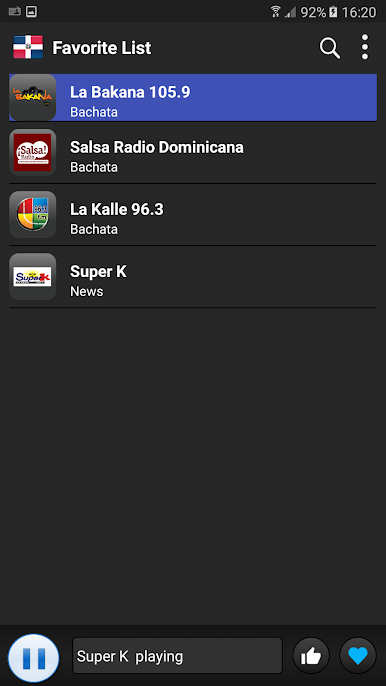
Got a favorite station? Save it! One tap gets you right back to the broadcasts you love most. -
Background Listening
Keep your tunes or talk shows rolling while you do other stuff on your device. Perfect for multitaskers or anyone who can’t stand the silence. -
Smooth, Quick Streaming
Forget laggy playback. Stations load quickly, and sound quality’s solid—just hit play and you’re listening. -
Curated Top 100 List
Not sure where to begin? Check out the app’s curated Top 100 channels. It’s an easy way to catch the biggest and buzziest stations right now.
If you prefer listening on a bigger screen, you can check out Radio Dominican – AM FM Online through BlueStacks, just to make things even more comfortable. Whether it’s for background music while you work or for catching real Dominican shows, this one’s got you covered.
Eager to take your app experience to the next level? Start right away by downloading BlueStacks on your PC or Mac.


Zagraj w Radio Dominican - AM FM Online na PC. To takie proste.
-
Pobierz i zainstaluj BlueStacks na PC
-
Zakończ pomyślnie ustawienie Google, aby otrzymać dostęp do sklepu Play, albo zrób to później.
-
Wyszukaj Radio Dominican - AM FM Online w pasku wyszukiwania w prawym górnym rogu.
-
Kliknij, aby zainstalować Radio Dominican - AM FM Online z wyników wyszukiwania
-
Ukończ pomyślnie rejestrację Google (jeśli krok 2 został pominięty) aby zainstalować Radio Dominican - AM FM Online
-
Klinij w ikonę Radio Dominican - AM FM Online na ekranie startowym, aby zacząć grę

