


Apphi: Schedule Social Media
Chơi trên PC với BlueStacks - Nền tảng chơi game Android, được hơn 500 triệu game thủ tin tưởng.

Trang đã được sửa đổi vào: May 15, 2025
Run Apphi: Schedule Social Media on PC or Mac
Upgrade your experience. Try Apphi: Schedule Social Media, the fantastic Productivity app from Apphi, from the comfort of your laptop, PC, or Mac, only on BlueStacks.
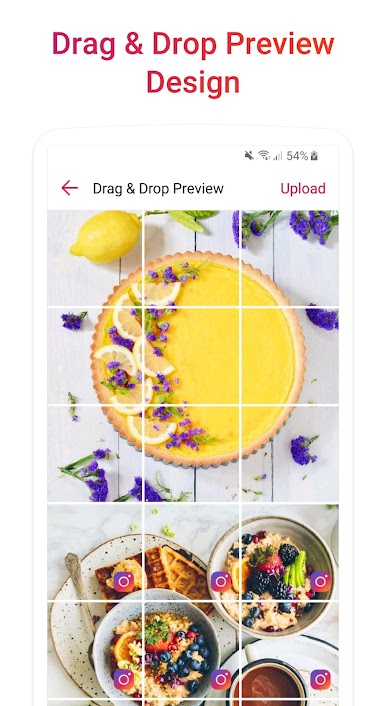
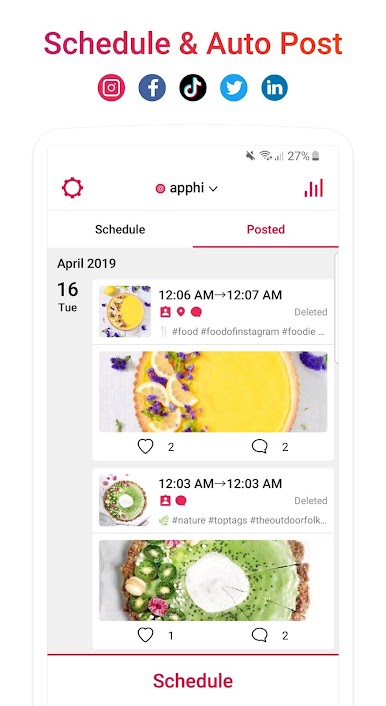
Apphi is a social media scheduler that feels like a tidy control panel. It pulls Instagram, Facebook, Twitter, TikTok, LinkedIn, Pinterest, and Google Business into one spot, so someone can load up a week of posts and not babysit each account. The Instagram tools stand out most. There is a drag and drop grid planner for the feed, Story scheduling, and support for carousel posts with multiple photos or videos. Captions and hashtag sets can be saved and reused, first comment can be queued, people and locations can be tagged, and it understands @mentions, hashtags, and emojis without being fussy. Suggested hashtags are there if ideas run dry. Bulk scheduling is fast when a folder of content is ready to go, and there is a simple search to grab past pieces.
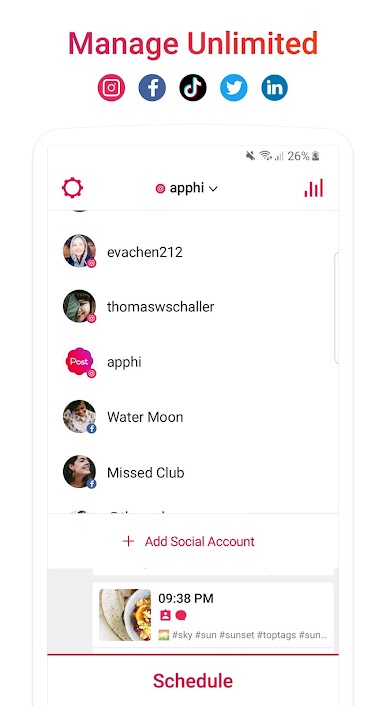
Running it on a PC with BlueStacks makes the whole thing calmer. A bigger screen means moving tiles around is easier, long captions are nicer to type, and files can come straight from desktop folders. Agencies or anyone juggling a lot of profiles will like that it can handle unlimited accounts and let team members hop in to manage. Auto publishing works for the major networks it supports, though connecting accounts and granting permissions takes a minute the first time. Worth checking time zones and queue times so posts hit when they should, and keeping the emulator open if relying on any reminders. It is also an official partner for the big platforms, which helps with trust, but what matters day to day is that it stays stable while posts line up and the calendar fills without any drama
BlueStacks brings your apps to life on a bigger screen—seamless and straightforward.

Chơi Apphi: Schedule Social Media trên PC. Rất dễ để bắt đầu
-
Tải và cài đặt BlueStacks trên máy của bạn
-
Hoàn tất đăng nhập vào Google để đến PlayStore, hoặc thực hiện sau
-
Tìm Apphi: Schedule Social Media trên thanh tìm kiếm ở góc phải màn hình
-
Nhấn vào để cài đặt Apphi: Schedule Social Media trong danh sách kết quả tìm kiếm
-
Hoàn tất đăng nhập Google (nếu bạn chưa làm bước 2) để cài đặt Apphi: Schedule Social Media
-
Nhấn vào icon Apphi: Schedule Social Media tại màn hình chính để bắt đầu chơi

