

Remove & Add Watermark
เล่นบน PC ผ่าน BlueStacks - Android Gaming Platform ที่ได้รับความไว้วางใจจากเกมเมอร์ 500 ล้านคนทั่วโลก

Page Modified on: Oct 27, 2023
Run Remove & Add Watermark on PC or Mac
Upgrade your experience. Try Remove & Add Watermark, the fantastic Video Players & Editors app from WATER INC, from the comfort of your laptop, PC, or Mac, only on BlueStacks.
About the App
Remove & Add Watermark by WATER INC isn’t just another tool in the Video Players & Editors genre—it’s like having a Swiss Army knife for handling watermarks on your photos and videos. Whether you’re looking to clean up that distracting logo or add your own polish with a custom mark, this app steps up and gets the job done. Users can expect straightforward controls, a clean interface, and the flexibility to get creative or simply tidy things up.
App Features
-
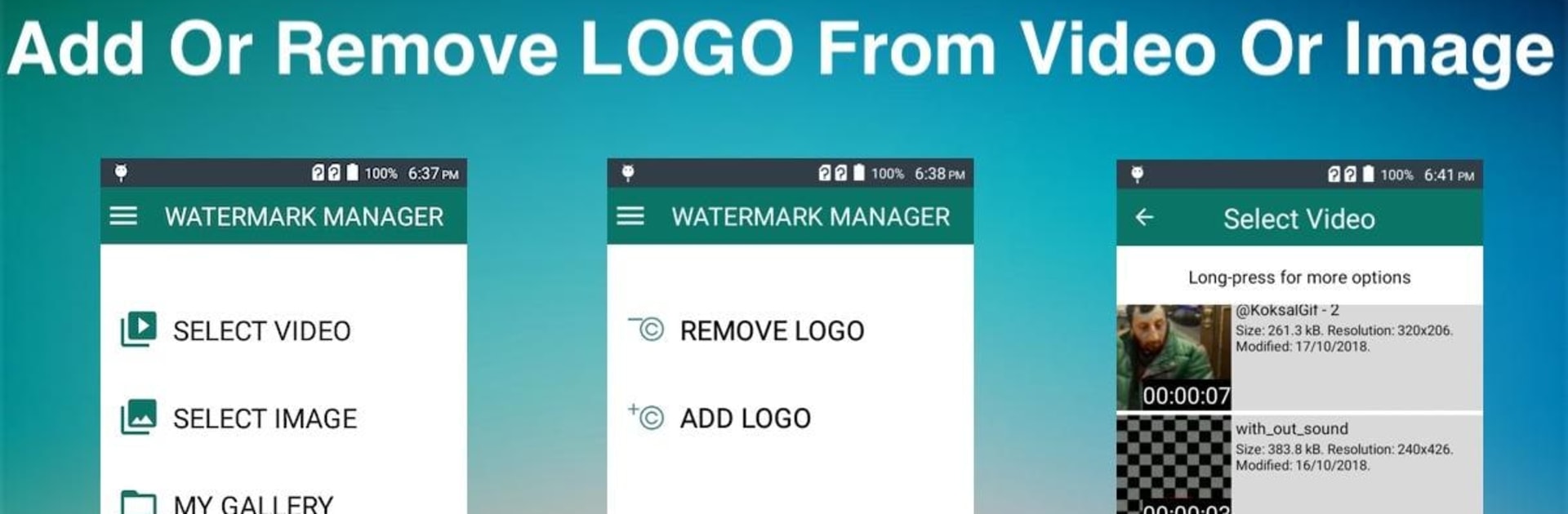
Pick Your Media, No Hassle
Right as you open the app, you’ll get a simple choice: photo or video. Once you’ve picked what you want to work on, you’re off to the races—no confusing menus. -
Remove Watermarks Effortlessly
Got a pesky logo? Trace over it with a lasso or just draw a rectangle around it, and the app does its best to blend it away using clever pixel interpolation. It works especially well with transparent “alpha-blend” marks. Got multiple watermarks? Just pop in more selection boxes, no limits. -
Add Your Own Watermark
Wanna brand your stuff with a text or image watermark? You can drop in text, play with fonts, colors, and rotation, or use images—including premade ones from the app itself. -
Animate Your Mark
Not limited to just slapping a watermark on top. You can even animate it—set its direction, duration, get it moving, and catch people’s eyes. -
Templates for Speed
Save your favorite watermark settings as templates. Next time you need the same look, just load it up instead of setting everything from scratch. -
Font Customization
Love a unique font? Pop your .ttf files into the designated folder, and the app will let you use them right away. -
Cropping Options
If a watermark’s living right on the edge of your video or photo, cropping can be the easiest fix. The app makes that straightforward. -
Gallery Built In
All edited files get sent to a dedicated folder, and there’s an in-app gallery for quick viewing—the days of hunting through your phone’s chaos are over. -
Fine-Tune Video Quality
Edit screens have a handy gear icon for tweaking processing speed and quality. Patience pays off with crisper results. -
Works with MP4 and More
Most video types can get the watermark treatment (everything’s saved as MP4 in the end), so you’re rarely stuck with unsupported files. -
Runs Smooth on Big Screens
If you like working on a larger display, using Remove & Add Watermark through BlueStacks brings all the features to your PC or Mac for even smoother editing.
BlueStacks brings your apps to life on a bigger screen—seamless and straightforward.







เล่น Remove & Add Watermark บน PC ได้ง่ายกว่า
-
ดาวน์โหลดและติดตั้ง BlueStacks บน PC ของคุณ
-
ลงชื่อเข้าใช้แอคเคาท์ Google เพื่อเข้าสู่ Play Store หรือทำในภายหลัง
-
ค้นหา Remove & Add Watermark ในช่องค้นหาด้านขวาบนของโปรแกรม
-
คลิกเพื่อติดตั้ง Remove & Add Watermark จากผลการค้นหา
-
ลงชื่อเข้าใช้บัญชี Google Account (หากยังไม่ได้ทำในขั้นที่ 2) เพื่อติดตั้ง Remove & Add Watermark
-
คลิกที่ไอคอน Remove & Add Watermark ในหน้าจอเพื่อเริ่มเล่น

