


Bronze Age
Gioca su PC con BlueStacks: la piattaforma di gioco Android, considerata affidabile da oltre 500 milioni di giocatori.

Pagina modificata il: May 10, 2026
Gioca Bronze Age per PC
Scegli una data di partenza - either 4,000,000 B.C. (Età della Pietra) o 6000 B.C. (Età del Bronzo) – e guida il tuo popolo verso la prosperità!
Caratteristiche principali, scelte dai nostri fan:
*Gameplay entusiasmante
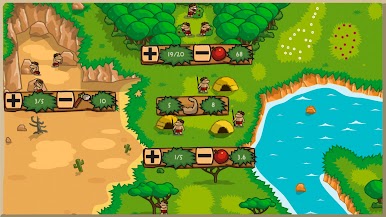
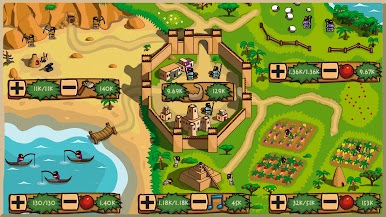
Il gioco offre un sistema di gestione delle risorse molto semplice e facile da usare, a sua volta accompagnato da più di 30 eventi. L’Era Glaciale, disastri naturali, incursioni nemiche, guerre, nomadi, diverse dinastie regnanti, capi religiosi, rivolte popolari… tutti questi eventi scriveranno la storia della tua gente. Se sei alla ricerca di una vera sfida, prova la nuova modalità sopravvivenza contro nemici sempre più forti.
*Una dettagliata ricostruzione della storia
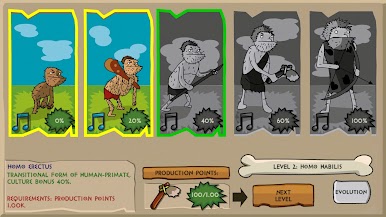
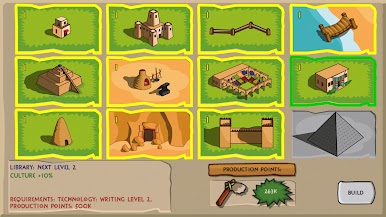
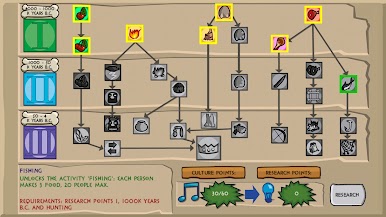
La ricerca di più di 60 tecnologie, dalla scoperta del fuoco alla creazione di leggi, ti immergerà nel background storico di ogni periodo. Potrai costruire più di 20 edifici storici nati dall'architettura del mondo antico. Inoltre, giocando la campagna ambientata durante l'Età della Pietra ti sarà possibile ripercorrere l'evoluzione dell'umanità dagli Australopithecus agli Homo sapiens.
Gioca Bronze Age su PC. È facile iniziare.
-
Scarica e installa BlueStacks sul tuo PC
-
Completa l'accesso a Google per accedere al Play Store o eseguilo in un secondo momento
-
Cerca Bronze Age nella barra di ricerca nell'angolo in alto a destra
-
Fai clic per installare Bronze Age dai risultati della ricerca
-
Completa l'accesso a Google (se hai saltato il passaggio 2) per installare Bronze Age
-
Fai clic sull'icona Bronze Age nella schermata principale per iniziare a giocare

