


Type-C DisplayPort Checker
500M + oyuncunun güvendiği Android Oyun Platformu, BlueStacks ile PC'de oynayın.

Sayfa Değiştirilme tarihi: Jul 13, 2025
Run Type-C DisplayPort Checker on PC or Mac
Why limit yourself to your small screen on the phone? Run Type-C DisplayPort Checker, an app by Display Helper, best experienced on your PC or Mac with BlueStacks, the world’s #1 Android emulator.
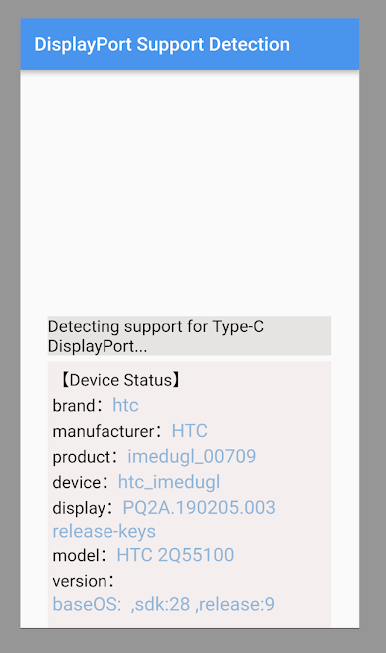
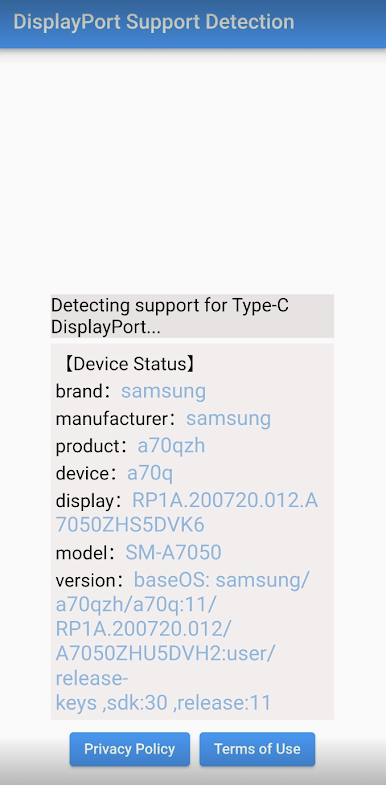
Type-C DisplayPort Checker is one of those tiny tools that does one job and does it clearly. It opens up, runs a quick check, and tells the user whether a phone or tablet’s USB Type-C port supports DisplayPort video out. No fluff, no confusing menus. It shows simple status info so a person can figure out if their device can push video to a monitor or dock, or if the port is just there for charging and data. The app nudges the user to plug in a real cable or hub if they want the full picture, since some details only show up when a display path is actually connected. It feels more like a quick test bench than an app someone would stare at all day, and that is exactly what makes it useful.
What stands out is how fast and straightforward it is. People who swap between hubs, adapters, and different monitors will appreciate getting an answer in a few seconds instead of guessing why a setup does not show anything. It is also helpful before buying a dock, since it can hint whether the phone even speaks DisplayPort Alt Mode in the first place. On a PC with BlueStacks, the layout is easy to browse and the info is clean on a larger screen, though the real detection belongs on an actual Android device with a USB-C port. Not a flashy thing, not a game, just a handy checker for display support that saves time and a bit of headache when things do not light up the way they should.
BlueStacks gives you the much-needed freedom to experience your favorite apps on a bigger screen. Get it now.
Type-C DisplayPort Checker oyununu PC'de oyna. Başlamak çok kolay.
-
BlueStacks'i PC'nize İndirin ve Yükleyin
-
Play Store'a erişmek için Google girişi yapın ya da daha sonraya bırakın.
-
Sağ üst köşeye Type-C DisplayPort Checker yazarak arayın.
-
Type-C DisplayPort Checker uygulamasını arama sonuçlarından indirmek için tıklayın.
-
(iEğer Adım 2'yi atladıysanız) Type-C DisplayPort Checker uygulamasını yüklemek için Google'a giriş yapın.
-
Oynatmaya başlatmak için ekrandaki Type-C DisplayPort Checker ikonuna tıklayın.

