

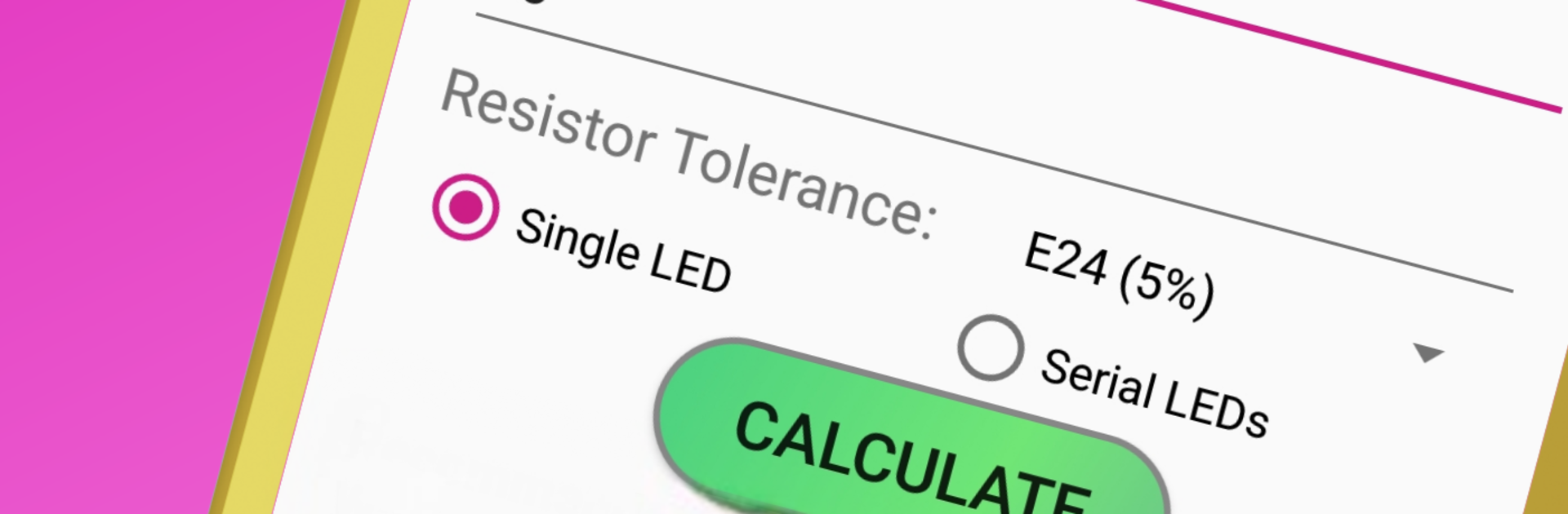
LED Resistor Calculator & SMD
5억명 이상의 게이머가 신뢰하는 안드로이드 게임 플랫폼 BlueStacks으로 PC에서 플레이하세요.

Run LED Calculator with SMD LEDs on PC or Mac
Multitask effortlessly on your PC or Mac as you try out LED Calculator with SMD LEDs, a Tools app by crydata on BlueStacks.
About the App
Ever find yourself getting tangled up in math when working with LEDs? LED Calculator with SMD LEDs from crydata takes all the guesswork out of choosing the right resistor and setting up your LED projects. Whether you tinker for fun, have a big DIY job, or just want your LEDs to shine bright without burning out, this handy tool keeps things easy, accurate, and, honestly, pretty fun to use. The clear interface and little extra features give you all the answers you need—without putting you through hours of calculations.
App Features
-
Simple Resistor Calculations
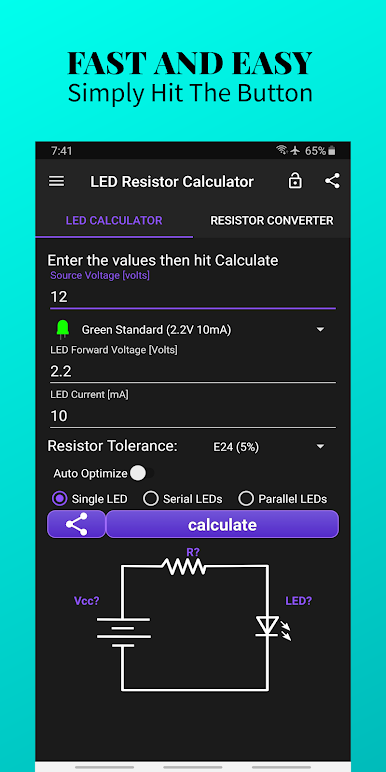
Just punch in your LED details and the app figures out the best current-limiting resistor—saves you from the classic LED-resistor headache. -
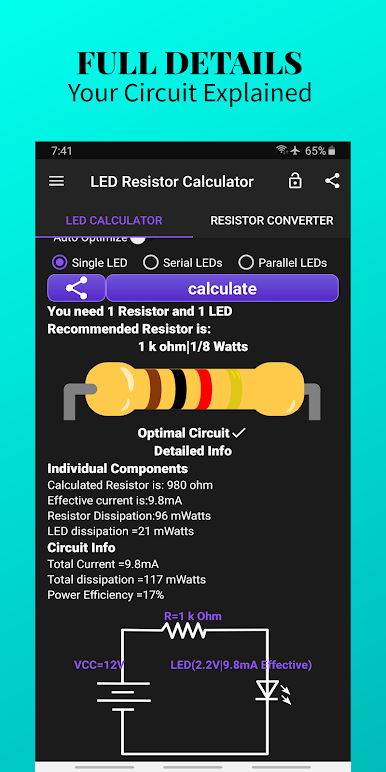
Circuit Simulation for Every Setup
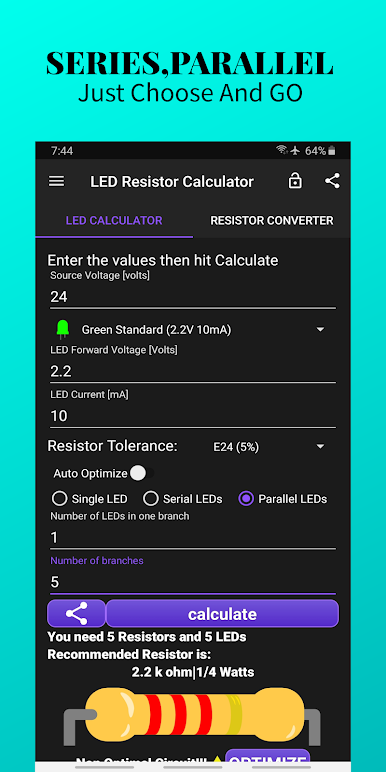
Whether you’re lighting up a single LED, stringing a bunch in series, or wiring them up in parallel, the app shows you a schematic with all the numbers you need. -
Huge Built-In LED Library
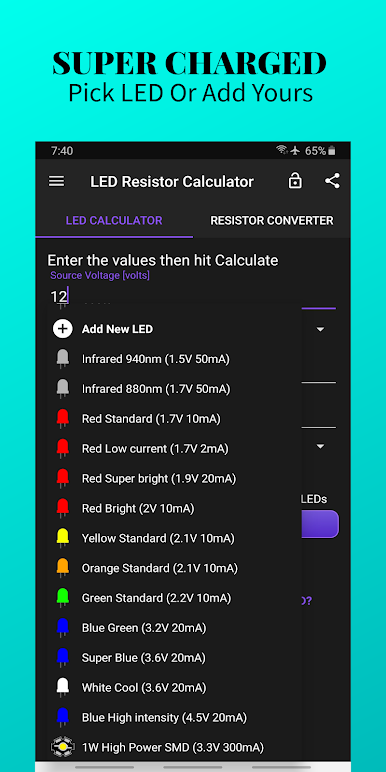
Browse a ready-made list of common LEDs or add your own custom favorites for speedy calculations later on. -
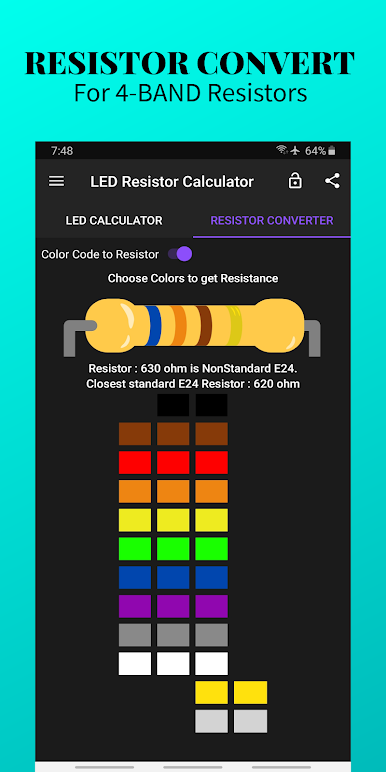
Resistor Color Code Helper
Forgot the value of a resistor? The color code converter deciphers it instantly, and if you enter a number, it tells you the color bands to look for. -
Flexible Voltage and Current Input
Source voltage, LED voltage, desired current—it all adjusts so you can experiment with different setups before you even pick up a wire. -
Resistor Suggestions with Tolerance
The app doesn’t just hand you a resistor value; it recommends standard options (from E24 and E12 ranges) and the closest match if you can’t find that exact number. -
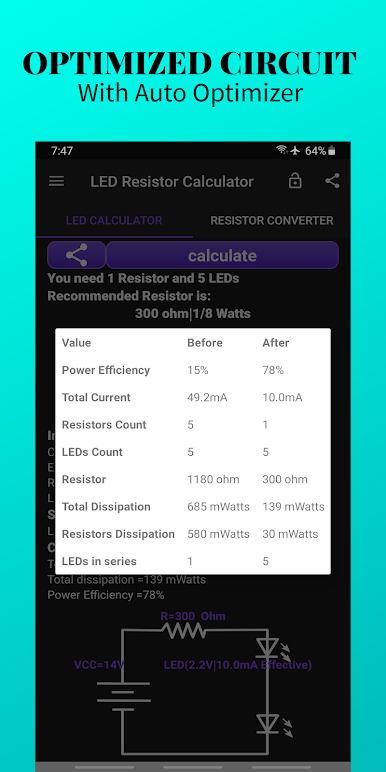
Visual Power & Efficiency Info
Check how much power the LEDs and resistors will actually use, track overall circuit efficiency, and even see warnings if your setup isn’t safe. -
Visual Themes & Night Mode
Bright, customizable designs or a sleek dark mode keep things easy on the eyes, day or night. -
No-Ads Experience
Enjoy calculating without annoying pop-ups or distractions along the way. -
Supports Multiple Languages
Switch to English, Arabic, Spanish, Portuguese, Russian, German, French, or Indonesian from inside the app. -
Quick Sharing & Feedback
Share results with a single tap or request new features directly through the app—it’s all about making your life easier.
If you’re running things on BlueStacks, everything just feels smoother—especially with a bigger screen for schematics and color codes.
Eager to take your app experience to the next level? Start right away by downloading BlueStacks on your PC or Mac.
PC에서 LED Resistor Calculator & SMD 플레이해보세요.
-
BlueStacks 다운로드하고 설치
-
Google Play 스토어에 로그인 하기(나중에 진행가능)
-
오른쪽 상단 코너에 LED Resistor Calculator & SMD 검색
-
검색 결과 중 LED Resistor Calculator & SMD 선택하여 설치
-
구글 로그인 진행(만약 2단계를 지나갔을 경우) 후 LED Resistor Calculator & SMD 설치
-
메인 홈화면에서 LED Resistor Calculator & SMD 선택하여 실행

