


Dart Scores
Jogue no PC com BlueStacks - A Plataforma de Jogos Android, confiada por mais de 500 milhões de jogadores.

Página modificada em: Dec 1, 2025
Play Dart Scores on PC or Mac
Explore a whole new adventure with Dart Scores, a Sports game created by Joris Dijkstra. Experience great gameplay with BlueStacks, the most popular gaming platform to play Android games on your PC or Mac.
About the Game
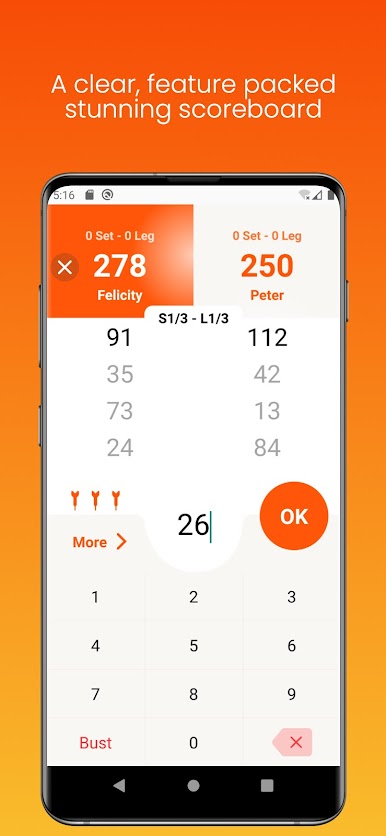
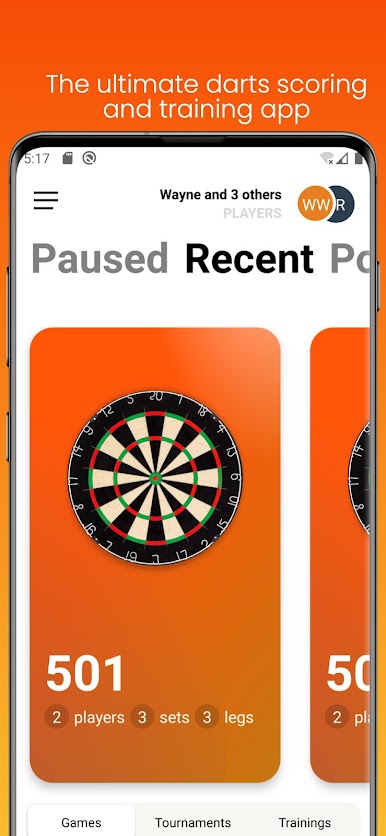
Dart Scores is all about making your darts nights smarter and way more fun, whether you’re tossing arrows with friends or getting serious about your scores. Designed by Joris Dijkstra, this Sports game gives you a digital scoreboard and handy tools right on your phone—or even on your PC with BlueStacks if that’s your jam. Track every match, run tournaments, and see exactly how your skills stack up, all in one spot.
Game Features
-
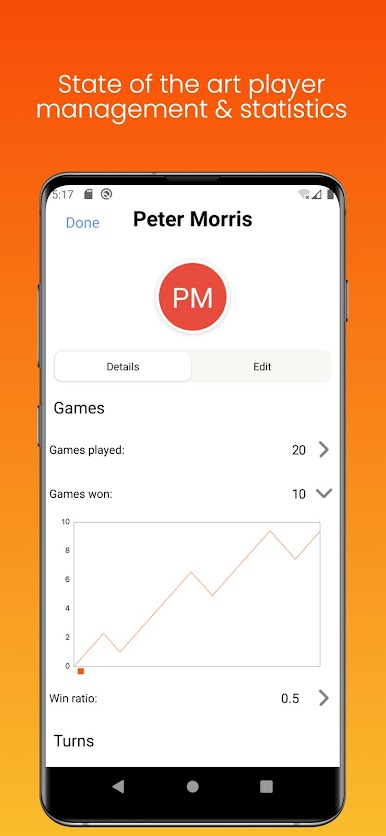
Player Management
Easily add or remove any number of players, keeping every match organized from the casual first-timer to the darts veteran. Plus, you can check out player stats like games played, games won, turns taken, and average scores so everyone knows where they stand. -
Custom Scoreboard
Set up games however you want: choose your favorite formats (from 101 to 701, Cricket, Tactics, and more) and decide who’s playing. Scores are updated automatically, turns switch without fuss, but you can also swap turns just by tapping a name. Stats update live so everyone can watch their progress in real time. -
Tournament Mode
Running a darts tournament? Dart Scores makes it a breeze to set up brackets for 4, 8, or 16 players right from your device. You focus on the fun—no paper brackets required. -
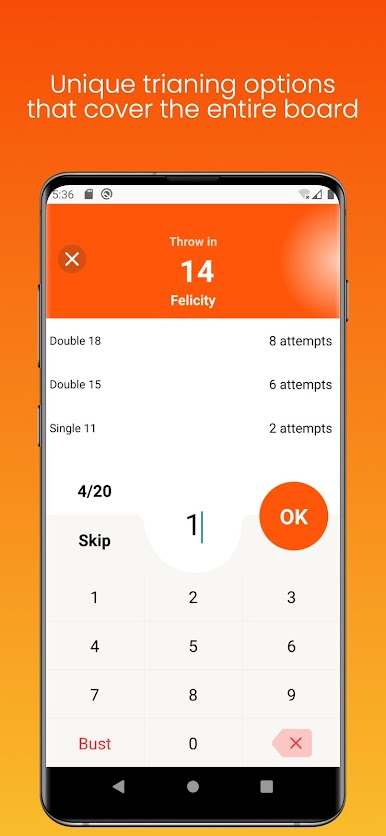
Training Hub
Want to improve your game? There are loads of training options: practice segments, work on high scores, or try out around-the-clock drills. Multiple people can train at once, and you can check detailed stats to see exactly how everyone’s progressing. -
Smart Gameplay Extras
Get handy tips for best finishes whenever they’re possible. There are game upgrades you can pick up too, letting you add game styles, beef up tournaments, play against an AI BullBot, or track even deeper stats with full charts. -
Flexible Upgrades
While you can do a ton for free, Dart Scores lets you add cool extras if you want: go totally ad-free or unlock more in-depth stats, extra game modes, and richer tournament options. -
Great on BlueStacks
If you’re into playing or tracking your darts score on a bigger screen, Dart Scores works smoothly on BlueStacks—so keeping tabs on your next triple-20 just got a bit easier.
Slay your opponents with your epic moves. Play it your way on BlueStacks and dominate the battlefield.

Jogue Dart Scores no PC. É fácil começar.
-
Baixe e instale o BlueStacks no seu PC
-
Conclua o login do Google para acessar a Play Store ou faça isso mais tarde
-
Procure por Dart Scores na barra de pesquisa no canto superior direito
-
Clique para instalar Dart Scores a partir dos resultados da pesquisa
-
Conclua o login do Google (caso você pulou a etapa 2) para instalar o Dart Scores
-
Clique no ícone do Dart Scores na tela inicial para começar a jogar

