


有聲聖經
เล่นบน PC ผ่าน BlueStacks - Android Gaming Platform ที่ได้รับความไว้วางใจจากเกมเมอร์ 500 ล้านคนทั่วโลก

Page Modified on: Sep 20, 2025
Play 有聲聖經 on PC
For first-time downloaders, try the Lite version to see if you're comfortable with it.
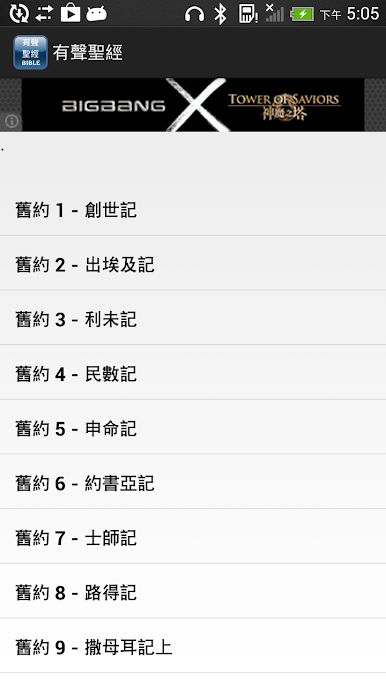
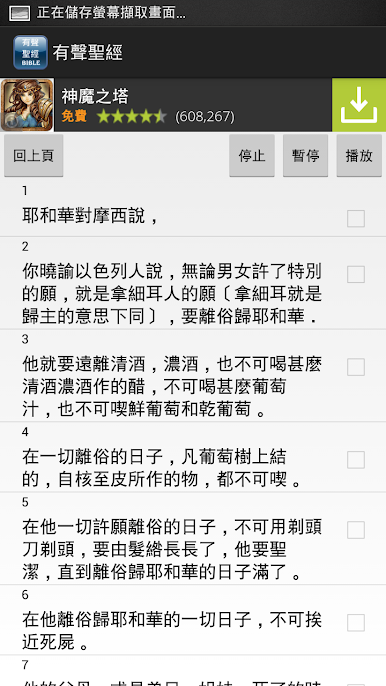
Enjoy the Bible through listening.
Start listening from any chapter.
====================================
The first download exceeds 662MB. Please do not use 3G or 4G.
*** If the audio file is not fully downloaded, the playback will skip directly to the downloading page (this will be fixed in the next version). ***
==================================
If you want to use your phone's 3G or 4G network for downloading, please note the following:
When you click on the app download button on a webpage, a message box will pop up asking if you want to restrict Wi-Fi downloads.
*** Please uncheck this box to allow your phone to use 3G or 4G for downloads. ***
*** Otherwise, downloads will fail.***
===================================
If you have any suggestions, please let us know. We will try to implement your suggestions.
The Bible text is from the Chinese Union Version.
The Bible readings are from the Faith, Hope, and Love website.
Website: http://www.fhl.net/main/fhl/fhl8.html

เล่น 有聲聖經 บน PC ได้ง่ายกว่า
-
ดาวน์โหลดและติดตั้ง BlueStacks บน PC ของคุณ
-
ลงชื่อเข้าใช้แอคเคาท์ Google เพื่อเข้าสู่ Play Store หรือทำในภายหลัง
-
ค้นหา 有聲聖經 ในช่องค้นหาด้านขวาบนของโปรแกรม
-
คลิกเพื่อติดตั้ง 有聲聖經 จากผลการค้นหา
-
ลงชื่อเข้าใช้บัญชี Google Account (หากยังไม่ได้ทำในขั้นที่ 2) เพื่อติดตั้ง 有聲聖經
-
คลิกที่ไอคอน 有聲聖經 ในหน้าจอเพื่อเริ่มเล่น

