

SchemataCAD viewer DWG/DXF
Gioca su PC con BlueStacks: la piattaforma di gioco Android, considerata affidabile da oltre 500 milioni di giocatori.

Pagina modificata il: Jun 17, 2025
Run SchemataCAD viewer DWG/DXF on PC or Mac
Let BlueStacks turn your PC, Mac, or laptop into the perfect home for SchemataCAD viewer DWG/DXF, a fun Productivity app from ELMER software s.r.o..
About the App
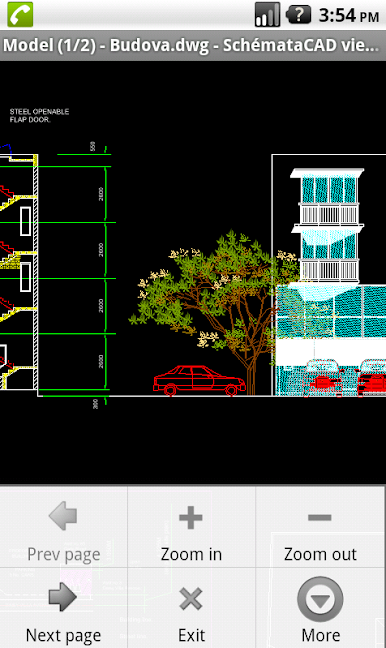
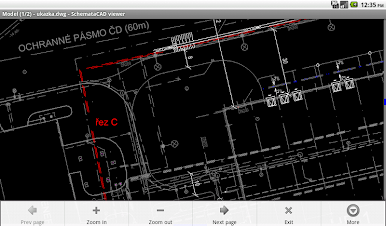
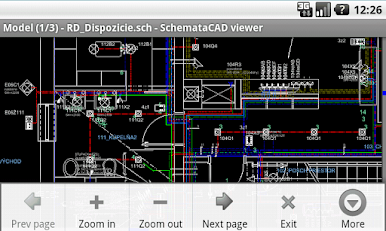
SchemataCAD viewer DWG/DXF is a straightforward 2D CAD viewer that makes checking drawings on your phone or tablet quick and painless. Open plans on the job site, double-check details on the train, or review a sketch someone just emailed you—no heavy CAD setup needed. It’s a handy Productivity tool from ELMER software s.r.o. that also runs nicely on a desktop via BlueStacks if you want a bigger canvas.
App Features
- Broad format support: Open DWG files up to the 2022 (AC1032) format, plus DXF of all versions. It also reads older DGN (V7), SCH from SchemataCAD, and common visuals like EMF, PNG, BMP, and JPG.
- Open from anywhere: Launch drawings directly from your device storage, an email attachment, a web download, or your favorite file manager—whichever’s quickest in the moment.
- SHX and shape fonts: Comes with several standard AutoCAD SHX fonts. Have custom SHX or SHP fonts? The app accepts those too and can help place needed font files into its fonts folder for proper display.
- Lightweight viewing: A clean, focused viewer designed for quick lookups and on-the-go checks, so you can review plans without spinning up a full CAD workstation.
- Platform-friendly: Works across ARM 32/64-bit and x86 32/64-bit devices. Want more screen real estate? Run it on your computer with BlueStacks.
- Know the limits: Encrypted DWG files aren’t supported. Very large drawings may not open due to device memory constraints. SHX “big fonts” (Japanese, Korean, Chinese) and external references (Xrefs) aren’t supported.
- Part of SchemataCAD: This viewer is the viewing companion to the SchemataCAD suite by ELMER software s.r.o., focused on simple, reliable access to your 2D drawings when you need them.
BlueStacks brings your apps to life on a bigger screen—seamless and straightforward.
Gioca SchemataCAD viewer DWG/DXF su PC. È facile iniziare.
-
Scarica e installa BlueStacks sul tuo PC
-
Completa l'accesso a Google per accedere al Play Store o eseguilo in un secondo momento
-
Cerca SchemataCAD viewer DWG/DXF nella barra di ricerca nell'angolo in alto a destra
-
Fai clic per installare SchemataCAD viewer DWG/DXF dai risultati della ricerca
-
Completa l'accesso a Google (se hai saltato il passaggio 2) per installare SchemataCAD viewer DWG/DXF
-
Fai clic sull'icona SchemataCAD viewer DWG/DXF nella schermata principale per iniziare a giocare

