


Cuentos Infantiles Truth&Tales
Juega en PC con BlueStacks: la plataforma de juegos Android, en la que confían más de 500 millones de jugadores.

Página modificada el: Jul 22, 2026
Juega Cuentos Infantiles Truth&Tales en PC
Cuentos infantiles premiados y juegos educativos que fortalecen el pensamiento crítico, la inteligencia emocional y la resolución de problemas! Elegido por más de 100.000 familias.
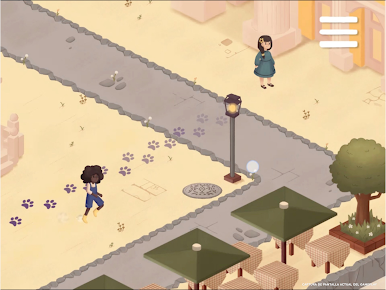
Truth & Tales combina cuentos infantiles interactivos y juegos educativos para niños de 3 a 8 años. Cada cuento está basado en Cuentos de Enseñanza: historias tradicionales de diversas culturas donde los personajes resuelven desafíos con soluciones inesperadas. Los niños juegan estos cuentos para niños, toman decisiones y resuelven enigmas que desarrollan cómo piensan. Con el tiempo, reconocen patrones de pensamiento como si miraran en un espejo, fortaleciendo el pensamiento crítico y la capacidad de hacer mejores decisiones.
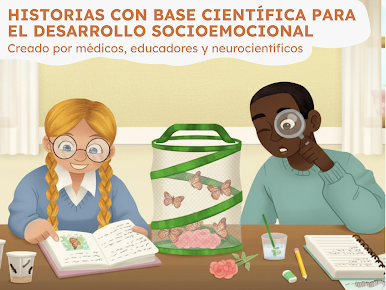
Creado por médicos, educadores y neurocientistas. Contenido que calma en lugar de sobreestimular. Todo funciona sin internet.
Cuentos Infantiles y Juegos Educativos
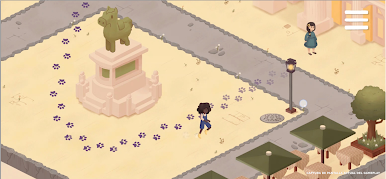
🧠 Cuentos Interactivos: cuentos infantiles con decisiones y enigmas que desarrollan pensamiento crítico, flexibilidad cognitiva y juegos mentales
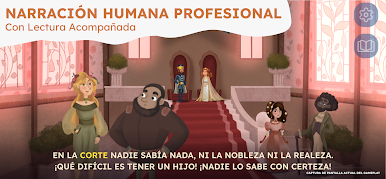
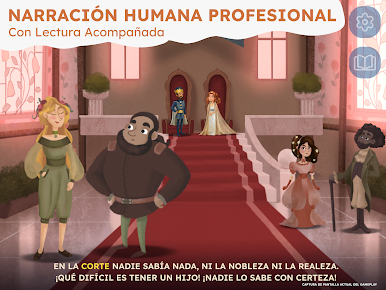
🎧 Audiolibros para Niños: narración humana profesional, perfectos como cuentos para dormir y historias para momentos tranquilos (sin internet)
🎨 Actividades Relajantes: colorear inspirado en las historias que fomenta creatividad y calma
📚 Lectura Acompañada: texto resaltado en los cuentos para niños que fortalece la lectura y el vocabulario
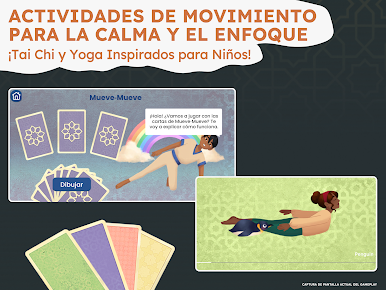
🧘 Movimiento: ejercicios suaves para regulación emocional y calma
Por Qué Estos Cuentos Infantiles Funcionan
A diferencia de fábulas con moralejas obvias, nuestros cuentos infantiles y juegos educativos desarrollan cómo pensar, no qué pensar. Los personajes resuelven problemas de maneras inesperadas, y los niños observan esos patrones como si fueran un espejo de sus propias reacciones. Esto fortalece la inteligencia emocional, la resolución de problemas y la flexibilidad cognitiva.
Los niños de 3-5 años conectan emocionalmente con los personajes y fortalecen la concentración. Los de 6-8 reconocen patrones más profundos y aplican lo aprendido. Todos desarrollan habilidades socioemocionales, inteligencia emocional y pensamiento crítico.
Juegos Educativos y Relatos Que Fortalecen Capacidades Reales
✔ Cuentos infantiles interactivos que fortalecen flexibilidad cognitiva y resolución de problemas
✔ Juegos educativos y juegos mentales basados en relatos de diversas culturas
✔ Audiolibros y cuentos para dormir con narración humana que ayudan a relajarse
✔ Lectura acompañada que fortalece vocabulario y confianza en libros para niños
✔ Actividades de calma para regulación emocional e inteligencia emocional
✔ Seguro, sin anuncios, funciona sin internet
Historias con Valores de Diversas Tradiciones
Familias que buscan historias de la biblia para niños, fábulas con valores, o cuentos clásicos encontrarán que nuestros cuentos para niños comparten el mismo énfasis en sabiduría y desarrollo del carácter.
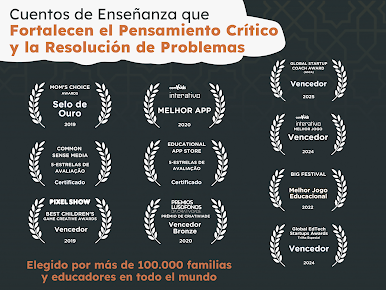
🏆 App Premiada
🏆 Medalla de Oro Mom's Choice Award
🏆 Ganador GESAwards 2025
🏆 5 Estrellas Common Sense Media
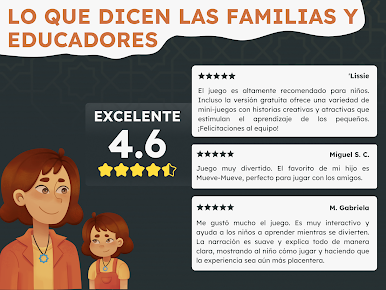
🏆 100.000+ familias en todo el mundo
Descarga Cuentos Infantiles y Juegos Educativos
Descubre cuentos infantiles, audiolibros y juegos educativos que fortalecen inteligencia emocional y pensamiento crítico. Todos los cuentos para dormir y actividades funcionan sin internet.
📥 Transforma el tiempo de pantalla con cuentos para niños y juegos mentales que realmente enseñan!





Juega Cuentos Infantiles Truth&Tales en la PC. Es fácil comenzar.
-
Descargue e instale BlueStacks en su PC
-
Complete el inicio de sesión de Google para acceder a Play Store, o hágalo más tarde
-
Busque Cuentos Infantiles Truth&Tales en la barra de búsqueda en la esquina superior derecha
-
Haga clic para instalar Cuentos Infantiles Truth&Tales desde los resultados de búsqueda
-
Complete el inicio de sesión de Google (si omitió el paso 2) para instalar Cuentos Infantiles Truth&Tales
-
Haz clic en el ícono Cuentos Infantiles Truth&Tales en la pantalla de inicio para comenzar a jugar

