


Calm Storytime: Truth & Tales
교육용 | Truth and Tales: Storytime Learning Games for Kids
5억명 이상의 게이머가 신뢰하는 안드로이드 게임 플랫폼 BlueStacks으로 PC에서 플레이하세요.

Calm Storytime: Truth & Tales PC에서 즐겨보세요
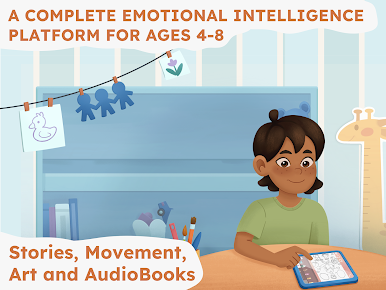
아이들과 어른 모두의 정신 건강, 사회 정서적 웰빙, 자기 조절 능력을 향상시키는 차분한 학습 게임과 잠자리 이야기
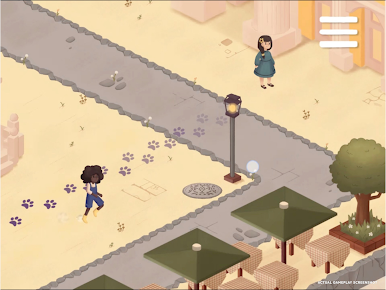
Truth & Tales는 다양한 문화권의 등장인물들이 예상치 못한 해결책을 찾아내는 똑똑한 이야기를 중심으로 만들어진 이야기 시간 앱입니다. 4~8세 어린이는 혼자서 이 이야기 게임을 즐길 수 있으며, 어른들도 같은 똑똑한 이야기를 즐길 수 있습니다.
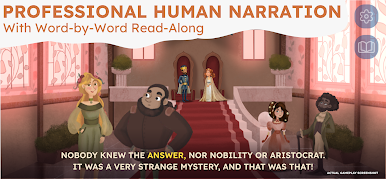
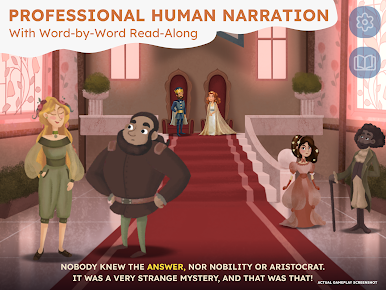
모든 이야기책에는 전문 성우의 내레이션이 포함되어 있으며, 함께 읽기 기능은 각 단어를 강조 표시하여 읽기 자신감을 키워줍니다. 모든 이야기책과 잠자리 이야기는 오프라인(Wi-Fi 없이)에서 작동합니다.
이야기 시간 학습 게임
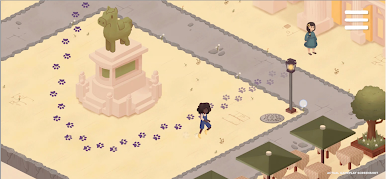
• 상호작용형 이야기 시간: 모든 이야기책 안에 선택지와 퍼즐이 있는 학습 게임
• 어린이용 오디오북: 아이들을 위한 편안한 취침 이야기, Wi-Fi 필요 없음
• 색칠하기: 스트레스 해소와 자기 조절을 위한 편안한 이야기 시간 페이지
• 함께 읽기 이야기책: 읽기 능력을 향상시키는 데 도움이 되는 강조 표시된 텍스트
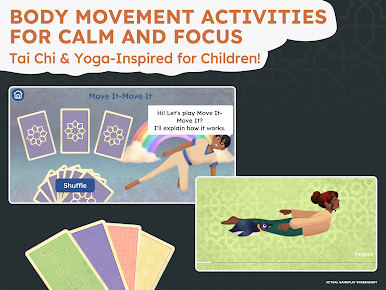
• 움직임: 차분함과 집중력을 위한 가벼운 운동
어린이와 어른을 위한 정신 건강 게임
저희 정신 건강 게임은 아이들이 감정 조절 능력을 키우고, 다양한 감정을 관리하며, 정서적 회복력을 기르는 데 도움을 줍니다. 이 아늑한 스토리 게임은 똑똑한 이야기와 차분한 이야기 시간을 결합하여, 반복적인 학습이 아닌 놀이를 통해 아이들의 행복을 증진시키며, CASEL의 5가지 사회 정서 학습 역량 모두에 부합합니다.
똑똑한 이야기가 효과적인 이유
일반적인 그림책과는 달리, 이 학습 게임은 유연한 사고와 정서적 지능 발달에 효과가 입증된 똑똑한 이야기인 교육용 이야기를 활용합니다. 아이들은 마치 거울처럼 이야기 속 패턴을 관찰합니다. 이러한 정신 건강 게임은 자기 인식과 더 나은 선택 능력을 키워줍니다.
의사, 교육자, 신경과학자들이 개발한 Truth & Tales는 아이들의 사고력 발달을 돕는 이야기 시간으로 화면 시청 시간을 바꿔줍니다.
성경 이야기를 포함한 다양한 전통 이야기
아이들을 위한 성경 이야기를 찾고 계신가요? 저희 이야기책 컬렉션은 지혜와 올바른 선택을 강조하며, 고전 이야기, 성경 이야기, 그리고 전 세계의 교훈적인 이야기들을 담고 있습니다.
✔ 이야기 시간과 아이들을 위한 이야기 게임으로 유연한 사고력을 키워보세요
✔ 인터랙티브 이야기책 안에 담긴 학습 게임과 이야기 게임
✔ 부드러운 내레이션이 곁들여진 아이들을 위한 취침 이야기
✔ 정신 건강과 감정 인식을 지원하는 똑똑한 이야기
✔ 안전하고 광고가 없으며 오프라인에서도 작동합니다(Wi-Fi 필요 없음)
🏆 수상 경력에 빛나는 이야기 시간 앱
• 맘스 초이스 골드 어워드 수상
• GESAwards 2025 수상
• 커먼 센스 미디어 별 5개 만점
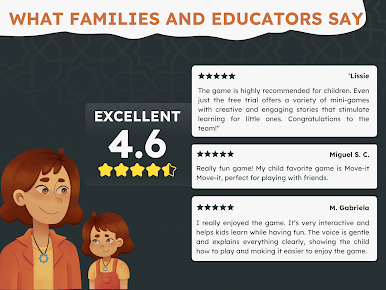
• 전 세계 10만 가구 이상에서 사랑받는 앱
아이들을 위한 학습 게임과 취침 이야기
이야기 시간, 이야기책, 이야기 게임을 만나보세요 그리고 이야기를 통해 사회 정서 학습을 길러주는 정신 건강 게임도 있습니다. 모든 기능은 오프라인(Wi-Fi 필요 없음)에서 작동합니다.
잠자리 이야기, 동화책, 그리고 실제로 교육적인 스토리텔링 게임을 통해 아이들의 스크린 시간을 이야기 시간으로 바꿔보세요!








PC에서 Calm Storytime: Truth & Tales 플레이해보세요.
-
BlueStacks 다운로드하고 설치
-
Google Play 스토어에 로그인 하기(나중에 진행가능)
-
오른쪽 상단 코너에 Calm Storytime: Truth & Tales 검색
-
검색 결과 중 Calm Storytime: Truth & Tales 선택하여 설치
-
구글 로그인 진행(만약 2단계를 지나갔을 경우) 후 Calm Storytime: Truth & Tales 설치
-
메인 홈화면에서 Calm Storytime: Truth & Tales 선택하여 실행

