


Daily Habits: KI Habit Tracker
Spiele auf dem PC mit BlueStacks - der Android-Gaming-Plattform, der über 500 Millionen Spieler vertrauen.

Seite geändert am: May 24, 2026
Spiele Daily Habits: KI Habit Tracker für PC
Erhalte eine persönliche Gewohnheitsliste von der KI — passend zu deinen Zielen, deinem Lebensstil und deinem Alltag. Baue Routinen auf, die dich wirklich glücklicher machen.
Daily Habits ist der einfachste und effektivste Gewohnheits-Tracker für die Routinen, die wirklich zählen.
KI-Gewohnheitsgenerator
Beschreibe der App deine Ziele und was dich glücklich macht: Die KI erstellt eine persönliche Liste täglicher Gewohnheiten genau für dich. Kein Überlegen mehr, wo du anfangen sollst. Deine persönliche Routine ist in Sekunden fertig.
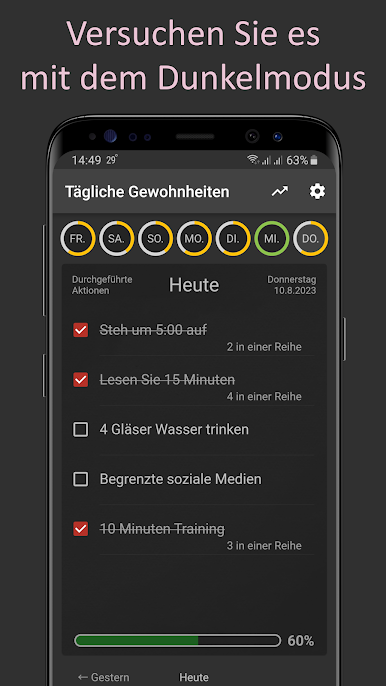
Tägliches Gewohnheits-Tracking
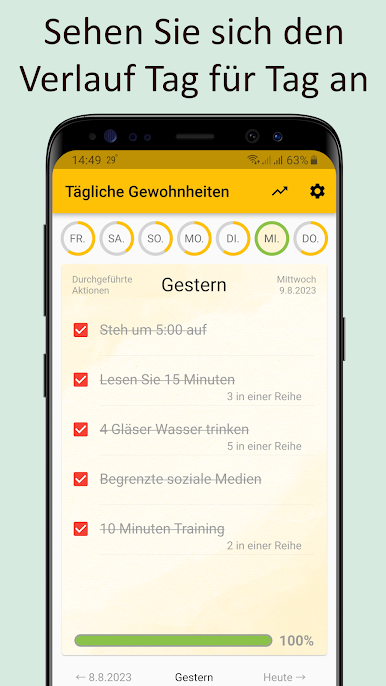
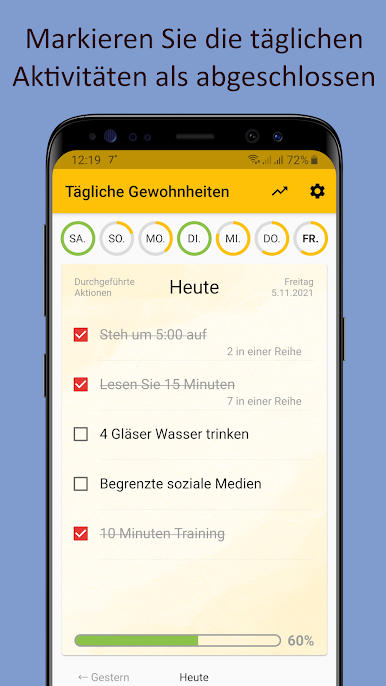
Erstelle deine Checkliste täglicher Aktionen und hake sie jeden Tag ab. Du vergisst nichts und weißt immer, wie du stehst. Beobachte, wie dein Fortschritt wächst. 📈
Erweiterte Statistiken
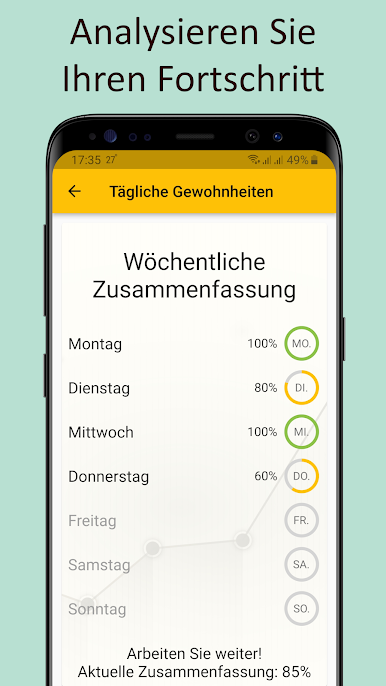
Verfolge deinen Fortschritt nach Wochen, Monaten und einzelnen Aufgaben — für eine bestimmte Liste oder alle aktiven Listen. 📊
Widget auf dem Startbildschirm
Behalte deine Gewohnheiten immer im Blick. Verfolge deine täglichen Aktionen direkt vom Startbildschirm — schnell und einfach, ohne die App zu öffnen. 📱
Erinnerungen und Wochenplan
Lege für jede Gewohnheit die Wochentage fest und erhalte rechtzeitige Erinnerungen. Bleib konsequent und verpasse keinen Tag mehr. ⏰
Mehrere Listen
Behalte verschiedene Lebensbereiche im Blick — Gesundheit, Produktivität, Lernen oder was auch immer dir wichtig ist. Wechsle bequem zwischen Listen über das Seitenpanel.
Dunkles Design
Angenehm für die Augen, tagsüber und nachts. Aktiviere das dunkle Design in den Einstellungen. 🌙
Belohnungen und Fortschritt
Steigere den Rang deiner Gewohnheiten und sammle Belohnungen für deine Beständigkeit. Je länger deine Serie, desto motivierter bleibst du. 🏆
Studien zeigen, dass es im Durchschnitt 66 aufeinanderfolgende Tage braucht, um eine Handlung zur Gewohnheit zu machen. Daily Habits ist dafür gemacht, dich genau dorthin zu bringen — einen Tag nach dem anderen.
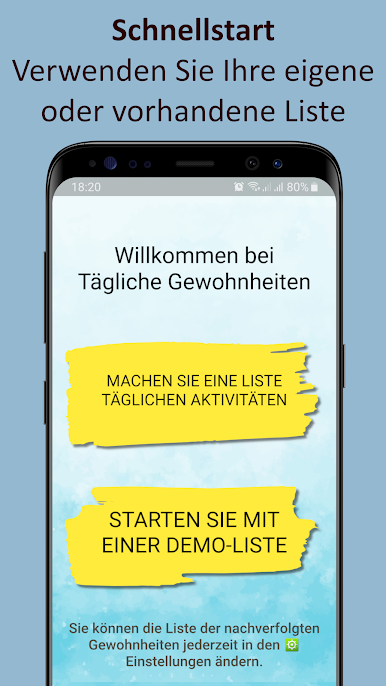
Starte mit unserer vorgefertigten Liste guter Gewohnheiten oder erstelle deine eigene von Grund auf.
Wachse jeden Tag — es ist einfacher als gedacht! 🤩
https://fb.com/free.simple.apps
https://t.me/fsasimpleapps
Spiele Daily Habits: KI Habit Tracker auf dem PC. Der Einstieg ist einfach.
-
Lade BlueStacks herunter und installiere es auf deinem PC
-
Schließe die Google-Anmeldung ab, um auf den Play Store zuzugreifen, oder mache es später
-
Suche in der Suchleiste oben rechts nach Daily Habits: KI Habit Tracker
-
Klicke hier, um Daily Habits: KI Habit Tracker aus den Suchergebnissen zu installieren
-
Schließe die Google-Anmeldung ab (wenn du Schritt 2 übersprungen hast), um Daily Habits: KI Habit Tracker zu installieren.
-
Klicke auf dem Startbildschirm auf das Daily Habits: KI Habit Tracker Symbol, um mit dem Spielen zu beginnen

