


LAN plugin for Total Commander
เล่นบน PC ผ่าน BlueStacks - Android Gaming Platform ที่ได้รับความไว้วางใจจากเกมเมอร์ 500 ล้านคนทั่วโลก

Page Modified on: Oct 13, 2025
Run LAN plugin for Total Commander on PC or Mac
Get freedom from your phone’s obvious limitations. Use LAN plugin for Total Commander, made by C. Ghisler, a Tools app on your PC or Mac with BlueStacks, and level up your experience.
About the App
LAN plugin for Total Commander lets you easily connect your Android device to shared folders on your home or office network. If you’re the type who likes managing files across different devices from one place, this plugin—made by C. Ghisler—makes it straightforward. Just a heads-up, you’ll need Total Commander installed to use it, but once it’s good to go, moving files, copying stuff, or digging into your network storage gets way simpler.
App Features
- Seamless Network Browsing
-
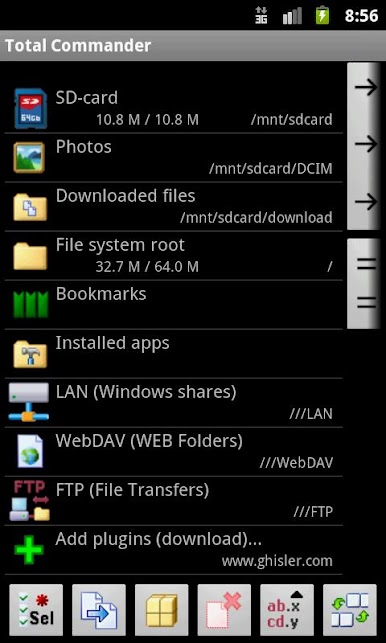
Access shared folders on Windows computers or compatible NAS drives from your Android device like you’re sitting at your desk. No need for crazy setups—just connect and browse.
-
Flexible Protocol Support
-
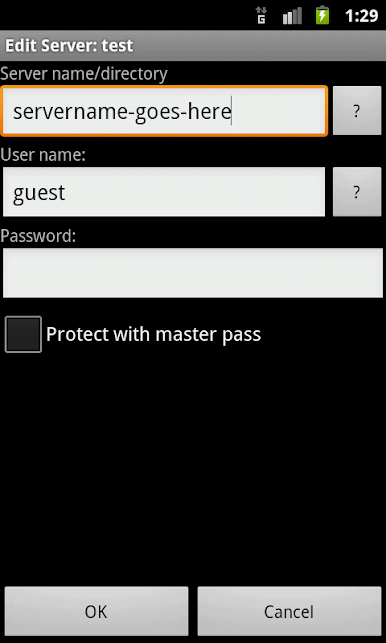
Running into trouble connecting? There’s an option to switch from SMB2 to SMB1 in the plugin settings, so if your older server doesn’t play nice with newer protocols, you can still get in. Just long-press the connection name and tweak the protocol—super handy if you run into stubborn tech.
-
Works Right Inside Total Commander
-
If you’ve got Total Commander, this plugin just pops in so you can use network features right from the same spot you already manage your files. No extra apps or complicated menus—just familiar tools with extra power.
-
Easy File Transfers
-
Copy, move, or delete files between your device and shared network locations. It feels kind of like your phone or tablet is plugged straight into your PC or network drive.
-
Handles Different Setups
- Whether you’re trying to grab something from a computer with older sharing settings or a newer setup, the plugin adapts and gives you options. No need to fuss with extra configuration—it just works.
Want to check things out on a bigger screen? It’s a breeze to use LAN plugin for Total Commander through BlueStacks when you’re on your PC.
Switch to BlueStacks and make the most of your apps on your PC or Mac.
เล่น LAN plugin for Total Commander บน PC ได้ง่ายกว่า
-
ดาวน์โหลดและติดตั้ง BlueStacks บน PC ของคุณ
-
ลงชื่อเข้าใช้แอคเคาท์ Google เพื่อเข้าสู่ Play Store หรือทำในภายหลัง
-
ค้นหา LAN plugin for Total Commander ในช่องค้นหาด้านขวาบนของโปรแกรม
-
คลิกเพื่อติดตั้ง LAN plugin for Total Commander จากผลการค้นหา
-
ลงชื่อเข้าใช้บัญชี Google Account (หากยังไม่ได้ทำในขั้นที่ 2) เพื่อติดตั้ง LAN plugin for Total Commander
-
คลิกที่ไอคอน LAN plugin for Total Commander ในหน้าจอเพื่อเริ่มเล่น

