


Kids Lernen Wortspiele
Spiele auf dem PC mit BlueStacks - der Android-Gaming-Plattform, der über 500 Millionen Spieler vertrauen.

Seite geändert am: Oct 10, 2025
Play Kids Rhyming And Phonics Games on PC
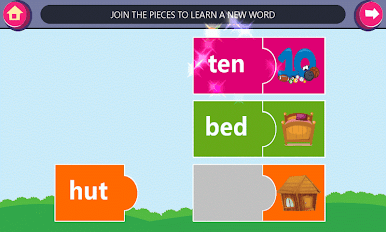
Help your child master phonics, spelling, and vocabulary with Kids Learn Rhyming & Phonics Games! Designed for preschoolers and kindergarteners (ages 2-8), this interactive app makes learning to read fun and engaging. Through colorful games, quizzes, and rewards, your child will develop essential early literacy skills like letter recognition, sight words, and phonics-based word building.
Why Parents Love This App:
Boost Early Reading Skills: Fun phonics games and interactive quizzes help kids learn letter sounds, two- and three-letter words, and sight words.
Engaging & Rewarding: Bright visuals, stickers, and rewards keep kids motivated as they achieve learning milestones.
Safe & Ad-Free Option: No personal data collected. Remove ads easily with an in-app purchase for a distraction-free experience.
Perfect for Ages 2-8: Tailored for toddlers, preschoolers, and kindergarteners to build confidence in reading and spelling.
Key Features:
✨ Phonics & Vocabulary Games: Fun activities to improve letter recognition, phonics, and spelling.
✨ Early Reading Practice: Helps kids read simple words and build fluency in a playful way.
✨ Interactive Learning: Randomized quizzes and games ensure endless fun and learning.
✨ Rewards & Stickers: Celebrate achievements and keep kids excited to learn!
✨ Child-Friendly Design: Simple navigation, clear instructions, and a secure environment.
Transform Learning into an Adventure!
With Kids Learn Rhyming & Phonics Games, your child will develop a strong foundation in reading and spelling while having a blast. Perfect for young learners just starting their educational journey!
Download Now and watch your child’s confidence and skills grow!




Spiele Kids Lernen Wortspiele auf dem PC. Der Einstieg ist einfach.
-
Lade BlueStacks herunter und installiere es auf deinem PC
-
Schließe die Google-Anmeldung ab, um auf den Play Store zuzugreifen, oder mache es später
-
Suche in der Suchleiste oben rechts nach Kids Lernen Wortspiele
-
Klicke hier, um Kids Lernen Wortspiele aus den Suchergebnissen zu installieren
-
Schließe die Google-Anmeldung ab (wenn du Schritt 2 übersprungen hast), um Kids Lernen Wortspiele zu installieren.
-
Klicke auf dem Startbildschirm auf das Kids Lernen Wortspiele Symbol, um mit dem Spielen zu beginnen

