


Pyramid Mystery Solitaire
Jouez sur PC avec BlueStacks - la plate-forme de jeu Android, approuvée par + 500M de joueurs.

Page Modifiée le: Mar 7, 2026
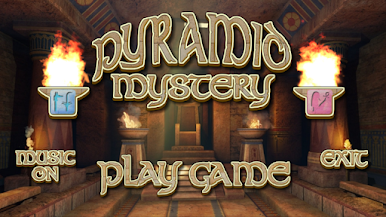
Jouez Pyramid Mystery Solitaire sur PC
Encourager dans chacun des niveaux de l'Egypte ancienne.
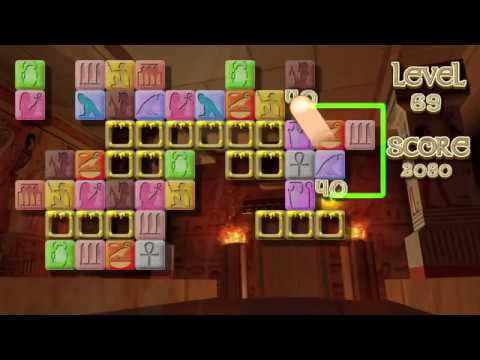
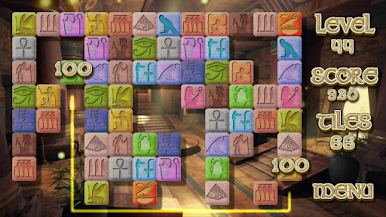
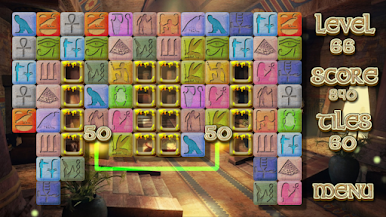
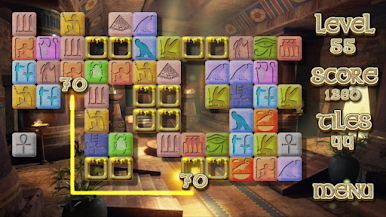
Vous trouverez un moyen de supprimer les onglets de chaque niveau avec seulement trois segments qui les unissent. Le jeu est basé sur le jeu ancien Shanghai ou Shisen Sho.
Terminez chaque niveau sans être pressé par le temps, puisque vous avez tout ce que vous voulez.
Mystery Pyramid Solitaire est totalement gratuit. Vous ne serez pas avoir à payer pour une partie du jeu pour être en mesure de terminer.
Pyramid fonctionnalités Mystery Solitaire:
-Vous Pouvez jouer sur un appareil mobile ou une tablette.
bonne qualité -Très, des graphismes détaillés, sur la base des runes et de hiéroglyphes de l'Egypte ancienne.
Défie les niveaux et beaucoup de façons de les résoudre.
-Lorsque Vous jouez à plusieurs reprises, avec les règles simples de Solitaire, vous allez passer beaucoup.
-Musique, Sons et effets étudiés complètement pour vous donner un succès cette atmosphère égyptienne de jeu.
Apprécier le jeu!
Jouez à Pyramid Mystery Solitaire sur PC. C'est facile de commencer.
-
Téléchargez et installez BlueStacks sur votre PC
-
Connectez-vous à Google pour accéder au Play Store ou faites-le plus tard
-
Recherchez Pyramid Mystery Solitaire dans la barre de recherche dans le coin supérieur droit
-
Cliquez pour installer Pyramid Mystery Solitaire à partir des résultats de la recherche
-
Connectez-vous à Google (si vous avez ignoré l'étape 2) pour installer Pyramid Mystery Solitaire
-
Cliquez sur l'icône Pyramid Mystery Solitaire sur l'écran d'accueil pour commencer à jouer

