


Handy Library: organise livres
Jouez sur PC avec BlueStacks - la plate-forme de jeu Android, approuvée par + 500M de joueurs.

Page Modifiée le: Sep 23, 2025
Play Handy Library - Book Organizer on PC
📚 Handy Library: The Ultimate Library and Bookshelf Organizer
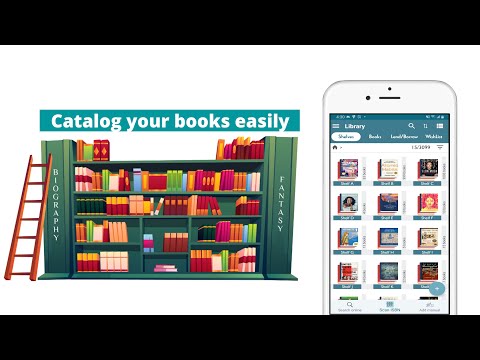
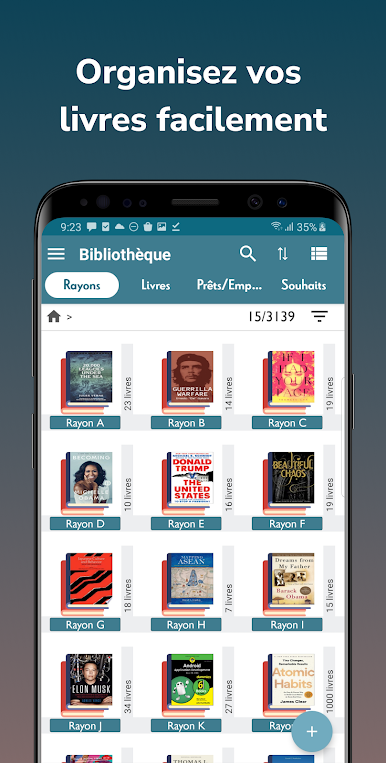
Handy Library is not just an app; it's a comprehensive solution for managing any book collection. Whether you're a passionate reader with an extensive home library, a teacher managing a class library, or a librarian overseeing a school or community library, Handy Library makes cataloging and organizing books a breeze.
Note: This is a library management app, NOT AN EBOOK READER.
**Enjoy cataloging your first 100 books for FREE!**
🔍 Sophisticated yet User-Friendly Book Management:
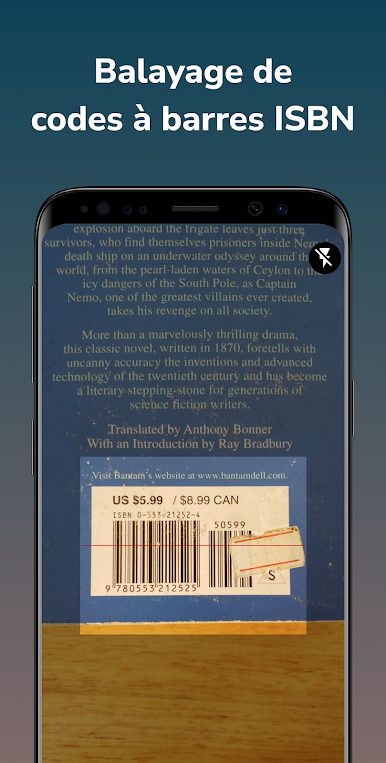
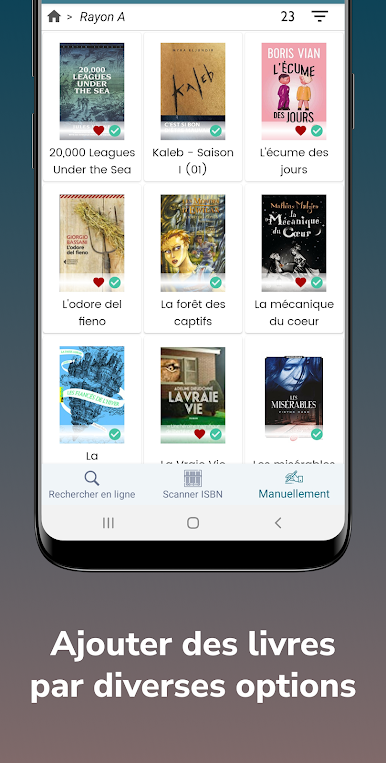
+ Efficient Cataloging: Quickly add books to your bookcase or library by scanning their ISBNs.
+ Diverse Library Types: Ideal for personal bookshelves, academic environments, religious institutions, and small community libraries.
+ Synchronized Bookshelves: Seamlessly align your physical bookshelves and virtual bookshelves for perfect organization.
+ TBR Bookshelf Organizer: Streamline your 'To Be Read' collection with our intuitive TBR bookshelf or tagging system.
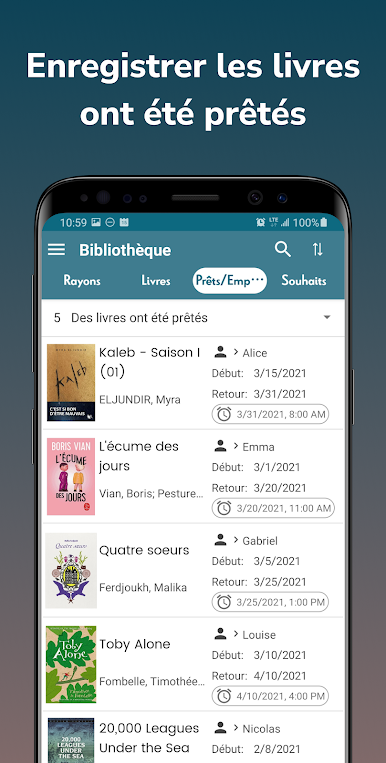
+ Book Tracker: Record your completed reads, current engagements, and loaned books with ease.
🌈 Versatile for Various Library Setups:
+ Home Library: Create a beautifully organized personal reading space.
+ Class Library, School Library: Catalog and track books efficiently, making them easily accessible to students.
+ Community Libraries, Book Clubs: Easily organize community libraries with features for tracking book lending and returns.
+ Comic Collection: Perfect for comic enthusiasts, Handy Library offers specialized features for cataloging and organizing comic books, making it easy to find your favorite issues and keep track of your growing collection.
🔑 Key Features for Enhanced Library Management:
+ Add books to your library catalog through ISBN scanning, online searches, or manual entries.
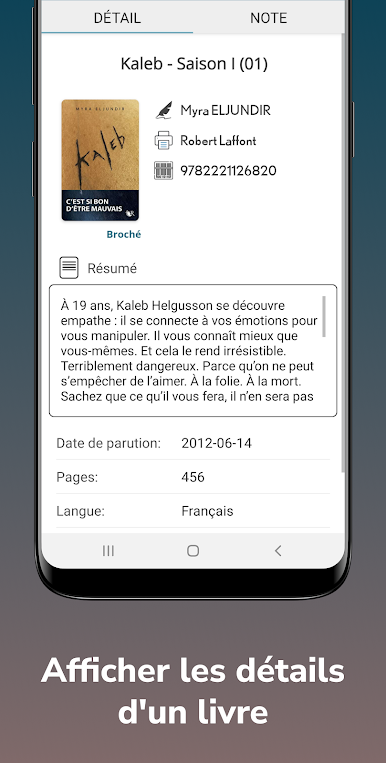
+ Customize with personal notes for each book and share interesting finds with friends.
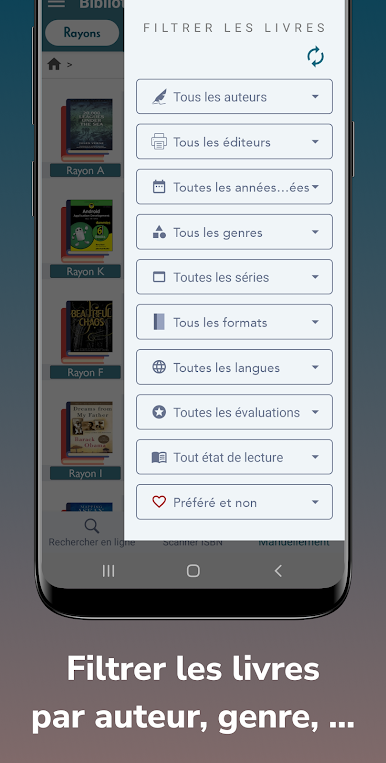
+ Advanced sorting and filtering to maintain and organize your library.
+ Keep track of borrowed and lent books with reminders.
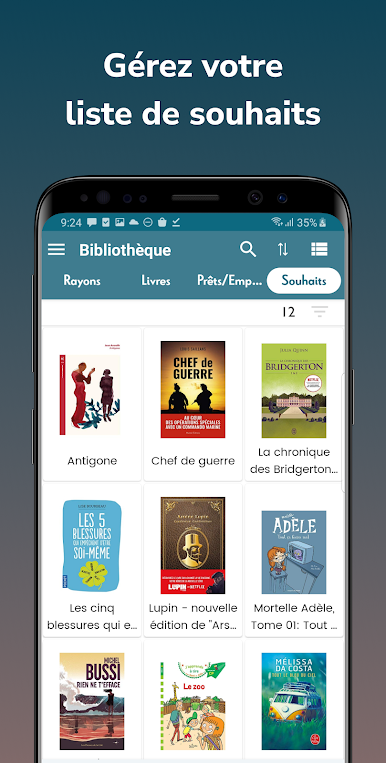
+ Compile wish lists for future reading endeavors.
📈 Advanced Library Management Tools:
+ Utilize powerful filters for efficient organization.
+ Access detailed statistics to understand your library's composition.
+ Export and import library data in ZIP, XLS or CSV file format for backup or transfer.
🌐 Rich Book Data from Renowned Sources:
Integrates with leading databases like Goodreads, Amazon, Google Books, and OpenLibrary for comprehensive book information.
💰 Pricing:
- Get Started for Free: Start managing up to 100 books at no cost with our free version.
- Upgrade to Premium for Unlimited Access: Unlock unlimited book management with a single purchase. Lifetime access to all features, on any Android device tied to your Google account.
🎲 Beyond Books - Manage Diverse Collections:
Extend the app's functionality to catalog items like comics, mangas, magazines, CD-DVD, and sheet music, making it a versatile tool for various collection types.
📖 Why Choose Handy Library?
+ User-Friendly Interface: Easy-to-navigate design makes library management + accessible to everyone.
+ Customizable Cataloging: Tailor your library to fit your unique needs and preferences.
+ Comprehensive Data Security: Local storage of library data ensures your information is safe and secure. Backup and restore features via Google Drive provide peace of mind.
📚 Your Personal Library in the Palm of Your Hand
Download Handy Library today and join thousands of satisfied users who have revolutionized their book management experience. Say goodbye to cluttered bookshelves and disorganized libraries.
FOLLOW US
- Facebook: fb.com/handylibraryapp
- Instagram: instagram.com/handylibraryapp
Handy Library - Where every book finds its place.
Jouez à Handy Library: organise livres sur PC. C'est facile de commencer.
-
Téléchargez et installez BlueStacks sur votre PC
-
Connectez-vous à Google pour accéder au Play Store ou faites-le plus tard
-
Recherchez Handy Library: organise livres dans la barre de recherche dans le coin supérieur droit
-
Cliquez pour installer Handy Library: organise livres à partir des résultats de la recherche
-
Connectez-vous à Google (si vous avez ignoré l'étape 2) pour installer Handy Library: organise livres
-
Cliquez sur l'icône Handy Library: organise livres sur l'écran d'accueil pour commencer à jouer

