


후즈팬
Chơi trên PC với BlueStacks - Nền tảng chơi game Android, được hơn 500 triệu game thủ tin tưởng.

Trang đã được sửa đổi vào: Sep 29, 2025
Run Whosfan on PC or Mac
What’s better than using Whosfan by HANTEOGLOBAL, Inc.? Well, try it on a big screen, on your PC or Mac, with BlueStacks to see the difference.
About the App
Whosfan is where K-pop fans keep score, cheer together, and stay in the loop—all in one place. This Entertainment app from HANTEOGLOBAL, Inc. blends real-time charts, voting, news, and community so you can support your bias in meaningful ways. Expect fast updates, official features, and a fan experience that actually feels global.
App Features
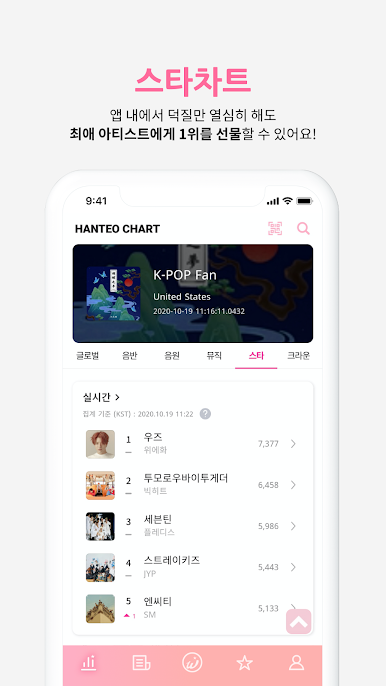
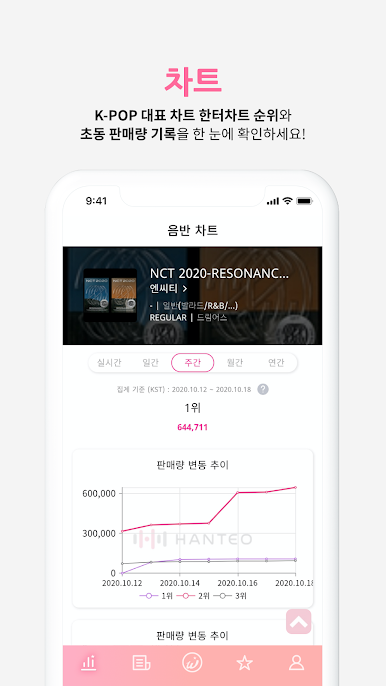
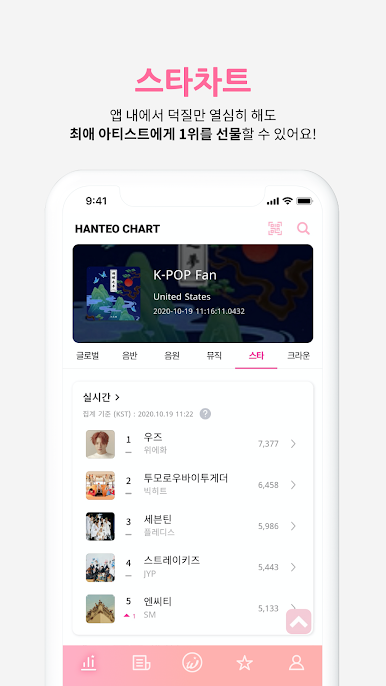
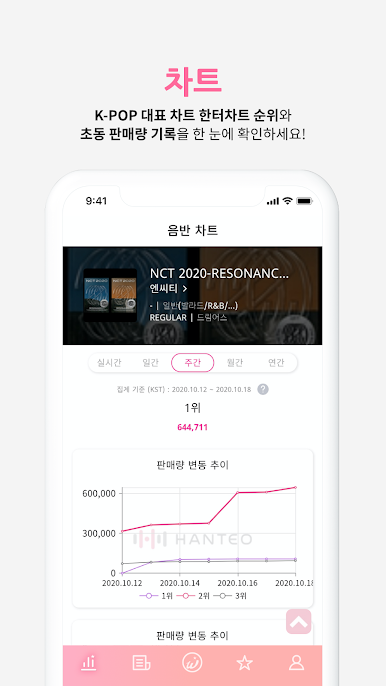
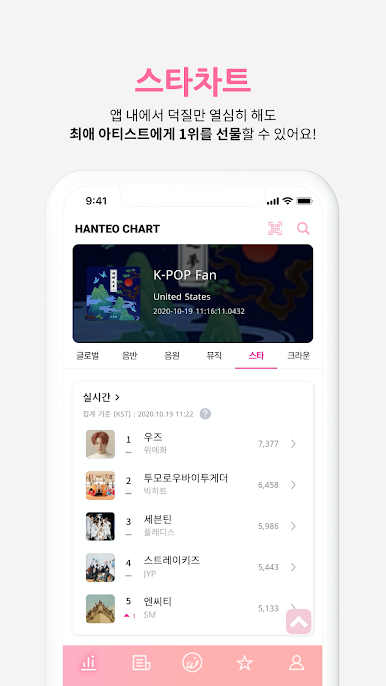
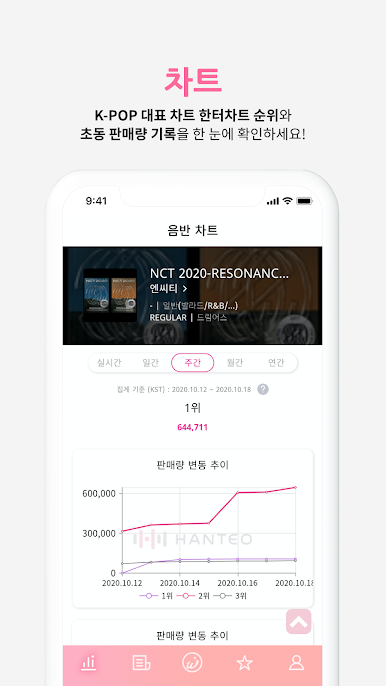
- Hanteo Chart access: Track official K-pop rankings on mobile, including Physical Album, Digital, Music, Star, and Global Authentication charts. See real-time trends and first-week (Initial Chodong) sales at a glance.
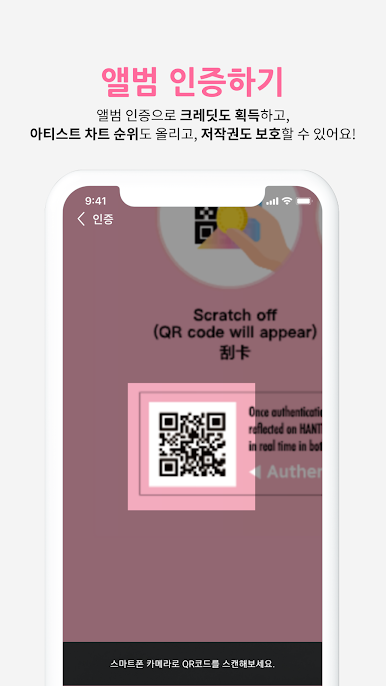
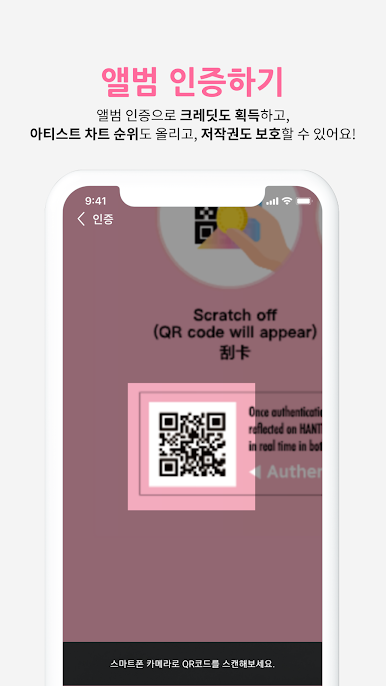
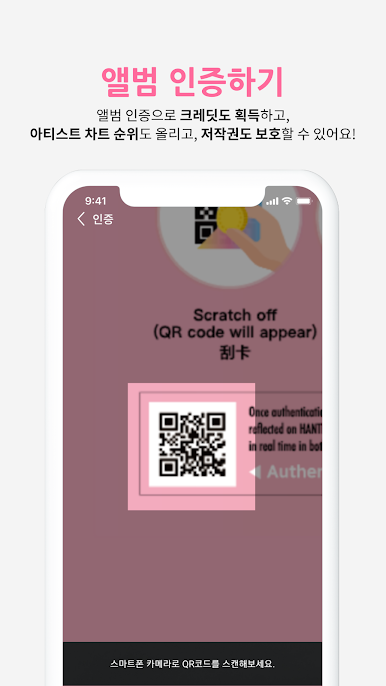
- Album Authentication with HATS: Scan the HATS card from your physical album to verify it’s genuine. Your authentication counts toward the Global Authentication Chart and earns credits you can use in-app.
- Voting you care about: Cast votes for music shows and award ceremonies, and join fan ad projects like Times Square birthdays or comeback support. Special artist and event votes pop up often—don’t miss them.
- Events worth joining: From online fansigns to official artist events, Whosfan regularly hosts activities featuring big names and rising groups. Participate worldwide without the hassle.
- Hanteo News, fast and legit: Catch timely K-pop news and chart updates. Drop a supportive comment and help your favorite artist rise on the Star Chart while you read.
- WhooK global chat: Start or join open chats to swap info, plan voting strategies, or just fangirl/fanboy with fans from everywhere. It’s quick, casual, and easy to use.
- Star Channels for your faves: Follow dedicated spaces for artists like BTS, BLACKPINK, SEVENTEEN, TWICE, NCT, Stray Kids, ATEEZ, ENHYPEN, ITZY, and more—organized so you don’t miss key moments.
- Whosfan Coin support: Pick up Whosfan Coin in the STORE for select votes, events, and perks. Pricing varies by product.
- Big-screen friendly: Prefer a desktop setup? You can also enjoy Whosfan on your PC or Mac with BlueStacks for easier multitasking while you stream, chat, and vote.
Ready to experience Whosfan on a bigger screen, in all its glory? Download BlueStacks now.















Chơi 후즈팬 trên PC. Rất dễ để bắt đầu
-
Tải và cài đặt BlueStacks trên máy của bạn
-
Hoàn tất đăng nhập vào Google để đến PlayStore, hoặc thực hiện sau
-
Tìm 후즈팬 trên thanh tìm kiếm ở góc phải màn hình
-
Nhấn vào để cài đặt 후즈팬 trong danh sách kết quả tìm kiếm
-
Hoàn tất đăng nhập Google (nếu bạn chưa làm bước 2) để cài đặt 후즈팬
-
Nhấn vào icon 후즈팬 tại màn hình chính để bắt đầu chơi

