


Litmatch—Make new friends
Spiele auf dem PC mit BlueStacks - der Android-Gaming-Plattform, der über 500 Millionen Spieler vertrauen.

Seite geändert am: Aug 19, 2026
Spiele Litmatch—Make new friends für PC
Litmatch ist eine sichere und herzliche Community, in der Sie Ihre ehrlichen Gedanken und Gefühle teilen können. Bei Litmatch trifft man immer auf coole und fürsorgliche Menschen. Die Menschen hier können emotionale Kommunikation bequem durch verschiedene interaktive Online-Funktionen erleben. Die meisten unserer Benutzer sind durch die ersten Schritte, die von den beeindruckenden Funktionen von Litmatch inspiriert wurden, Freunde geworden.
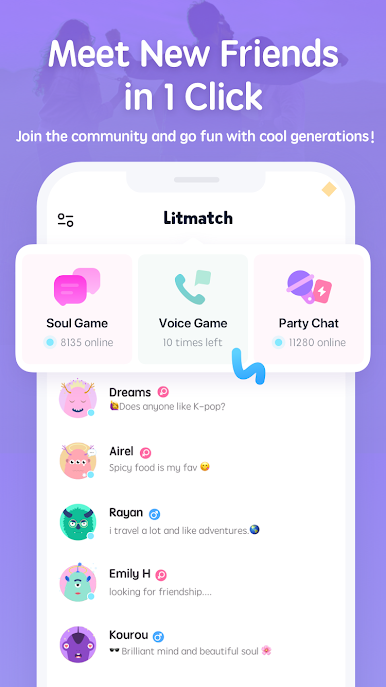
💬 Treffen Sie neue Freunde mit einem Klick
Litmatch stärkt Ihre Begegnung mit einem neuen Freund. Was auch immer es um 1-zu-1-Gespräche oder Gruppenchats geht, Sie können immer einen Ort finden, der zu Ihnen passt.
📷 Fühlen Sie sich wohl, alle Ihre Gefühle zu teilen
Nehmen Sie an den Gesprächen teil und teilen Sie Ihre ehrlichen Gedanken und Gefühle. Ob es Höhen oder Tiefen sind, es gibt immer Litmatch-Freunde, die sich tief in Ihre Geschichten hineinversetzen können.
🌈 Litmatch-Community – Wir respektieren Vielfalt und schätzen Unterschiede.
Litmatch schätzt warme, sichere und gute Stimmung. Und deshalb versprechen wir Ihnen immer eine Gemeinschaft, in der Menschen Liebe respektieren, Unterschiede akzeptieren und ohne Druck kommunizieren. Wir dulden kein unangemessenes Verhalten oder Unhöflichkeit.
✨✨ ✨ ENTDECKEN SIE UNSERE FANTASTISCHEN FUNKTIONEN ✨ ✨ ✨
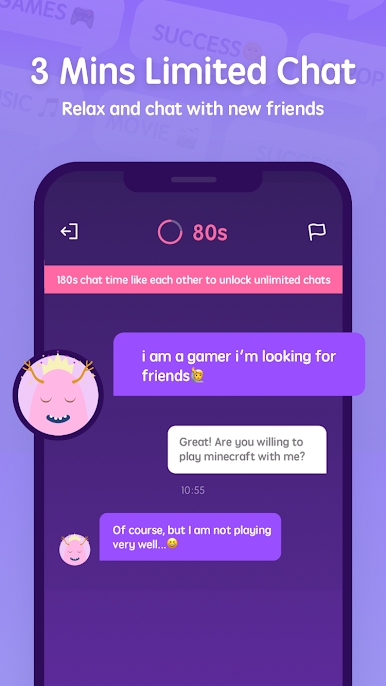
💬 SOUL GAME – TEXT, LIKE, VERBINDEN!
Lernen Sie Ihre neuen Freunde durch Textgespräche in Echtzeit kennen.
Bauen Sie eine neue Verbindung auf, wenn Sie sich beide sympathisch finden.
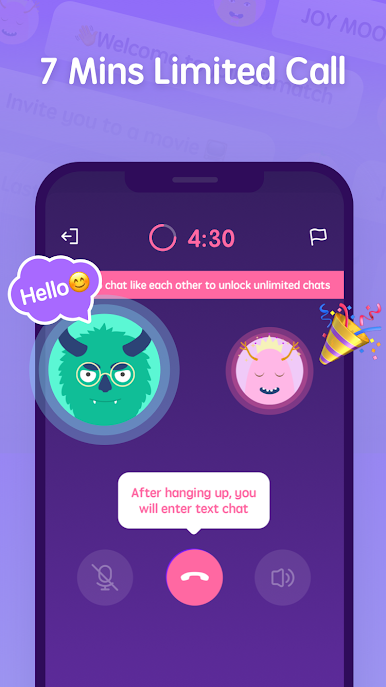
🎙 SPRACHSPIEL – HEBEN SIE SICH DURCH IHRE STIMME AUS!
Führen Sie ein kurzes Sprachgespräch, um sich besser kennenzulernen.
🥳 PARTY-CHAT – GRUPPEN-CHATTEN & GESCHENKE!
Teilen Sie Ihre Talente und Gedanken am Mikrofon in einem Partyraum.
Erhalten Sie herzliche Unterstützung und interessante Geschenke von anderen Menschen.
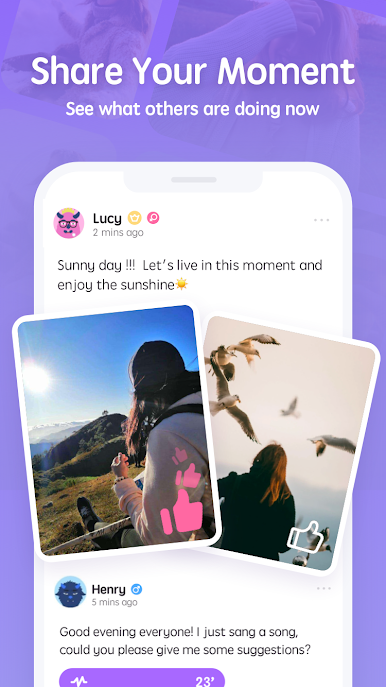
👀 FÜTTERN – ENTDECKEN SIE LEBEN AUF DER GANZEN WELT!
Entdecken Sie das Leben der Menschen anhand ihrer Texte, Bilder oder sogar ihrer Stimme!
Teilen Sie alles von Ihren täglichen Momenten bis hin zu den Höhepunkten des Lebens.
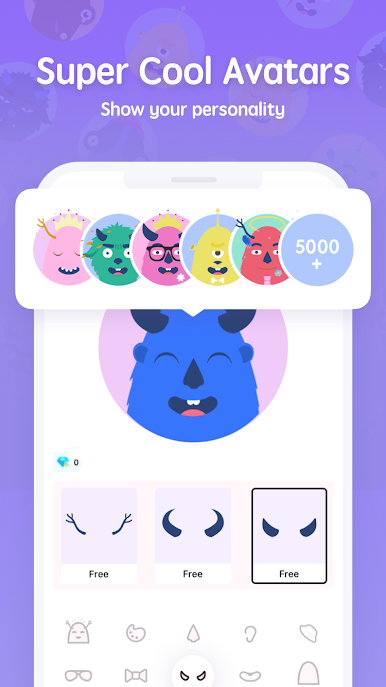
🐶 AVATAR – KREATIVITÄT & IDENTITÄT
Passen Sie einen coolen oder niedlichen Avatar an, um sich von der Masse abzuheben, Ihre Persönlichkeit oder Ihren Geschmack zu zeigen oder sogar die Verbindung zwischen Ihnen und anderen darzustellen!
✨ ✨ ✨ JETZT Litmatch beitreten, um weitere Überraschungen zu entdecken ✨ ✨ ✨
Litmatch kann kostenlos heruntergeladen und verwendet werden. Wir bieten jedoch auch ein optionales Abonnementpaket ( 👑Litmatch VIP-Mitgliedschaft 👑 ) und die Einzel- und Mehrfachnutzungs-Litmatch-Währung ohne Abonnement an: DIAMOND. Der Preis variiert je nach Land und kann sich ohne Vorankündigung ändern, aber Sie können den genauen Preis immer in der App sehen.
Wir freuen uns über Ihr Feedback und Ihre Vorschläge. Bitte kontaktieren Sie uns, wenn Sie Fragen haben: lit@litatom.com
Spiele Litmatch—Make new friends auf dem PC. Der Einstieg ist einfach.
-
Lade BlueStacks herunter und installiere es auf deinem PC
-
Schließe die Google-Anmeldung ab, um auf den Play Store zuzugreifen, oder mache es später
-
Suche in der Suchleiste oben rechts nach Litmatch—Make new friends
-
Klicke hier, um Litmatch—Make new friends aus den Suchergebnissen zu installieren
-
Schließe die Google-Anmeldung ab (wenn du Schritt 2 übersprungen hast), um Litmatch—Make new friends zu installieren.
-
Klicke auf dem Startbildschirm auf das Litmatch—Make new friends Symbol, um mit dem Spielen zu beginnen

