


LivePanel
Jogue no PC com BlueStacks - A Plataforma de Jogos Android, confiada por mais de 500 milhões de jogadores.

Página modificada em: Oct 15, 2025
Run LivePanel on PC or Mac
Let BlueStacks turn your PC, Mac, or laptop into the perfect home for LivePanel, a fun Social app from LivePanel.
About the App
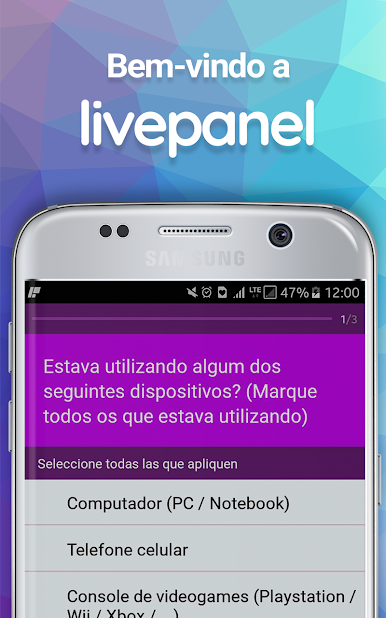
LivePanel is a Social app from LivePanel that turns your everyday opinions into something useful—and yes, something you can redeem. You’ll get quick questions on your phone about things happening around you, from products you use to topics people are debating right now. It’s simple, low‑effort, and built for those spare minutes between everything else.
App Features
- Quick, snack-size questions: Share your take in short bursts. Most prompts take just a moment, so you can hop in and out without breaking your day.
- Rewards you can actually use: Participate and redeem prizes in the Prize Market Place. It’s a straightforward path from “I answered” to “I got something.”
- Timely, relevant topics: Expect a rotating mix—culture, shopping habits, tech, everyday choices, and more—so it never feels stale.
- Account verification that makes sense: To keep things fair and protect access to the Prize Market Place, LivePanel periodically verifies your email with its servers. It’s there to confirm it’s really you.
- Your time, your pace: Answer when you have a minute. No complicated steps, no long forms—just a clean, guided flow.
- Clean, no-fuss design: Clear screens, simple controls, and an easy rhythm that feels natural on a busy day.
- Smooth on desktop with BlueStacks: Prefer using a keyboard and a larger display? You can also run LivePanel on your computer with BlueStacks.
Big screen. Bigger performance. Use BlueStacks on your PC or Mac to run your favorite apps.






Jogue LivePanel no PC. É fácil começar.
-
Baixe e instale o BlueStacks no seu PC
-
Conclua o login do Google para acessar a Play Store ou faça isso mais tarde
-
Procure por LivePanel na barra de pesquisa no canto superior direito
-
Clique para instalar LivePanel a partir dos resultados da pesquisa
-
Conclua o login do Google (caso você pulou a etapa 2) para instalar o LivePanel
-
Clique no ícone do LivePanel na tela inicial para começar a jogar

