


Paint for Kids: Рисовалка
Chơi trên PC với BlueStacks - Nền tảng chơi game Android, được hơn 500 triệu game thủ tin tưởng.

Trang đã được sửa đổi vào: Sep 18, 2025
Play Paint for kids on PC
The main feature is absolutely no ads!
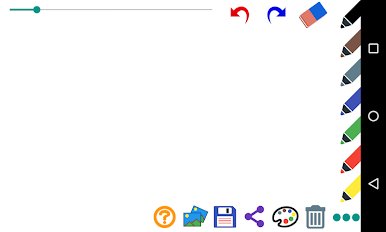
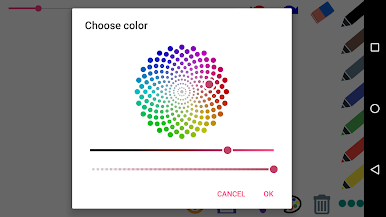
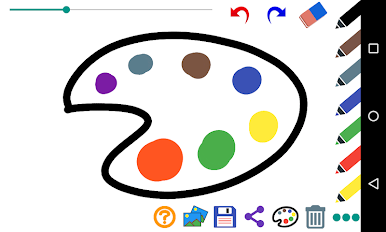
1. Color Palette: Allows users to select from a range of colors to use in their drawings.
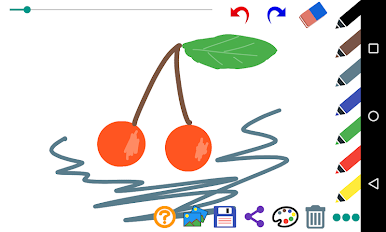
2. Brush Tool: Allows users to draw and create shapes with different brush sizes
3. Eraser Tool: Enables users to erase parts of their drawings.
4. Save/Share: Enables users to save their drawings and share them with friends and family.
5. Open your image: This allows the user to open your image and draw on it
6. Undo/Redo: Allows users to undo and redo actions in their drawings.
7. The main function is no advertising
Chơi Paint for Kids: Рисовалка trên PC. Rất dễ để bắt đầu
-
Tải và cài đặt BlueStacks trên máy của bạn
-
Hoàn tất đăng nhập vào Google để đến PlayStore, hoặc thực hiện sau
-
Tìm Paint for Kids: Рисовалка trên thanh tìm kiếm ở góc phải màn hình
-
Nhấn vào để cài đặt Paint for Kids: Рисовалка trong danh sách kết quả tìm kiếm
-
Hoàn tất đăng nhập Google (nếu bạn chưa làm bước 2) để cài đặt Paint for Kids: Рисовалка
-
Nhấn vào icon Paint for Kids: Рисовалка tại màn hình chính để bắt đầu chơi

