


醫學 OSCE 指南
醫療 | RER MedApps
在電腦上使用BlueStacks –受到5億以上的遊戲玩家所信任的Android遊戲平台。

Play Medicine OSCE Guide on PC
Master Clinical Examination & OSCE Skills with Confidence! 🩺
A complete study and practice companion for medical students, doctors, and healthcare professionals preparing for OSCEs and clinical exams. This app provides structured clinical cases, step-by-step examinations, management notes, and viva questions with clear explanations. Ideal for MBBS, MD Exam Preperation.
Designed to help you practice effectively for bedside assessments, ward rounds, and exam stations. Strengthen your history-taking, examination technique, and interpretation skills with interactive tools and reliable references.
Key Features:
📚 Clinical Cases – common and exam-focused cases with structured answers
📝 History & Examination – checklists for all major systems
💊 Management – concise treatment and differential diagnosis outlines
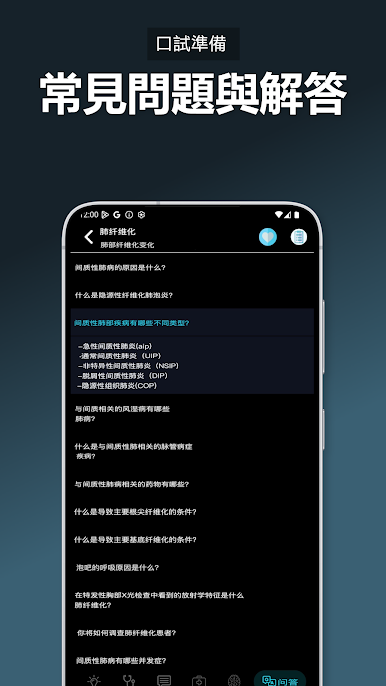
🎤 Viva Q&A – oral exam style questions with model answers
🫀 Auscultation Sounds – normal and abnormal heart & lung sounds
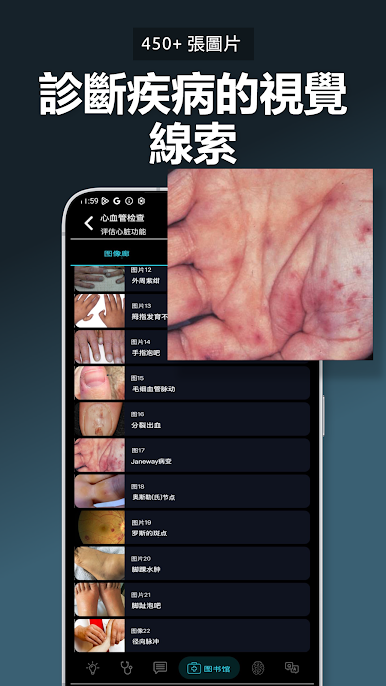
🔎 Signs & Symptoms – quick reference for bedside practice
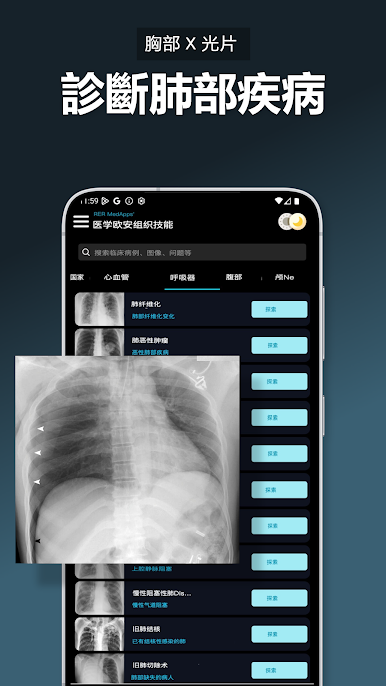
🖼️ Medical Images – high-yield visuals for exam prep
🧾 Flashcards – rapid review of key facts and concepts
❓ Quizzes – test knowledge and reinforce retention
📖 Clinical Notes – exam-focused, easy to revise at the last minute
Whether you are preparing for OSCEs, medical finals, or daily clinical practice, this app offers a structured, exam-ready resource that fits in your pocket.
Ideal for:
- Medical students
- Residents and junior doctors
- Nurses and healthcare professionals
- Anyone preparing for Objective Structured Clinical Examinations
📩 Customer Support: contact@rermedapps.com
🔒 Privacy Policy: https://rermedapps.com/privacy-policy
⚠️ Disclaimer: This app is intended for educational purposes only. It does not replace professional medical judgment or diagnostic decision-making. Some features in the description and screenshots may require a subscription or one-time purchase.
A complete study and practice companion for medical students, doctors, and healthcare professionals preparing for OSCEs and clinical exams. This app provides structured clinical cases, step-by-step examinations, management notes, and viva questions with clear explanations. Ideal for MBBS, MD Exam Preperation.
Designed to help you practice effectively for bedside assessments, ward rounds, and exam stations. Strengthen your history-taking, examination technique, and interpretation skills with interactive tools and reliable references.
Key Features:
📚 Clinical Cases – common and exam-focused cases with structured answers
📝 History & Examination – checklists for all major systems
💊 Management – concise treatment and differential diagnosis outlines
🎤 Viva Q&A – oral exam style questions with model answers
🫀 Auscultation Sounds – normal and abnormal heart & lung sounds
🔎 Signs & Symptoms – quick reference for bedside practice
🖼️ Medical Images – high-yield visuals for exam prep
🧾 Flashcards – rapid review of key facts and concepts
❓ Quizzes – test knowledge and reinforce retention
📖 Clinical Notes – exam-focused, easy to revise at the last minute
Whether you are preparing for OSCEs, medical finals, or daily clinical practice, this app offers a structured, exam-ready resource that fits in your pocket.
Ideal for:
- Medical students
- Residents and junior doctors
- Nurses and healthcare professionals
- Anyone preparing for Objective Structured Clinical Examinations
📩 Customer Support: contact@rermedapps.com
🔒 Privacy Policy: https://rermedapps.com/privacy-policy
⚠️ Disclaimer: This app is intended for educational purposes only. It does not replace professional medical judgment or diagnostic decision-making. Some features in the description and screenshots may require a subscription or one-time purchase.
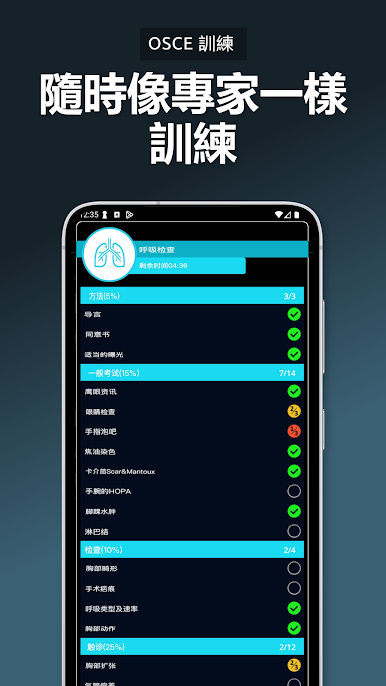
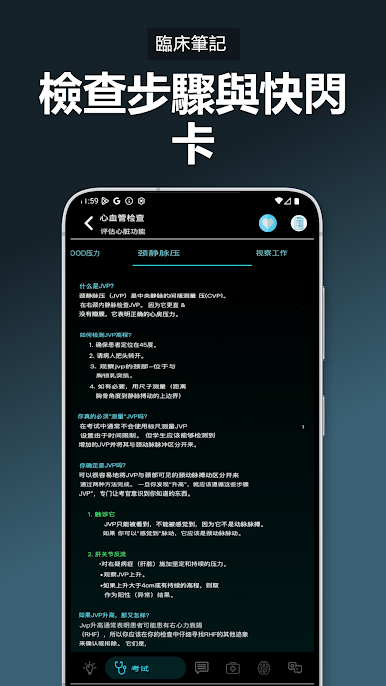
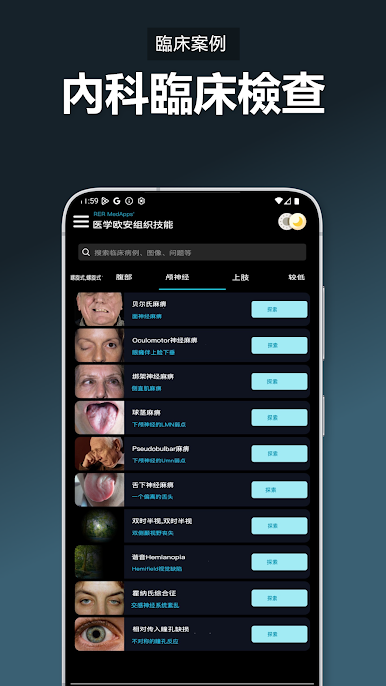

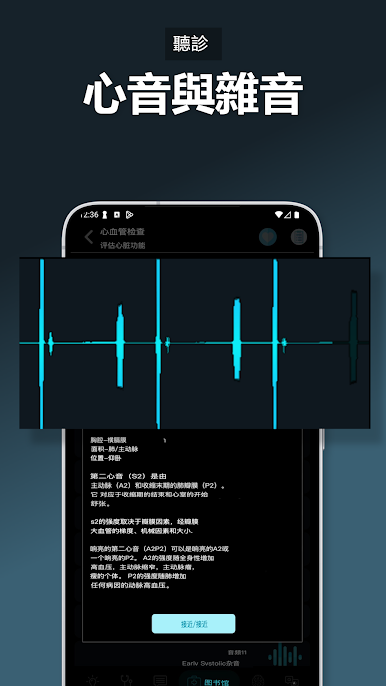
在電腦上遊玩醫學 OSCE 指南 . 輕易上手.
-
在您的電腦上下載並安裝BlueStacks
-
完成Google登入後即可訪問Play商店,或等你需要訪問Play商店十再登入
-
在右上角的搜索欄中尋找 醫學 OSCE 指南
-
點擊以從搜索結果中安裝 醫學 OSCE 指南
-
完成Google登入(如果您跳過了步驟2),以安裝 醫學 OSCE 指南
-
在首頁畫面中點擊 醫學 OSCE 指南 圖標來啟動遊戲

