BTTalk

BTTalk

커뮤니케이션 | Midland Europe

5억명 이상의 게이머가 신뢰하는 안드로이드 게임 플랫폼 BlueStacks으로 PC에서 플레이하세요.

페이지 수정 날짜: Sep 15, 2025

Run BTTalk on PC or Mac

Let BlueStacks turn your PC, Mac, or laptop into the perfect home for BTTalk, a fun Communication app from Midland Europe.

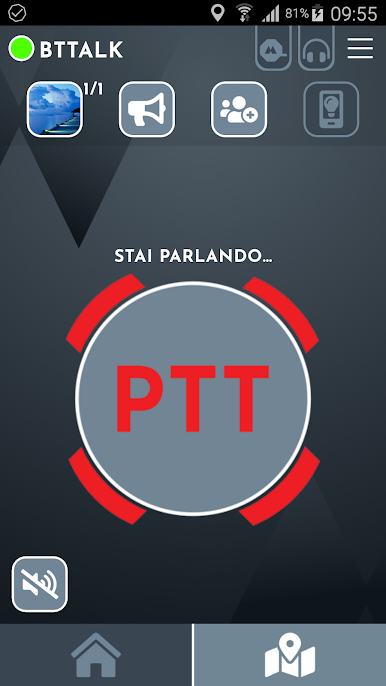
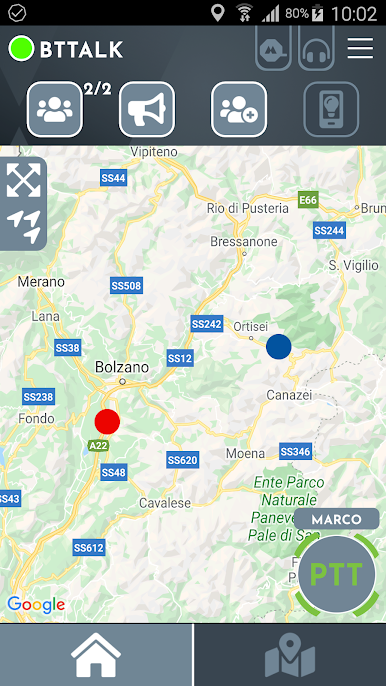
BTTalk feels like turning the phone into a simple push to talk radio for groups, built with motorbike riders in mind. It is not about fancy features or social feeds, it is about pressing a button and everyone hearing the message at once. There is no range limit because it rides on whatever data is available, whether that is 2G, 3G, 4G, or WiFi, so a group can stay in touch across town or across the whole trip. It behaves a lot like those old walkie talkies, only without the static and with way less hassle. Create a group, pick a channel name, hold to talk, done. The optional Midland BTT Button for the handlebar is a nice touch for anyone riding, since it keeps hands where they should be and still lets them speak up.

On a PC with BlueStacks it works like a little dispatch window. Someone can plug in a headset, leave the channel open while checking routes or weather, and chime in with a press. It suits long rides, tours, or just keeping a club connected when phones are in pockets and the road is noisy. The whole vibe is straightforward and practical. No distance caps, no limits on how many can join, just a clear way for a group to talk at the same time without fiddling with calls or complicated setups.

Eager to take your app experience to the next level? Start right away by downloading BlueStacks on your PC or Mac.

PC에서 BTTalk 플레이해보세요.

  • BlueStacks 다운로드하고 설치

  • Google Play 스토어에 로그인 하기(나중에 진행가능)

  • 오른쪽 상단 코너에 BTTalk 검색

  • 검색 결과 중 BTTalk 선택하여 설치

  • 구글 로그인 진행(만약 2단계를 지나갔을 경우) 후 BTTalk 설치

  • 메인 홈화면에서 BTTalk 선택하여 실행

비디오