


Sokoban
Spiele auf dem PC mit BlueStacks - der Android-Gaming-Plattform, der über 500 Millionen Spieler vertrauen.

Seite geändert am: Sep 27, 2023
Play Sokoban on PC or Mac
Explore a whole new adventure with Sokoban, a Puzzle game created by Fredrik Fornwall. Experience great gameplay with BlueStacks, the most popular gaming platform to play Android games on your PC or Mac.
About the Game
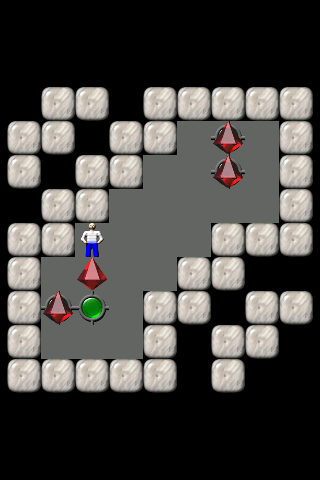
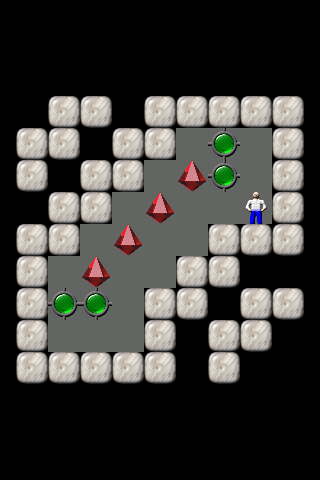
If you love brain teasers that make you stop and think, Sokoban by Fredrik Fornwall might just grab your attention. It’s a classic Puzzle experience built around a simple, surprisingly tricky idea: you move little red diamonds onto green spots—but you can only push, never pull! Sounds easy? Well, don’t be fooled. Each level is a new maze, and you’ll probably catch yourself planning your next move more than once.
Game Features
-
Hundreds of Mind-Bending Levels
Get ready to test your brainpower through a huge lineup of tricky stages. Each puzzle brings a fresh challenge, so you won’t be running out of things to do anytime soon. -
No In-App Purchases
Everything you need is in the game from the get-go. No annoying purchases or paywalls—Sokoban keeps it simple so you can just play. -
Challenge Your Friends
Think you’re quick to solve a puzzle? See who can clear levels faster and add a bit of friendly competition to the mix. -
Handy Undo Button
Made a mistake? No worries. Just tap to undo and rethink your move—it takes off some of the pressure. -
Pinch to Zoom
Sometimes you need the big picture. Just zoom in or out for a better look, especially on those sprawling, complicated levels. -
Classic Inspired Visuals
The graphics draw from the old-school computer version KSokoban, so there’s a charming, nostalgic feel along with the challenge.
And if you want to see this charming Puzzle game on a bigger screen or just try something different with your controls, playing Sokoban on BlueStacks is a breeze.
Slay your opponents with your epic moves. Play it your way on BlueStacks and dominate the battlefield.
Spiele Sokoban auf dem PC. Der Einstieg ist einfach.
-
Lade BlueStacks herunter und installiere es auf deinem PC
-
Schließe die Google-Anmeldung ab, um auf den Play Store zuzugreifen, oder mache es später
-
Suche in der Suchleiste oben rechts nach Sokoban
-
Klicke hier, um Sokoban aus den Suchergebnissen zu installieren
-
Schließe die Google-Anmeldung ab (wenn du Schritt 2 übersprungen hast), um Sokoban zu installieren.
-
Klicke auf dem Startbildschirm auf das Sokoban Symbol, um mit dem Spielen zu beginnen

