


Sling Game
Juega en PC con BlueStacks: la plataforma de juegos Android, en la que confían más de 500 millones de jugadores.

Página modificada el: Nov 6, 2025
Juega Sling Game en PC
Simplemente, toque y arrastre para jugar!
* Reglas para jugar:
Básicamente no hay reglas.
Usted es libre de jugar como usted quiera.
*Instrucciones:
Seleccione Etapa: Seleccionar el escenario que desea reproducir en la pantalla principal.
Volver a la etapa: Volver pulsando el botón de flecha en la parte superior izquierda de cada pantalla de escenario.
Juego de reinicio: Reinicio pulsando el botón en la parte superior derecha de cada pantalla etapa.
Efectos de sonido On / Off: Activa los efectos de sonido o desactivar mediante el menú de opciones en la parte superior derecha de la pantalla principal.
Música On / Off: Activar o desactivar el sonido usando el menú de opciones en la parte superior derecha de la pantalla principal.
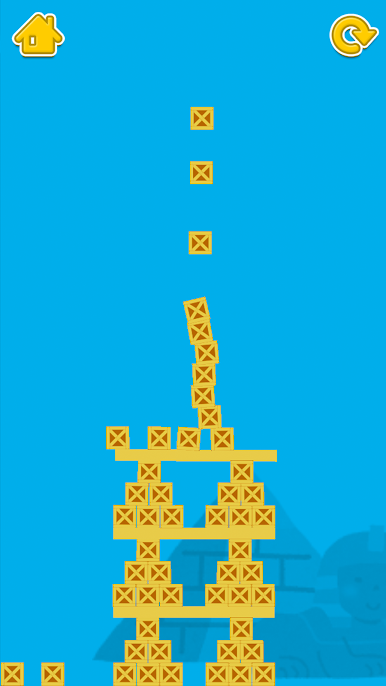
Pantalla de juego: Todas las etapas tienen una variedad de aparatos. Simplemente toque o arrastre para moverlos.
*licencia
SE: sonido de bolsillo (http://pocket-se.info/), etc.
Imagen Esqueleto: diseñado por Freepik




Juega Sling Game en la PC. Es fácil comenzar.
-
Descargue e instale BlueStacks en su PC
-
Complete el inicio de sesión de Google para acceder a Play Store, o hágalo más tarde
-
Busque Sling Game en la barra de búsqueda en la esquina superior derecha
-
Haga clic para instalar Sling Game desde los resultados de búsqueda
-
Complete el inicio de sesión de Google (si omitió el paso 2) para instalar Sling Game
-
Haz clic en el ícono Sling Game en la pantalla de inicio para comenzar a jugar

