


Geekun: Find Anime by Image
엔터테인먼트 | Mouadzz
5억명 이상의 게이머가 신뢰하는 안드로이드 게임 플랫폼 BlueStacks으로 PC에서 플레이하세요.

Play Geekun: Anime & Manga Finder on PC
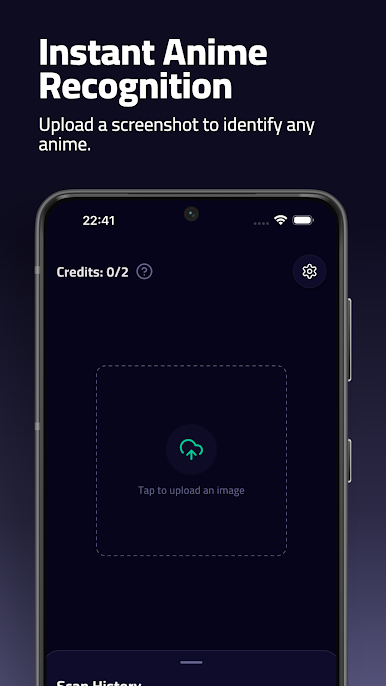
There are thousands of anime, manga series out there, so it’s always important to learn as much as possible about them. That’s where Geekun comes into play. With our free app, you can become the ultimate otaku and identify any type of anime and manga series in no time.
How does it work?
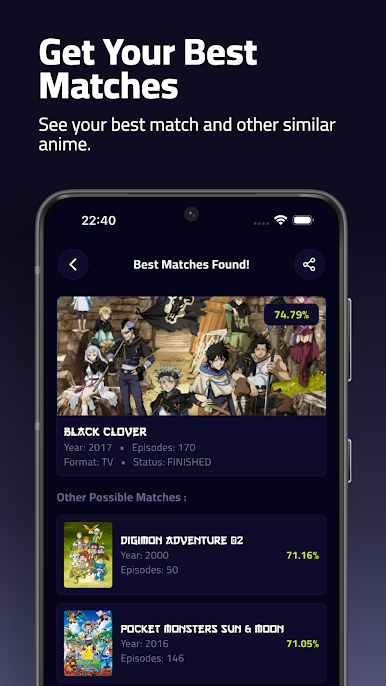
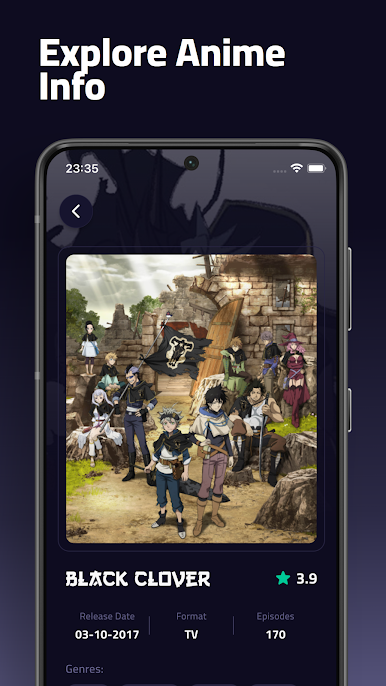
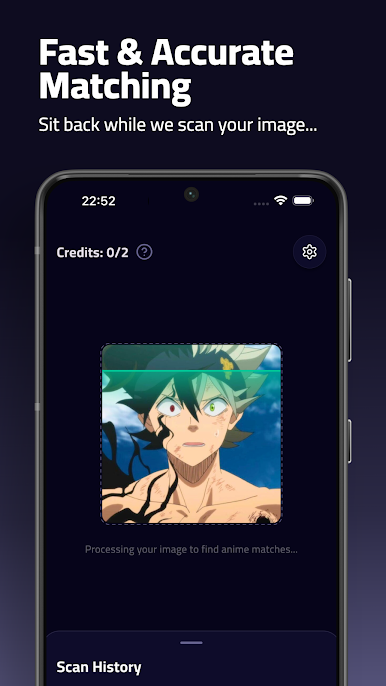
All you need to do is to start the app, take a photo of the image which has an anime character or series in it or you can use an URL to load the image and that’s it. The great thing about Geekun is that you get to know what anime/manga is that image from, and you also get a lot of information about the series in question. It’s a great way for every geek to educate himself about manga or anime. Plus, you can also use this as a trivia to see if you know which series is that image from or not.
Geekun covers thousands of anime and manga series and it’s always updated. Give it a try today and you will always know what series an image belongs to. Check it out today!
Features:
• Scan anime or manga images
• Find what series that image is from
• Fast, reliable image scanner
• Load images from URL
• Learn more about the scanned manga/anime
How does it work?
All you need to do is to start the app, take a photo of the image which has an anime character or series in it or you can use an URL to load the image and that’s it. The great thing about Geekun is that you get to know what anime/manga is that image from, and you also get a lot of information about the series in question. It’s a great way for every geek to educate himself about manga or anime. Plus, you can also use this as a trivia to see if you know which series is that image from or not.
Geekun covers thousands of anime and manga series and it’s always updated. Give it a try today and you will always know what series an image belongs to. Check it out today!
Features:
• Scan anime or manga images
• Find what series that image is from
• Fast, reliable image scanner
• Load images from URL
• Learn more about the scanned manga/anime
PC에서 Geekun: Find Anime by Image 플레이해보세요.
-
BlueStacks 다운로드하고 설치
-
Google Play 스토어에 로그인 하기(나중에 진행가능)
-
오른쪽 상단 코너에 Geekun: Find Anime by Image 검색
-
검색 결과 중 Geekun: Find Anime by Image 선택하여 설치
-
구글 로그인 진행(만약 2단계를 지나갔을 경우) 후 Geekun: Find Anime by Image 설치
-
메인 홈화면에서 Geekun: Find Anime by Image 선택하여 실행

