


Traffic Panic London
BlueStacksを使ってPCでプレイ - 5憶以上のユーザーが愛用している高機能Androidゲーミングプラットフォーム

Play Traffic Panic London on PC or Mac
Step into the World of Traffic Panic London, a thrilling Casual game from the house of Neon Play. Play this Android game on BlueStacks App Player and experience immersive gaming on PC or Mac.
About the Game
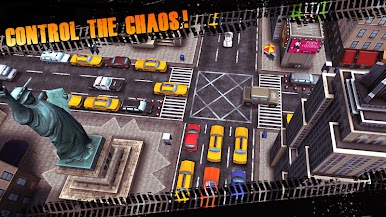
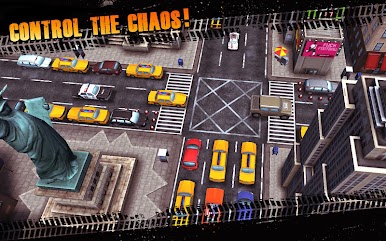
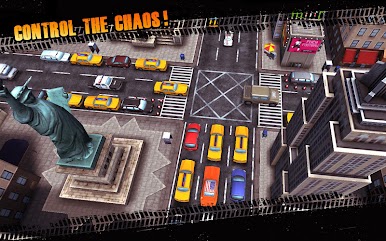
Traffic Panic London by Neon Play throws you into the hectic heart of London’s busiest intersections, where you run the show—or maybe just create utter chaos. You’ll set traffic lights, keep cars moving, and sometimes watch everything go up in smoke when things get out of hand. Want a little bit of strategy with a whole lot of mayhem? This casual game lets you decide: play it safe, or let your wild side take the wheel.
Game Features
-
Tap to Control
Change up the flow with a simple tap—switch those traffic lights at just the right moment, or maybe at the totally wrong time, depending on your mood. -
Spectacular Crashes
Love a good slow-motion disaster? When things go wrong, you’re in for some explosive chain reactions and over-the-top visual effects, complete with city landmarks getting swept up in the chaos. -
Iconic City Settings
No need for a passport. Direct traffic and raise havoc at London favorites like Buckingham Palace, Nelson’s Column, and the London Eye, or take a virtual trip to New York and stir things up in the Big Apple. -
Wild Vehicle Variety
From classic London taxis to tanks (yes, really), there’s never a dull moment on these streets. Each vehicle type adds a little twist to your strategy—or total destruction. -
Global Leaderboards
See how you stack up against other players worldwide. Take those traffic skills for a spin, earning points for either flawless flow or epic pile-ups. -
Smooth Experience with BlueStacks
Want bigger visuals or tighter controls? Play on your PC with BlueStacks for a more comfortable pick-up-and-play session whenever you want.
Get ready for a buttery smooth, high-performance gaming action only on BlueStacks.













Traffic Panic LondonをPCでプレイ
-
BlueStacksをダウンロードしてPCにインストールします。
-
GoogleにサインインしてGoogle Play ストアにアクセスします。(こちらの操作は後で行っても問題ありません)
-
右上の検索バーにTraffic Panic Londonを入力して検索します。
-
クリックして検索結果からTraffic Panic Londonをインストールします。
-
Googleサインインを完了してTraffic Panic Londonをインストールします。※手順2を飛ばしていた場合
-
ホーム画面にてTraffic Panic Londonのアイコンをクリックしてアプリを起動します。

