


Aurum Blade EX
Play on PC with BlueStacks – the Android Gaming Platform, trusted by 500M+ gamers.

Page Modified on: Jun 4, 2015
Play Aurum Blade EX on PC or Mac
Explore a whole new adventure with Aurum Blade EX, a Role Playing game created by Oddy Arts. Experience great gameplay with BlueStacks, the most popular gaming platform to play Android games on your PC or Mac.
About the Game
Step into a world where ancient alchemy meets fast-paced action in Aurum Blade EX, a classic Role Playing adventure by Oddy Arts. This isn’t just another dungeon crawler—you’ll get pulled into an epic quest full of mystery and danger, complete with secrets about the Philosopher’s Stone. Whether you’re a longtime RPG fan, or just hungry for some good old-fashioned sword-swinging, there’s plenty here to keep you glued. Honestly, if you’re craving those old school vibes and want to play offline, this one has your back.
Game Features
- Action-Packed Dungeon Crawling
-
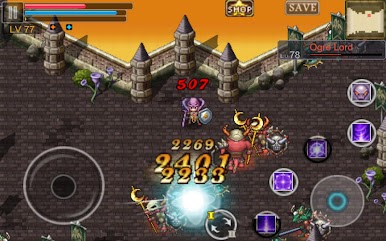
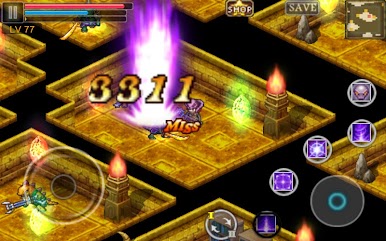
Explore mysterious dungeons full of tough enemies, boss fights, and all sorts of shiny loot. Never know what you’ll find behind the next door.
-
Epic Gear and Loot
-
Manage your gear with a variety of epic, set, and legendary items. Grab that rare sword or magic staff and see what kind of build you can pull off—there’s even an alchemy system so you can craft and buff your weapons to your liking.
-
Summonable Monsters for Strategic Play
-
You don’t have to fight solo. Summon powerful Blade Monsters (like Stone, Iron, Ice, Fire, Silver, and Aurum) after mastering their dungeons—three can join your party at once, and each has its own special moves.
-
Multiple Playable Characters
-
Pick from three different heroes: Allen, Sigmund, or Enoshu, each with their own play style. And if you’re feeling experimental, use the three save slots to try out new strategies or share gear between your runs using the Stash Inventory.
-
Weapon Customization and Upgrades
-
Tinker with your arsenal. Enchant and enhance your weapons, dual-wield for extra power, and tweak items with crystals. Your look and strategy can be as unique as you want.
-
Power Dungeon Challenges
-
Want a real test? Use daily free tickets or stock up at the Power Shop, then head into the Power Dungeon for a shot at some of the finest loot. Each run is a fresh chance at glory—or disaster.
-
Offline Gameplay
-
No need to worry about spotty WiFi. Once you’ve got it, Aurum Blade EX is ready to play anytime, anywhere.
-
Smooth Experience on BlueStacks
- If you want more precise controls, playing Aurum Blade EX on BlueStacks gives you that extra edge, letting you use your keyboard and mouse for an even smoother ride.
Make your gaming sessions memorable with precise controls that give you an edge in close combats and visuals that pop up, bringing every character to life.










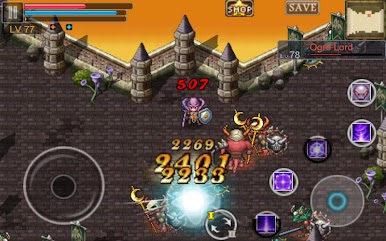

Play Aurum Blade EX on PC. It’s easy to get started.
-
Download and install BlueStacks on your PC
-
Complete Google sign-in to access the Play Store, or do it later
-
Look for Aurum Blade EX in the search bar at the top right corner
-
Click to install Aurum Blade EX from the search results
-
Complete Google sign-in (if you skipped step 2) to install Aurum Blade EX
-
Click the Aurum Blade EX icon on the home screen to start playing

