


このページには広告が含まれます
子供ための就学前ゲーム
教育 | Queleas LLC
BlueStacksを使ってPCでプレイ - 5憶以上のユーザーが愛用している高機能Androidゲーミングプラットフォーム

PCで子供ための就学前ゲームをプレイ
どのようにあなた子供学習を強化するために、
子供ため就学前ゲームは、数学のゲームを含むキンダーための新しいスキルを開発するためにプレイしながら子供たちは、新しいスキルを学ぶのを助けるために熱心に親ためのツールとして開発されました。 複数研究は、新しい能力を学ぶための最速かつ最も効果的な方法は、ハンズオン遊びを通してであることを示しています。 モンテッソーリとウォルドーフなど、さまざまな教育システムは、遊びや想像力が学習プロセス基本的な部分であることに同意します。 母親として、私は私たち子供たちは私たちの例を模倣することを理解しています。 私たちは時々技術からそれらを分離したいにもかかわらず、我々はコンピュータやモバイル機器の前で多く時間を過ごすとき、それはほぼ不可能です。 これは、代わりに部屋に象を回避する、私夫と私は子供たちの好奇心を刺激する学習ツールとして動作するゲームを開発しているのはこためです。 モンテッソーリ幼稚園ゲームとモンテッソーリ教育のためのパーフェクト
新しいスキルを開発
子供のため就学前ゲームは常に親切のために新しいスキルを学ぶために挑戦しながら、子供たちがプレーするために安全な場所です。 彼らの新しいスキルを訓練しながら、子供たちは多様性を必要とします。 これらゲームはまさにそれを提供します。 私たちは、私たちの息子を持つすべての私たちゲームをテストしていると、彼は絶対に彼らを愛しています! これは私達にあなたの子供はまた、これら楽しいと心の挑戦的なパズルを愛する自信を与えます。
私たちは、新しいゲームのご意見やアイデアを感謝しています。 私たちは、私たちの心を麻痺しながら、単に楽しませるために学習していないためのツールとしての技術を使用して、コミュニティ構築を支援します。
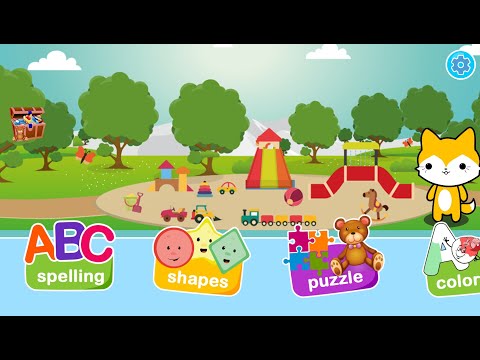
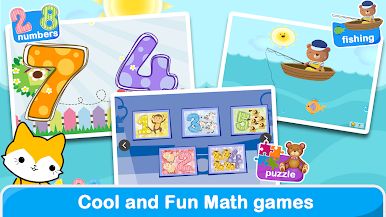
8読みやスペルから図面の範囲及び形状認識教育の学習ゲーム。
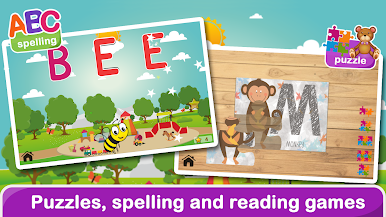
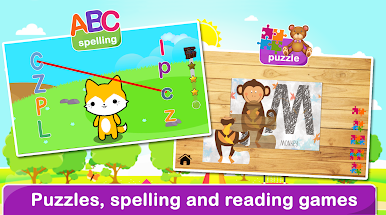
綴り: 読みやスペルを学ぶため30個最初の言葉。 幼児ためのゲーム。
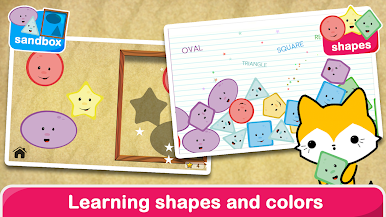
図形:子供に基本的な形を導入するための描画ツール:円; 矩形; 正方形と三角形。
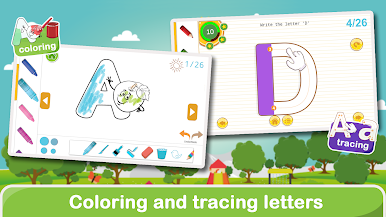
ぬりえ:教育テンプレート。 AからZまで.
以下形状の形状認識および分類概要:矩形、五角形、円形。 楕円; ダイヤモンド; 六角や四角。
シェイプソートゲーム図形学習を重視しながら、手と目のコーディネーションを助けるために:四角形、五角形、円。 楕円; ダイヤモンド; 六角や四角。
新しいスキルを開発するために幼児用ゲームを学習する。
年齢: 1, 2, 3, 4, 5, 6, or 7歳.
子供ため就学前ゲーム
幼稚園子供ため教育
1年生学習ゲーム
2年生学習ゲーム
3年生学習ゲーム
我々は常にあなたは私たちがこ町で最高就学前ゲーム作ることができる方法上任意フィードバックを持っている場合、私達に電子メールを送ってくださいで、あなたから聞いて興奮しています!
子供ため就学前ゲームは、数学のゲームを含むキンダーための新しいスキルを開発するためにプレイしながら子供たちは、新しいスキルを学ぶのを助けるために熱心に親ためのツールとして開発されました。 複数研究は、新しい能力を学ぶための最速かつ最も効果的な方法は、ハンズオン遊びを通してであることを示しています。 モンテッソーリとウォルドーフなど、さまざまな教育システムは、遊びや想像力が学習プロセス基本的な部分であることに同意します。 母親として、私は私たち子供たちは私たちの例を模倣することを理解しています。 私たちは時々技術からそれらを分離したいにもかかわらず、我々はコンピュータやモバイル機器の前で多く時間を過ごすとき、それはほぼ不可能です。 これは、代わりに部屋に象を回避する、私夫と私は子供たちの好奇心を刺激する学習ツールとして動作するゲームを開発しているのはこためです。 モンテッソーリ幼稚園ゲームとモンテッソーリ教育のためのパーフェクト
新しいスキルを開発
子供のため就学前ゲームは常に親切のために新しいスキルを学ぶために挑戦しながら、子供たちがプレーするために安全な場所です。 彼らの新しいスキルを訓練しながら、子供たちは多様性を必要とします。 これらゲームはまさにそれを提供します。 私たちは、私たちの息子を持つすべての私たちゲームをテストしていると、彼は絶対に彼らを愛しています! これは私達にあなたの子供はまた、これら楽しいと心の挑戦的なパズルを愛する自信を与えます。
私たちは、新しいゲームのご意見やアイデアを感謝しています。 私たちは、私たちの心を麻痺しながら、単に楽しませるために学習していないためのツールとしての技術を使用して、コミュニティ構築を支援します。
8読みやスペルから図面の範囲及び形状認識教育の学習ゲーム。
綴り: 読みやスペルを学ぶため30個最初の言葉。 幼児ためのゲーム。
図形:子供に基本的な形を導入するための描画ツール:円; 矩形; 正方形と三角形。
ぬりえ:教育テンプレート。 AからZまで.
以下形状の形状認識および分類概要:矩形、五角形、円形。 楕円; ダイヤモンド; 六角や四角。
シェイプソートゲーム図形学習を重視しながら、手と目のコーディネーションを助けるために:四角形、五角形、円。 楕円; ダイヤモンド; 六角や四角。
新しいスキルを開発するために幼児用ゲームを学習する。
年齢: 1, 2, 3, 4, 5, 6, or 7歳.
子供ため就学前ゲーム
幼稚園子供ため教育
1年生学習ゲーム
2年生学習ゲーム
3年生学習ゲーム
我々は常にあなたは私たちがこ町で最高就学前ゲーム作ることができる方法上任意フィードバックを持っている場合、私達に電子メールを送ってくださいで、あなたから聞いて興奮しています!
子供ための就学前ゲームをPCでプレイ
-
BlueStacksをダウンロードしてPCにインストールします。
-
GoogleにサインインしてGoogle Play ストアにアクセスします。(こちらの操作は後で行っても問題ありません)
-
右上の検索バーに子供ための就学前ゲームを入力して検索します。
-
クリックして検索結果から子供ための就学前ゲームをインストールします。
-
Googleサインインを完了して子供ための就学前ゲームをインストールします。※手順2を飛ばしていた場合
-
ホーム画面にて子供ための就学前ゲームのアイコンをクリックしてアプリを起動します。

