


Tung Tung Tung Sahur Sandbox
Spiele auf dem PC mit BlueStacks - der Android-Gaming-Plattform, der über 500 Millionen Spieler vertrauen.

Seite geändert am: May 11, 2026
Spiele Tung Tung Tung Sahur Sandbox für PC
Erlebe Zerstörung in atemberaubenden Details. Spüre die Kraft realistischer Physik, wenn Gebäude einstürzen, der Boden aufreißt und die Stadt in Flammen aufgeht – direkt in deinem Sandkasten. Dank der riesigen Karte kannst du überall Chaos anrichten.
Es geht nicht nur um Zerstörung. Du kannst auch deine eigenen Szenarien entwerfen, mit neuen Waffen experimentieren und herausfordernde Missionen in diesem Spielplatz absolvieren.
Mach dich bereit für endlosen, spannenden Spielspaß!


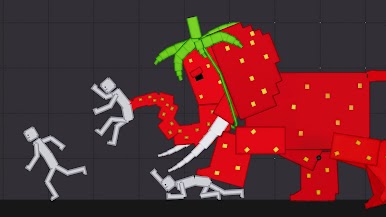

Spiele Tung Tung Tung Sahur Sandbox auf dem PC. Der Einstieg ist einfach.
-
Lade BlueStacks herunter und installiere es auf deinem PC
-
Schließe die Google-Anmeldung ab, um auf den Play Store zuzugreifen, oder mache es später
-
Suche in der Suchleiste oben rechts nach Tung Tung Tung Sahur Sandbox
-
Klicke hier, um Tung Tung Tung Sahur Sandbox aus den Suchergebnissen zu installieren
-
Schließe die Google-Anmeldung ab (wenn du Schritt 2 übersprungen hast), um Tung Tung Tung Sahur Sandbox zu installieren.
-
Klicke auf dem Startbildschirm auf das Tung Tung Tung Sahur Sandbox Symbol, um mit dem Spielen zu beginnen

