


Timesheets - Time Tracking App
Chơi trên PC với BlueStacks - Nền tảng chơi game Android, được hơn 500 triệu game thủ tin tưởng.

Trang đã được sửa đổi vào: Nov 10, 2025
Play Timesheets - Time Tracking App on PC
Powerful Mobile Time Tracking App:
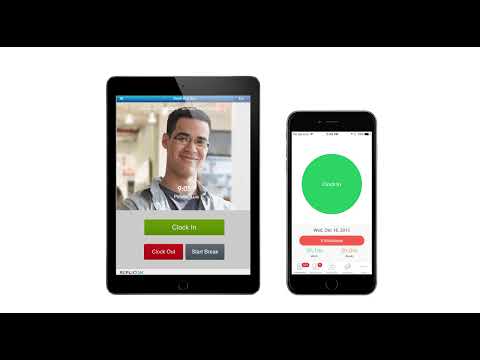
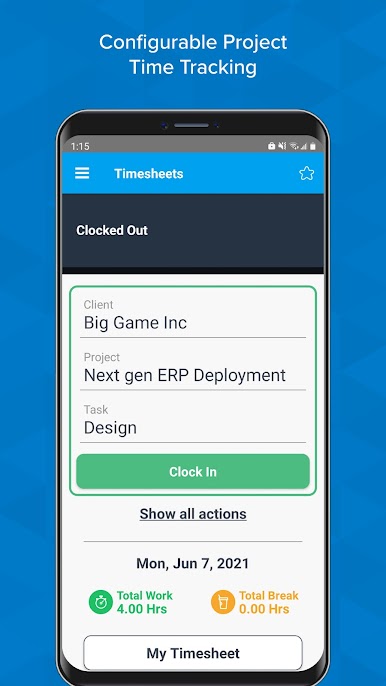
Get access to timesheets anytime, anywhere, and quickly enter time ― whether it is for attendance management, internal project costing, online billing of clients, or managing shared services resources. Add comments and submit your work directly from your Android device while it’s still fresh in your mind. Easily view the status of your timesheets and manage time. For businesses that require proof of who is entering time, the app will snap a picture of the person entering time and record the location when time was entered in the mobile timesheets.
Seamless access to project time logging:
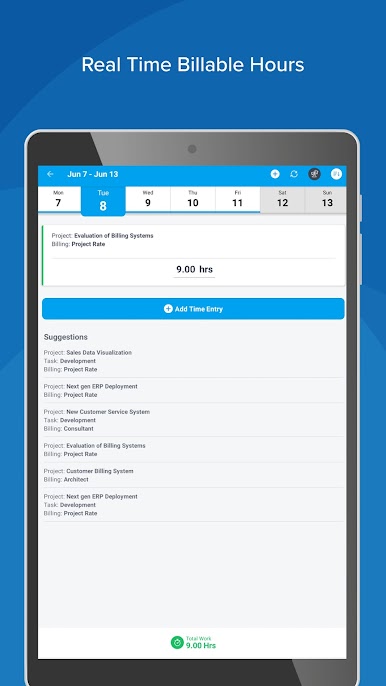
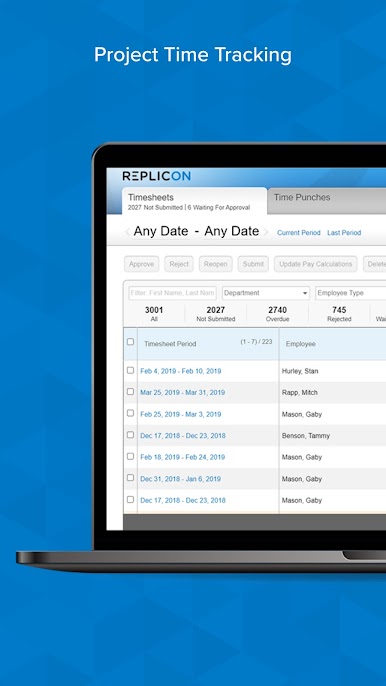
Users can do a quick search and select relevant projects, tasks, or activities and enter time against them. This time data gets automatically allocated to the projects and helps you stay on top of the project status. You can use our advanced reporting to quickly analyze projects and accurately bill clients. Increase employee utilization with Robust resource management capabilities in our cloud-based time tracker solution.
Time off management made easy with our time tracking app:
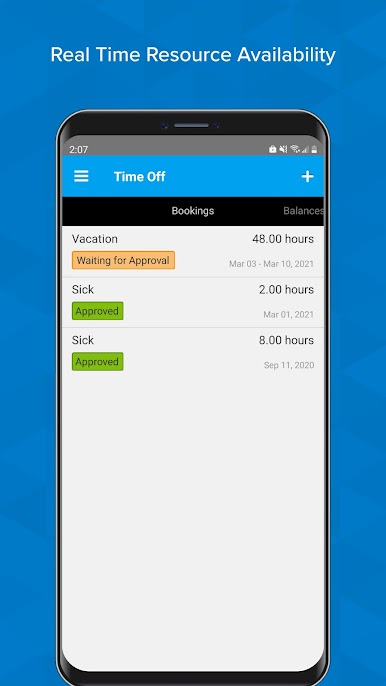
It is very easy for end users to submit their time off requests after choosing the desired time off type. Users can also quickly view their time off booking history, check their vacation balances, or browse through their holiday calendar. Empower your users and take the burden off your HR & payroll teams.
Streamlined approvals for online timesheets:
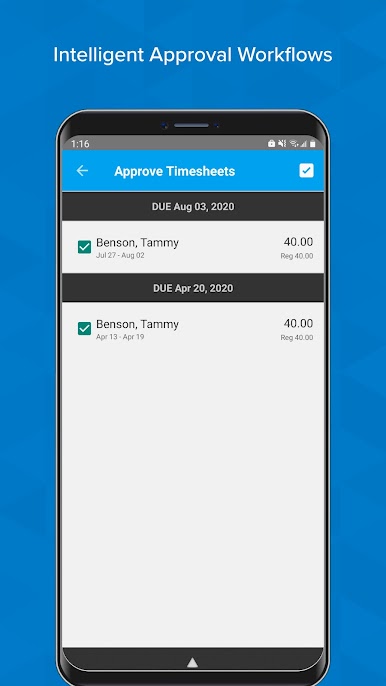
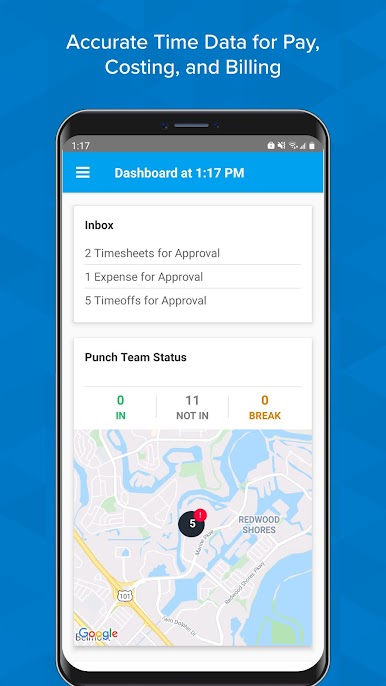
Supervisors can quickly view employee hours and approve timesheets, time off, and expenses for their teams. Automatic reminders encourage on-time submission of timesheets and expenses. The approved time gets automatically synced with our cloud solution for further processing.
Expense management on-the-go:
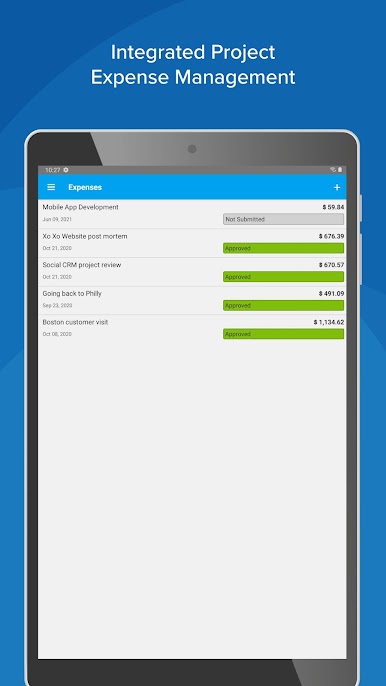
Users can quickly create expense sheets and enter details about those expenses, including currency, description, and whether they are billable or not. Users can attach snapshots of bills to respective expense items, which means no more lost expense bills.
Robust Time Tracking Software Features:
✔️ Track all employee time in real-time
✔️ Global platform ensures easy support for remote employees
✔️ Powerful hours tracker against activities and projects
✔️ The cloud-based platform ensures data availability anywhere, anytime.
✔️ Easy and flexible employee scheduling with crew time tracking support
✔️ Track PTO against configurable global time off policies
✔️ Comprehensive expense tracker with multi-currency support
✔️ Upload receipts against expenses for easy documentation
✔️ For supervisors, easy approval, and management of team’s digital
timesheets
We welcome your valuable feedback:
Please send us your suggestions to androidfeedback@replicon.com
You can also write to us on:
➡️Facebook: https://www.facebook.com/deltekinc/
➡️X: https://twitter.com/Deltek
➡️LinkedIn: https://www.linkedin.com/company/replicon/
➡️Instagram: https://www.instagram.com/deltekinc/
To learn more about Replicon’s platform, please visit: https://www.replicon.com/
Try Replicon For Free: https://www.replicon.com/free-trial/
For Product Demo Click Here: https://www.replicon.com/request-a-demo/
Chơi Timesheets - Time Tracking App trên PC. Rất dễ để bắt đầu
-
Tải và cài đặt BlueStacks trên máy của bạn
-
Hoàn tất đăng nhập vào Google để đến PlayStore, hoặc thực hiện sau
-
Tìm Timesheets - Time Tracking App trên thanh tìm kiếm ở góc phải màn hình
-
Nhấn vào để cài đặt Timesheets - Time Tracking App trong danh sách kết quả tìm kiếm
-
Hoàn tất đăng nhập Google (nếu bạn chưa làm bước 2) để cài đặt Timesheets - Time Tracking App
-
Nhấn vào icon Timesheets - Time Tracking App tại màn hình chính để bắt đầu chơi

