


Screw Match Jam
Play on PC with BlueStacks – the Android Gaming Platform, trusted by 500M+ gamers.

Page Modified on: Mar 3, 2026
Play Screw Match Jam on PC
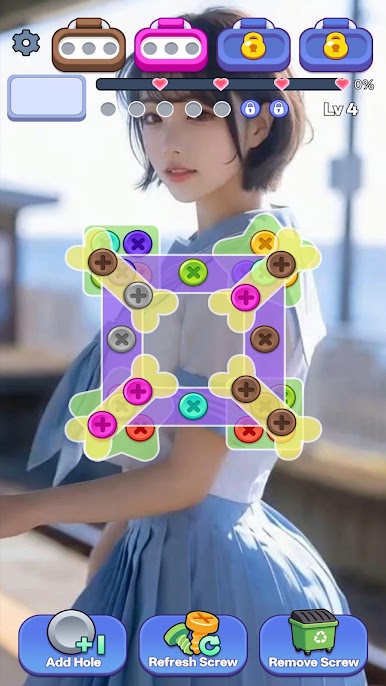
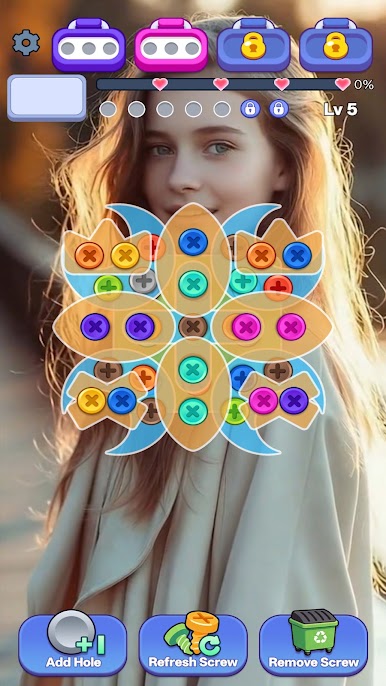
Tap, match, and remove colorful screws in the correct order to clear each board. Every level presents a new layout that challenges your logic, timing, and strategy skills. Simple to learn, but tricky to master!
🧩 How to Play
Tap screws in matching colors
Clear layers step by step
Plan your moves carefully
Avoid getting stuck
Complete levels to unlock new challenges
🎯 Game Features
Hundreds of handcrafted puzzle levels
Smooth and satisfying removal effects
Increasing difficulty as you progress
Relaxing yet strategic gameplay
Lightweight and optimized performance
Whether you're looking to relax for a few minutes or challenge your brain for hours, Screw Match Jam delivers a fun and rewarding experience.
Each level is carefully designed to test your observation skills and decision-making. As layouts become more complex, you’ll need to think ahead and manage limited moves wisely.
No complicated rules. No pressure. Just pure puzzle satisfaction.
Download Screw Match Jam now and start clearing the board!



Play Screw Match Jam on PC. It’s easy to get started.
-
Download and install BlueStacks on your PC
-
Complete Google sign-in to access the Play Store, or do it later
-
Look for Screw Match Jam in the search bar at the top right corner
-
Click to install Screw Match Jam from the search results
-
Complete Google sign-in (if you skipped step 2) to install Screw Match Jam
-
Click the Screw Match Jam icon on the home screen to start playing

