


Zellbiologie
Spiele auf dem PC mit BlueStacks - der Android-Gaming-Plattform, der über 500 Millionen Spieler vertrauen.

Seite geändert am: Sep 24, 2025
Run Cell biology on PC or Mac
Let BlueStacks turn your PC, Mac, or laptop into the perfect home for Cell biology, a fun Education app from 24Hours.
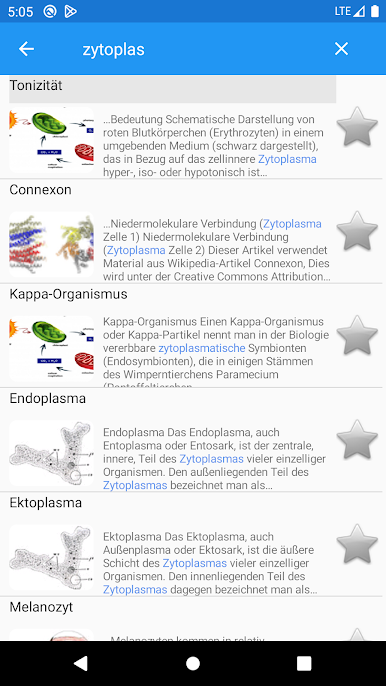
Cell biology feels more like having a science encyclopedia than a game — but in a good way. It’s packed with interesting facts and explanations about proteins, genes, medical terms, and all sorts of biology stuff, but it’s presented in a really clear, no-nonsense style. You’ll see easy descriptions, and when clicking on something like “FNDC5” or “Zanamivir,” instead of getting lost in scientific code, there are simple explanations so it just feels easier to explore, especially for anyone who isn’t buried in textbooks every day. The app runs well, with quick search popping up results as soon as you start typing, so finding something random you just heard about is simple. You can put favorite discoveries into bookmarks or dig through search history if you forget what you looked up. There’s voice search too, which actually works, for those times typing feels like a pain.
What’s neat is that everything (except photos) works without internet, so it really is like a pocket dictionary — just on a screen. The look is clean and straightforward; no extra clutter, just what you need. Using it on a bigger screen with BlueStacks is actually a nice touch, especially when reading longer entries or jumping between topics. There’s a premium thing if ads get annoying or for having images when offline, but the core info and searching are totally free and work well. For anyone ever needing quick info on cell biology terms — students, quiz preppers, or just the curious — this app just makes it easy without being overwhelming or getting in your way.
BlueStacks brings your apps to life on a bigger screen—seamless and straightforward.


Spiele Zellbiologie auf dem PC. Der Einstieg ist einfach.
-
Lade BlueStacks herunter und installiere es auf deinem PC
-
Schließe die Google-Anmeldung ab, um auf den Play Store zuzugreifen, oder mache es später
-
Suche in der Suchleiste oben rechts nach Zellbiologie
-
Klicke hier, um Zellbiologie aus den Suchergebnissen zu installieren
-
Schließe die Google-Anmeldung ab (wenn du Schritt 2 übersprungen hast), um Zellbiologie zu installieren.
-
Klicke auf dem Startbildschirm auf das Zellbiologie Symbol, um mit dem Spielen zu beginnen

