


Servidor Ftp Pro
Jogue no PC com BlueStacks - A Plataforma de Jogos Android, confiada por mais de 500 milhões de jogadores.

Página modificada em: Jun 7, 2017
Run Ftp Server Pro on PC or Mac
Why limit yourself to your small screen on the phone? Run Ftp Server Pro, an app by The Olive Tree, best experienced on your PC or Mac with BlueStacks, the world’s #1 Android emulator.
About the App
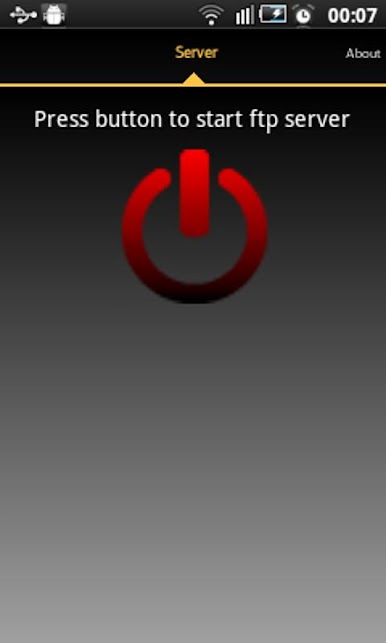
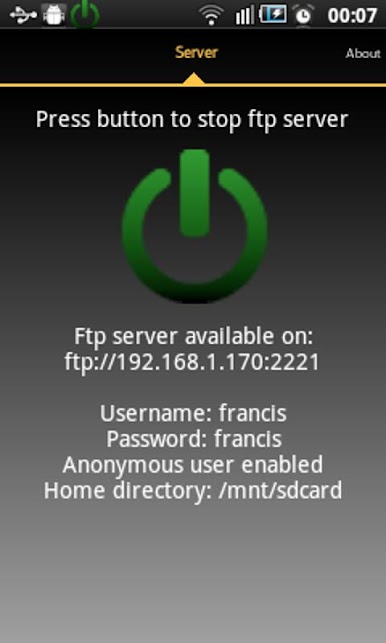
Ever wish you could manage files on your Android device just like you do on your computer? With Ftp Server Pro by The Olive Tree, you can turn your phone or tablet into a handy FTP server. Whether you need to transfer music, photos, or any other files, this app makes it simple to backup and move stuff between your device and your PC. If you’re running Ftp Server Pro on BlueStacks, things get even smoother—big screens just make file management easier.
App Features
-
Flexible Connection Options
Use any available network on your device—Wi-Fi, Ethernet, mobile data, or even USB. If you’ve only got a USB cable handy, you’re still good to go. -
Simple User Access Controls
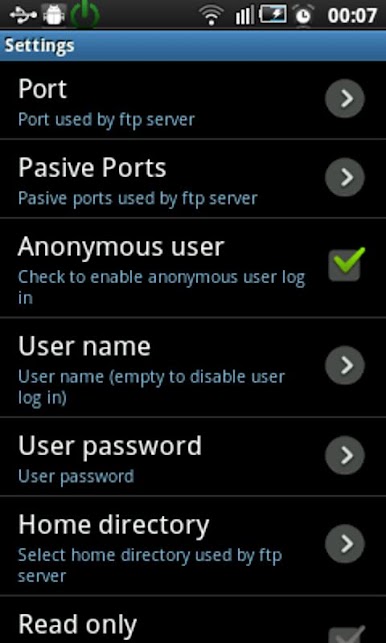
Want open access for everyone, or prefer to keep things private? You can set up anonymous access, or stick with a single username and password you control. -
Customizable Home Folder
Decide which folder users will land in—set the home directory to any folder, even the root. You can also make the server read-only if you don’t want accidental changes. -
Passive and Active Modes
Choose your preferred FTP mode for compatibility with your favorite FTP client. Great for adjusting to your specific network or security needs. -
Hidden File Support
Toggle the option to show or hide hidden files—super handy when you need to access those tucked-away folders. -
Runs as a Foreground Service
Keep the server running up front for reliability, and use energy save mode to conserve battery while it’s active. -
Multi-language Support
Ftp Server Pro speaks your language—whether that’s English, Spanish, Chinese, or several others. -
USB Debugging Connection
No Wi-Fi? No problem. Follow a few simple steps with USB debugging and ADB to connect your device straight to your computer for local file transfers. -
Permission Awareness
The app requests just what it needs: network access, storage write permissions, and the ability to keep your device awake while you’re transferring files. -
Works Great on BlueStacks
Prefer managing everything on your PC? Fire up Ftp Server Pro with BlueStacks for a full-featured, big-screen FTP experience.
BlueStacks gives you the much-needed freedom to experience your favorite apps on a bigger screen. Get it now.
Jogue Servidor Ftp Pro no PC. É fácil começar.
-
Baixe e instale o BlueStacks no seu PC
-
Conclua o login do Google para acessar a Play Store ou faça isso mais tarde
-
Procure por Servidor Ftp Pro na barra de pesquisa no canto superior direito
-
Clique para instalar Servidor Ftp Pro a partir dos resultados da pesquisa
-
Conclua o login do Google (caso você pulou a etapa 2) para instalar o Servidor Ftp Pro
-
Clique no ícone do Servidor Ftp Pro na tela inicial para começar a jogar

