


TORRID
Play on PC with BlueStacks – the Android Gaming Platform, trusted by 500M+ gamers.

Page Modified on: Nov 3, 2025
Play TORRID on PC
As we reach our 20-year milestone, we reflect on how we've spent the last two decades breaking the rules of design in pursuit of the perfect fit. We didn’t believe curvy bodies should change to fit clothes; we changed clothes to fit curvy bodies.
--------------------------------------
NEW & IMPROVED APP FEATURES YOU'LL LOVE:
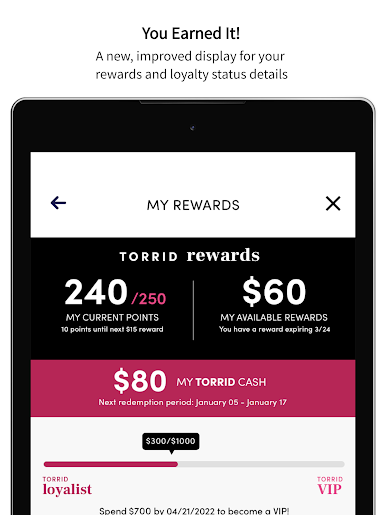
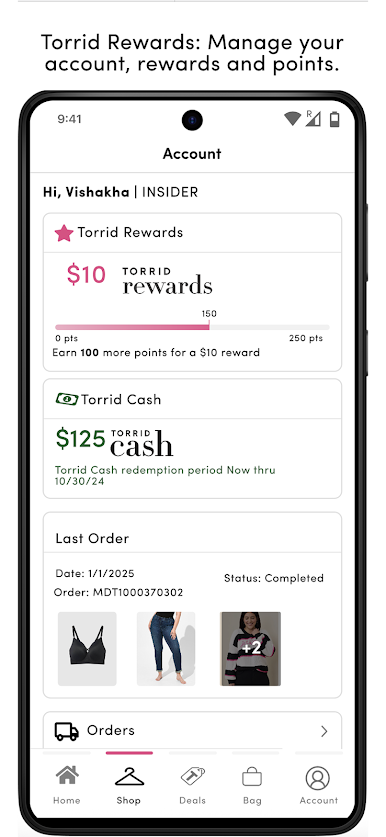
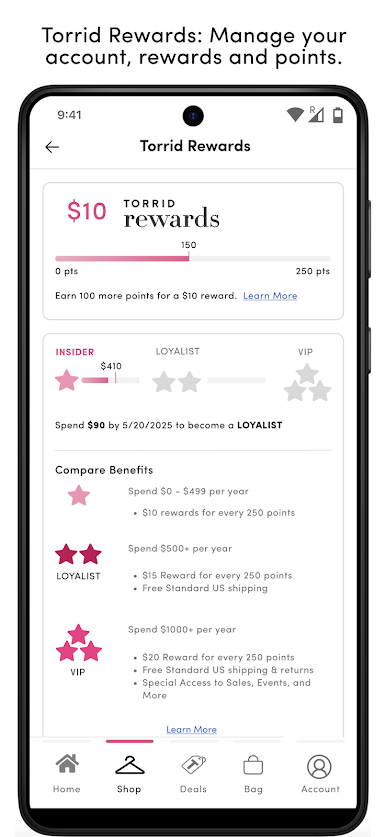
TORRID REWARDS
Easily manage your account, rewards, and points
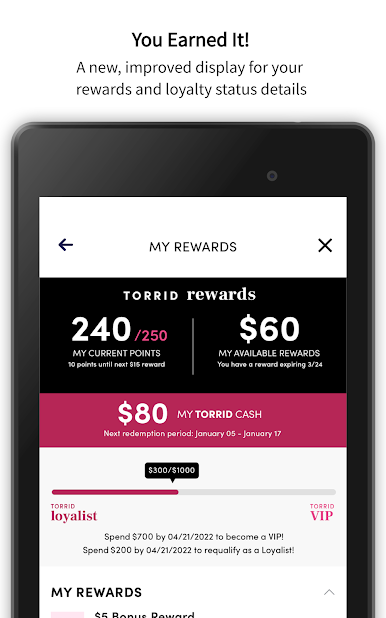
YOU EARNED IT!
A new, improved display for your rewards and loyalty status details
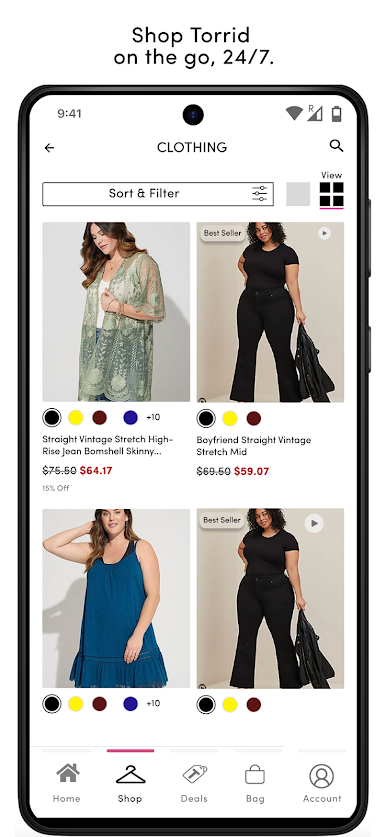
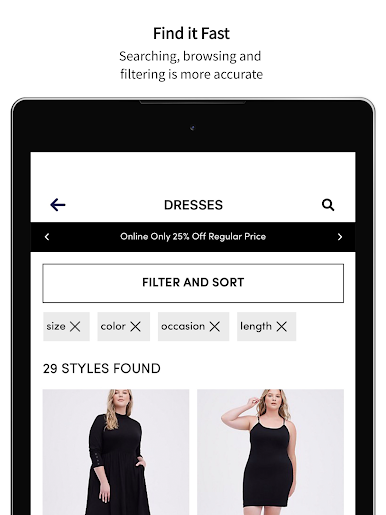
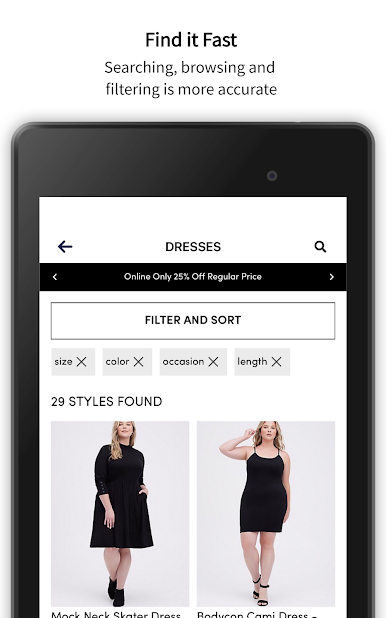
FIND IT FAST
Searching, browsing and filtering is easier and more accurate
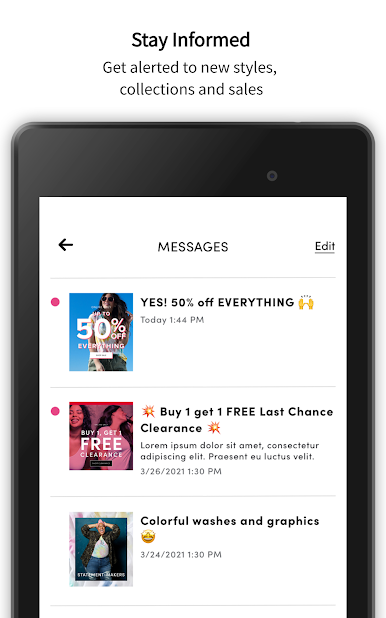
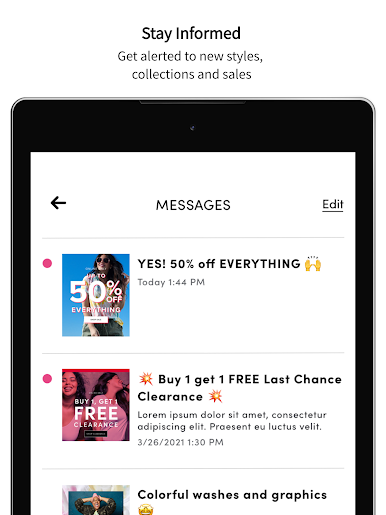
STAY INFORMED
Get alerted to new styles, collections and sales
TODAY'S DEALS
All the sales and deals in the palm of your hand
SHOP NOW, PAY LATER with Klarna
Get what you want, when you want. No interest or fees when you pay on time.
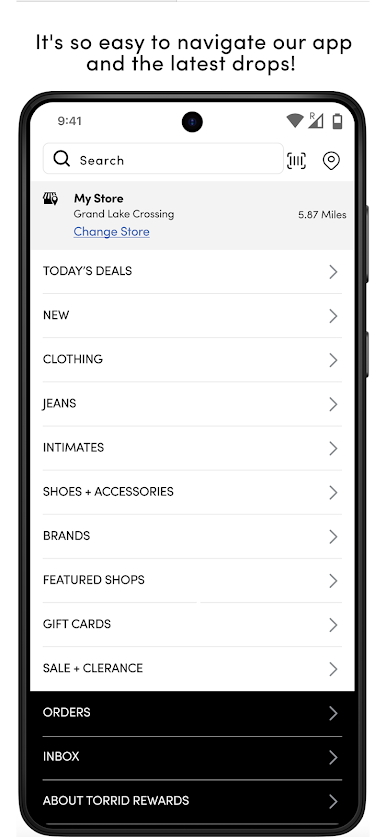
COOL IN-STORE EXPERIENCE
Scan barcodes for reviews and other sizes online
Show app at checkout to earn points and use rewards in store
DIVERSITY & INCLUSION
Creating a place where we all belong
https://www.torrid.com/diversity-inclusion/
Do Not Sell My Personal Information
To exercise your right to opt-out, please click on the “Do Not Sell My Personal Information” link at the footer of our website.
See our Privacy Policy for more details:
https://www.torrid.com/torrid/customer-service/about-torrid/td-customerservice-abouttorrid-privacyresponsibility.html




Play TORRID on PC. It’s easy to get started.
-
Download and install BlueStacks on your PC
-
Complete Google sign-in to access the Play Store, or do it later
-
Look for TORRID in the search bar at the top right corner
-
Click to install TORRID from the search results
-
Complete Google sign-in (if you skipped step 2) to install TORRID
-
Click the TORRID icon on the home screen to start playing

