


I.F.O: Casual Retro Shooter
Spiele auf dem PC mit BlueStacks - der Android-Gaming-Plattform, der über 500 Millionen Spieler vertrauen.

Seite geändert am: Dec 15, 2025
Spiele I.F.O: Casual Retro Shooter für PC
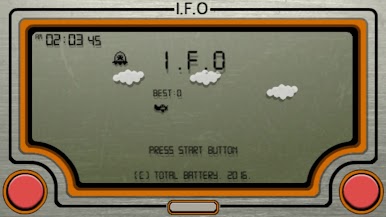
Das Schicksal der Erde liegt in den Händen deines klapprigen alten Flugzeugs!
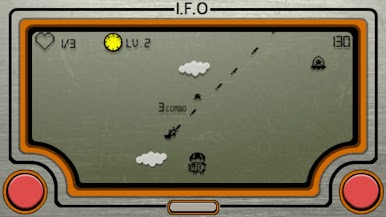
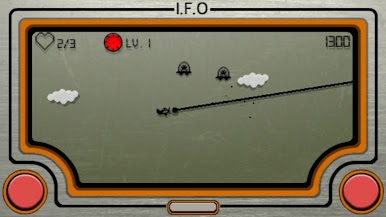
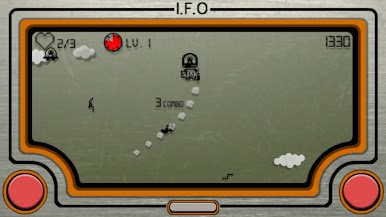
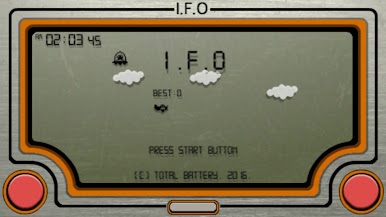
UFO-Schwärme überfluten einen schwarz-weißen LCD-Bildschirm.
Mit einfachen, aber tiefgehenden Spielmechaniken lädt dieses Spiel immer wieder zu neuen Versuchen ein.
Ein echtes Retro-Arcade-Score-Attack-Shooter-Erlebnis. 🎮✨
🎮 Stressfreie, einfache Steuerung
✔ Drehe dein Flugzeug mit der linken oder rechten Taste
✔ Drücke beide Tasten gleichzeitig für Hochgeschwindigkeitsflug!
Nur zwei Tasten genügen für intensive Luftkämpfe.
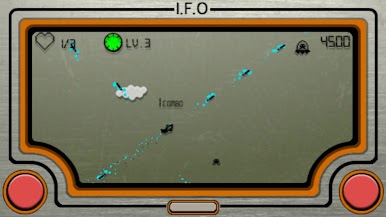
🔥 Explosives Kombosystem für hohe Punktzahlen
Zerstöre UFOs in schneller Abfolge, um deine Kombo aufrechtzuerhalten.
Je höher die Kombo, desto stärker vervielfacht sich dein Score 💥
Reißt sie ab, beginnt alles von vorn.
Risiko oder Sicherheit? Deine Entscheidung bestimmt den Highscore.
🛸 Abwechslungsreiche UFO-Typen
• Standard-UFOs mit einfacher Bewegung
• Schnell angreifende UFOs ⚡
• Teleportierende UFOs ✨
• Spezielle UFOs mit unterschiedlichen Größen und Flugmustern
Jeder Durchlauf fühlt sich anders an und bleibt dauerhaft spannend.
🚀 Ein rostiges Flugzeug, das immer stärker wird
Fange die Aliens 👽, die aus zerstörten UFOs entkommen,
und die Waffen deines Flugzeugs werden stufenweise verstärkt 🔋
※ Power-ups sind temporär – sie zu halten erfordert echtes Können.
🐮 Einzigartiges Waffen- & Rettungssystem
Rette Kühe und Schafe, die von UFOs entführt wurden.
• Gerettete Tiere ändern deine Waffe 🔫
• Kühe: Leben wiederherstellen ❤️
• Schafe: Herzfragmente → maximales Leben erhöhen 💖
Strategische Entscheidungen machen aus einfachem Schießen ein tiefes Spielerlebnis.
🧰 Waffenmodus
Wähle eine einzelne Waffe und jage den ultimativen Highscore!
Miss dich mit Spielern weltweit in waffenspezifischen Ranglisten 🏆🔥
Mit dieser Waffe… bin ich unschlagbar!
✨ Empfohlen für Spieler, die
• Retro-Spiele und LCD-Handheld-Ästhetik lieben
• Kombo-basierte Arcade-Shooter mögen
• Ein Casual-Spiel suchen, das leicht zu lernen, aber schwer zu meistern ist 🚀
Program & Artwork by Total Battery (Gon Lee)
Stage BGM - Skipmore
Title BGM - OTOnoniwa

Spiele I.F.O: Casual Retro Shooter auf dem PC. Der Einstieg ist einfach.
-
Lade BlueStacks herunter und installiere es auf deinem PC
-
Schließe die Google-Anmeldung ab, um auf den Play Store zuzugreifen, oder mache es später
-
Suche in der Suchleiste oben rechts nach I.F.O: Casual Retro Shooter
-
Klicke hier, um I.F.O: Casual Retro Shooter aus den Suchergebnissen zu installieren
-
Schließe die Google-Anmeldung ab (wenn du Schritt 2 übersprungen hast), um I.F.O: Casual Retro Shooter zu installieren.
-
Klicke auf dem Startbildschirm auf das I.F.O: Casual Retro Shooter Symbol, um mit dem Spielen zu beginnen

