


分數切切看2
在電腦上使用BlueStacks –受到5億以上的遊戲玩家所信任的Android遊戲平台。

Run Slice Fractions 2 on PC or Mac
Upgrade your experience. Try Slice Fractions 2, the fantastic Education app from Ululab, from the comfort of your laptop, PC, or Mac, only on BlueStacks.
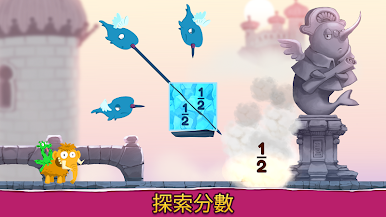
Slice Fractions 2 feels like a smart little physics puzzler that sneaks in fraction lessons without the school vibe. A small mammoth is trying to get a stolen hat back, and every level is about slicing chunks of ice or lava so things fall, slide, or bounce into place. New creatures show up that move pieces around, duplicate them, or uncover hidden parts, and suddenly halves, thirds, numerators and denominators make sense because they are right there on the screen. There is no reading, no wordy instructions, the whole thing teaches by letting players poke at it and see what happens.
The tone stays friendly and calm, with over a hundred puzzles spread across three bright worlds, and little pets to collect that trail behind the mammoth. It is built for ages 6 to 12, but it never talks down, and it actually ramps up to equivalent fractions, finding common denominators, and even multiplying fractions. It was made with university researchers, which explains why the puzzles feel carefully put together. There are no ads and no in app purchases, so nothing interrupts a run. On PC with BlueStacks, the slicing feels clean with a mouse, and the bigger screen helps kids see what needs to be cut or moved. For parents, it is solid for practice time, and for kids or grown puzzle fans, it is just a chill, clever set of physics challenges that happen to teach real math.
Eager to take your app experience to the next level? Start right away by downloading BlueStacks on your PC or Mac.















在電腦上遊玩分數切切看2 . 輕易上手.
-
在您的電腦上下載並安裝BlueStacks
-
完成Google登入後即可訪問Play商店,或等你需要訪問Play商店十再登入
-
在右上角的搜索欄中尋找 分數切切看2
-
點擊以從搜索結果中安裝 分數切切看2
-
完成Google登入(如果您跳過了步驟2),以安裝 分數切切看2
-
在首頁畫面中點擊 分數切切看2 圖標來啟動遊戲

