

Volcanoes&Earthquakes UPGRADE
500M + oyuncunun güvendiği Android Oyun Platformu, BlueStacks ile PC'de oynayın.

Sayfa Değiştirilme tarihi: Nov 4, 2025
Run Volcanoes&Earthquakes UPGRADE on PC or Mac
Multitask effortlessly on your PC or Mac as you try out Volcanoes&Earthquakes UPGRADE, a Education app by VolcanoDiscovery on BlueStacks.
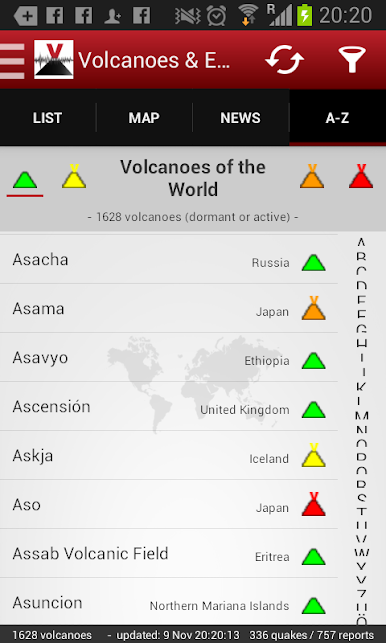
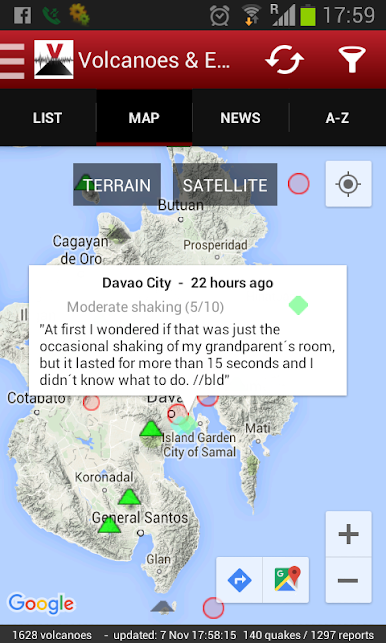
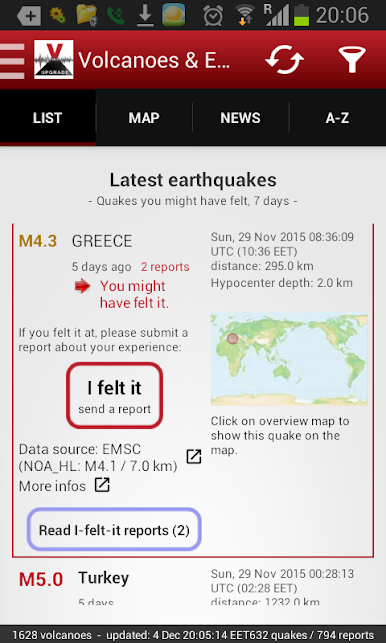
Volcanoes&Earthquakes UPGRADE is not a separate app to play with, it is more like a key that unlocks the good stuff in the free Volcanoes & Earthquakes app. Install it once and the main app switches into advanced mode. The biggest changes are simple but useful. No ads, faster notifications, and a few extras that make following seismic activity feel smoother and more complete. Alerts can be tuned down to magnitude 2 if someone wants early pings, and the feed can include small quakes around magnitude 1 for up to a week, which is great for seeing clusters that would usually get missed. There is also a handy list of quakes the user might have actually felt, which makes the data feel less abstract and more about what happens on the ground.
On a PC with BlueStacks, the map has room to breathe and the side panels are easier to read without pinching around. Clicking through events, zooming, and keeping the timeline open while checking another window just feels calmer. It is not flashy or noisy, it is a clean tool that stays out of the way and delivers quick alerts. The upgrade is a one time buy, and it keeps unlocking new features as they get added, so there is no chasing extra purchases later. Setup is mostly just install the upgrade and open the main app, it detects it and enables everything. For anyone who likes tracking quakes in near real time or lives in an active region, this makes the app a lot more practical day to day.
BlueStacks gives you the much-needed freedom to experience your favorite apps on a bigger screen. Get it now.
Volcanoes&Earthquakes UPGRADE oyununu PC'de oyna. Başlamak çok kolay.
-
BlueStacks'i PC'nize İndirin ve Yükleyin
-
Play Store'a erişmek için Google girişi yapın ya da daha sonraya bırakın.
-
Sağ üst köşeye Volcanoes&Earthquakes UPGRADE yazarak arayın.
-
Volcanoes&Earthquakes UPGRADE uygulamasını arama sonuçlarından indirmek için tıklayın.
-
(iEğer Adım 2'yi atladıysanız) Volcanoes&Earthquakes UPGRADE uygulamasını yüklemek için Google'a giriş yapın.
-
Oynatmaya başlatmak için ekrandaki Volcanoes&Earthquakes UPGRADE ikonuna tıklayın.

