


세이브트립 - 여행 노트 가계부
여행 및 지역 | wooman.labs
5억명 이상의 게이머가 신뢰하는 안드로이드 게임 플랫폼 BlueStacks으로 PC에서 플레이하세요.

Play SaveTrip: Trip Planner on PC
🔍 Key Features
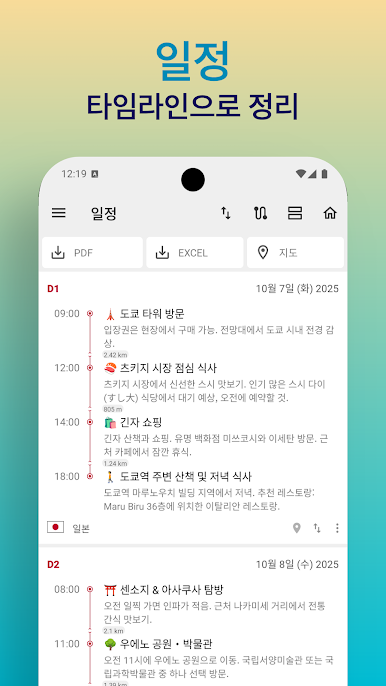
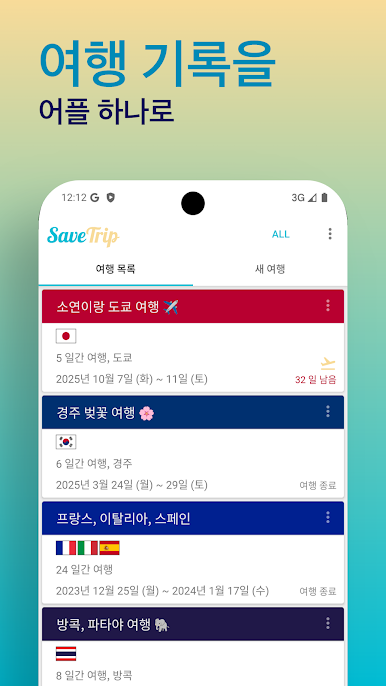
🗓️ Visual Travel Timeline
Easily organize your travel plans in a clear, time-based layout.
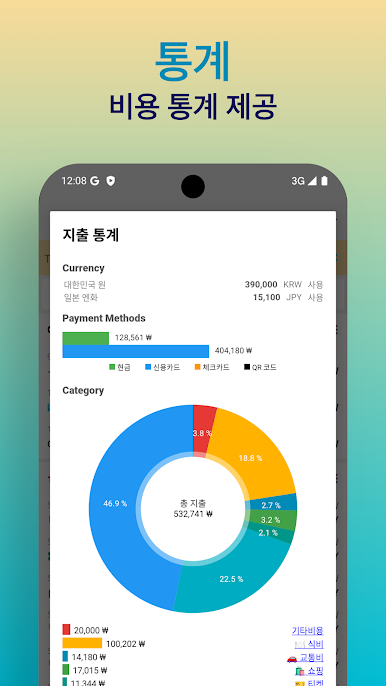
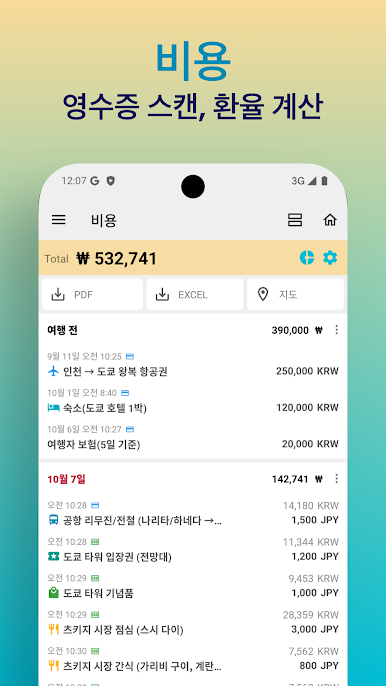
💰 Travel Expense Tracker
• Scan and auto-translate receipts for quick entry
• Auto currency conversion for all countries
• Insightful expense charts and per-person breakdowns
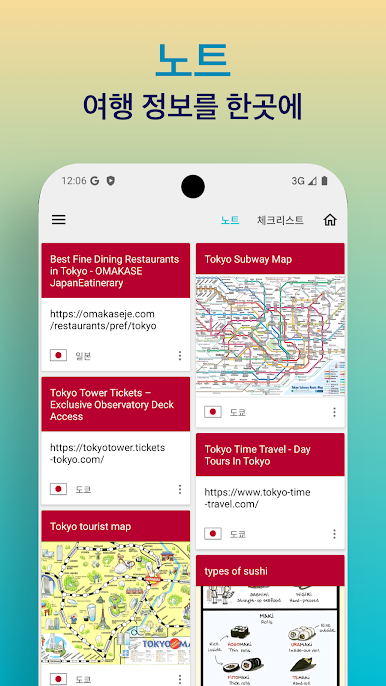
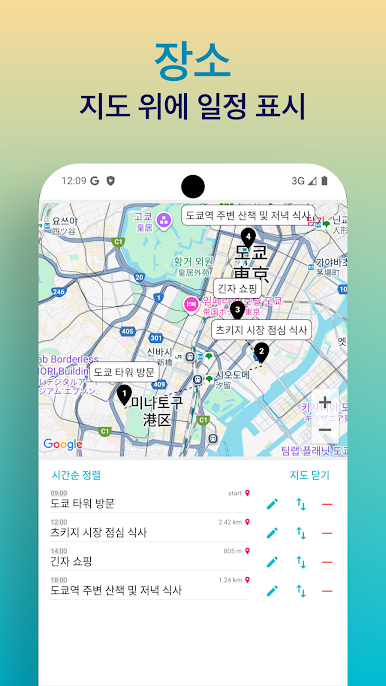
📌 Web & Map Scrapbook
Save useful web pages and Google Maps locations with one tap.
📝 Travel Notes
Attach photos, PDFs, Excel files, and more to enrich your notes.
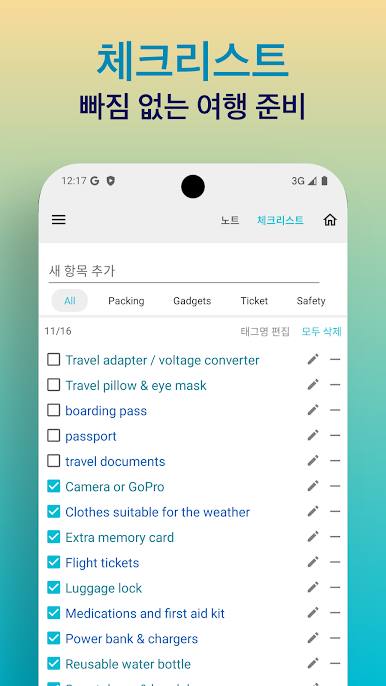
✅ Travel Checklist
Keep track of packing lists and to-dos before your trip.
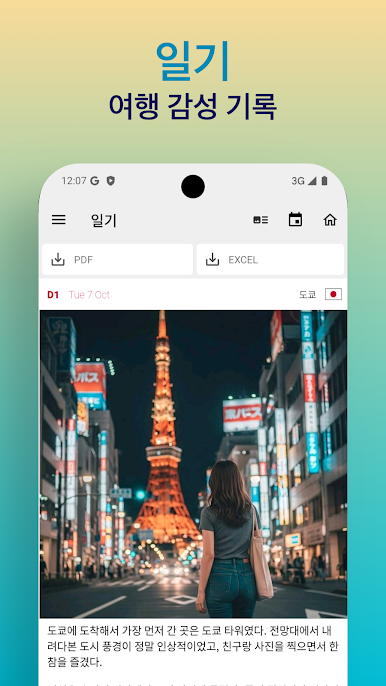
📷 Travel Journal
Capture memories with photos and notes — fully available offline.
⏰ D-Day & Time Zone Tool
Count down to your trip and check the local time for any country.
☁️ Backup & Restore
Secure your travel data with easy backup and recovery options.
⸻
🔒 Permission Info
• Storage (Optional): Required to read/write files for attachments and backups.
• Location (Optional): Used to find your current location on the map.
🗓️ Visual Travel Timeline
Easily organize your travel plans in a clear, time-based layout.
💰 Travel Expense Tracker
• Scan and auto-translate receipts for quick entry
• Auto currency conversion for all countries
• Insightful expense charts and per-person breakdowns
📌 Web & Map Scrapbook
Save useful web pages and Google Maps locations with one tap.
📝 Travel Notes
Attach photos, PDFs, Excel files, and more to enrich your notes.
✅ Travel Checklist
Keep track of packing lists and to-dos before your trip.
📷 Travel Journal
Capture memories with photos and notes — fully available offline.
⏰ D-Day & Time Zone Tool
Count down to your trip and check the local time for any country.
☁️ Backup & Restore
Secure your travel data with easy backup and recovery options.
⸻
🔒 Permission Info
• Storage (Optional): Required to read/write files for attachments and backups.
• Location (Optional): Used to find your current location on the map.

PC에서 세이브트립 - 여행 노트 가계부 플레이해보세요.
-
BlueStacks 다운로드하고 설치
-
Google Play 스토어에 로그인 하기(나중에 진행가능)
-
오른쪽 상단 코너에 세이브트립 - 여행 노트 가계부 검색
-
검색 결과 중 세이브트립 - 여행 노트 가계부 선택하여 설치
-
구글 로그인 진행(만약 2단계를 지나갔을 경우) 후 세이브트립 - 여행 노트 가계부 설치
-
메인 홈화면에서 세이브트립 - 여행 노트 가계부 선택하여 실행

