


悅路小說—小說看不停,小說電子書拇指閱讀器
書籍與參考資料 | Infinite Stories
在電腦上使用BlueStacks –受到5億以上的遊戲玩家所信任的Android遊戲平台。

Play 悅路小說—小說看不停,小說電子書拇指閱讀器 on PC
[Convenient function]
Reading records, recharge records, personal sign-in, homepage have everything, convenient and fast.
[Super high value]
The page is exquisite and the design is generous, giving you a super comfortable visual experience.
【Reading Mode】
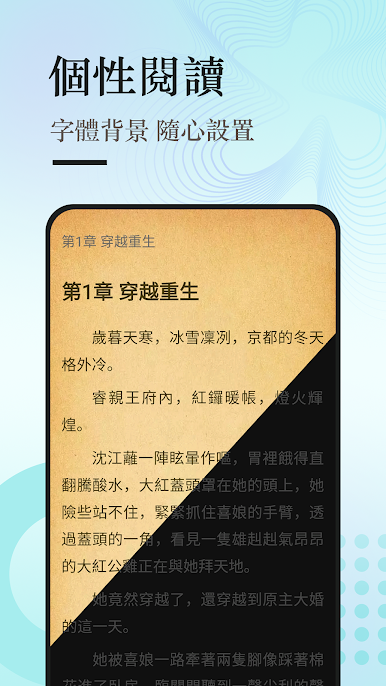
Whether it is day or night, there is always a reading mode you like.
[Easy search]
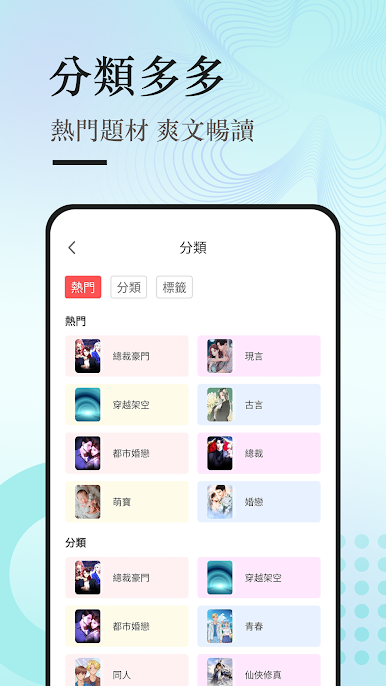
Filter as you like, search the entire site, and recommend personalized recommendations with one click.
【Customized Book List】
Senior editor's selection of books, hot red texts you want to read.
【Selected Bookstore】
The bookstore can be switched at will, with rich types and lots of good books.
[Update super fast]
No longer have to wait for the update, anytime, anywhere, serialized seconds.
Reading records, recharge records, personal sign-in, homepage have everything, convenient and fast.
[Super high value]
The page is exquisite and the design is generous, giving you a super comfortable visual experience.
【Reading Mode】
Whether it is day or night, there is always a reading mode you like.
[Easy search]
Filter as you like, search the entire site, and recommend personalized recommendations with one click.
【Customized Book List】
Senior editor's selection of books, hot red texts you want to read.
【Selected Bookstore】
The bookstore can be switched at will, with rich types and lots of good books.
[Update super fast]
No longer have to wait for the update, anytime, anywhere, serialized seconds.



在電腦上遊玩悅路小說—小說看不停,小說電子書拇指閱讀器 . 輕易上手.
-
在您的電腦上下載並安裝BlueStacks
-
完成Google登入後即可訪問Play商店,或等你需要訪問Play商店十再登入
-
在右上角的搜索欄中尋找 悅路小說—小說看不停,小說電子書拇指閱讀器
-
點擊以從搜索結果中安裝 悅路小說—小說看不停,小說電子書拇指閱讀器
-
完成Google登入(如果您跳過了步驟2),以安裝 悅路小說—小說看不停,小說電子書拇指閱讀器
-
在首頁畫面中點擊 悅路小說—小說看不停,小說電子書拇指閱讀器 圖標來啟動遊戲

