BeHafizh
在電腦上使用BlueStacks –受到5億以上的遊戲玩家所信任的Android遊戲平台。
Run BeHafizh on PC or Mac
Let BlueStacks turn your PC, Mac, or laptop into the perfect home for BeHafizh, a fun Productivity app from Gudeg Barakah.
About the App
BeHafizh makes memorizing the Al-Quran feel organized, calm, and doable. This thoughtful Productivity tool by Gudeg Barakah helps you map out what you’ve learned, practice with focused audio, and test your recall without jumping through hoops. Prefer a bigger screen while studying? You can also run it on your computer with BlueStacks.
App Features
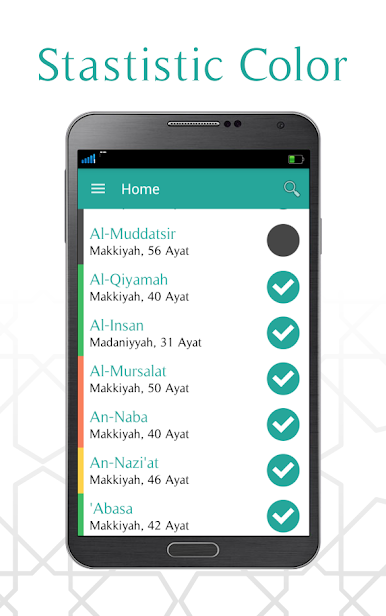
- Progress tracking, your way: Keep tabs on your hifz at both the surah and verse level. See what’s memorized, what’s under review, and what still needs attention—at a glance.
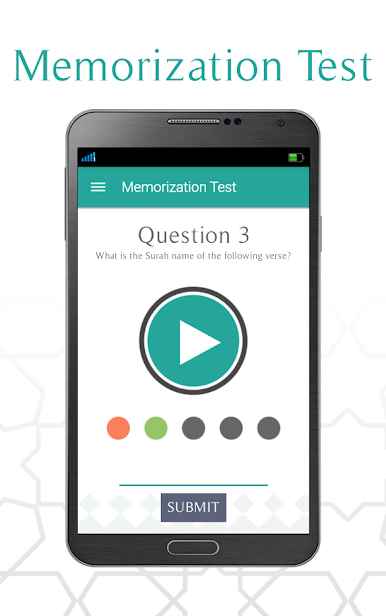
- Smart practice tests: Get adaptive quizzes that focus on the parts you’re learning. The questions adjust to your pace and patterns, nudging you to strengthen weaker spots.
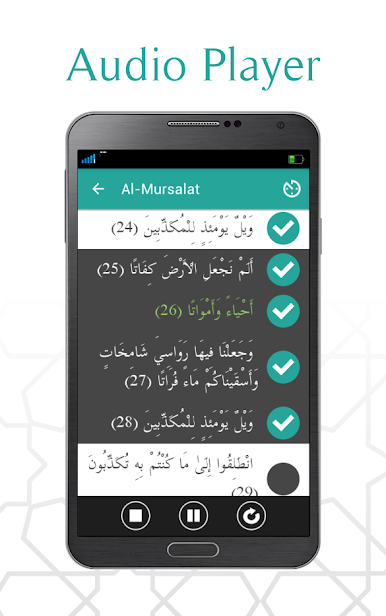
- Audio player with loops: Choose your favorite reciter and listen on repeat. Set an exact A–B range, control how many times it loops, and zero in on tricky lines until they click.
- Targeted range selection: Practice a specific stretch—one ayah, a few lines, or a section—without having to scrub around every time.
- Color-coded insights: Visual cues highlight which surahs or passages feel tougher, so you instantly know where to put your effort next.
- Simple and distraction-free: Clean design, smooth controls, and nothing extra in the way—just tools that support your memorization routine.
- Free to use: All features are available at no cost.
- Recognized design: Honored in a university MTQ application design competition back in 2015.
Switch to BlueStacks and make the most of your apps on your PC or Mac.
在電腦上遊玩BeHafizh . 輕易上手.
-
在您的電腦上下載並安裝BlueStacks
-
完成Google登入後即可訪問Play商店,或等你需要訪問Play商店十再登入
-
在右上角的搜索欄中尋找 BeHafizh
-
點擊以從搜索結果中安裝 BeHafizh
-
完成Google登入(如果您跳過了步驟2),以安裝 BeHafizh
-
在首頁畫面中點擊 BeHafizh 圖標來啟動遊戲