


Prayer Times - Qibla & Salah
生活方式 | ZeeDev Islam
在電腦上使用BlueStacks –受到5億以上的遊戲玩家所信任的Android遊戲平台。

Play Prayer Times - Qibla & Salah on PC
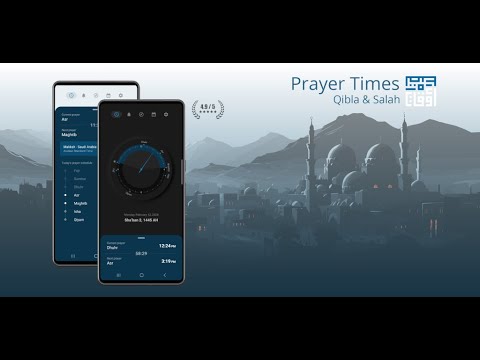
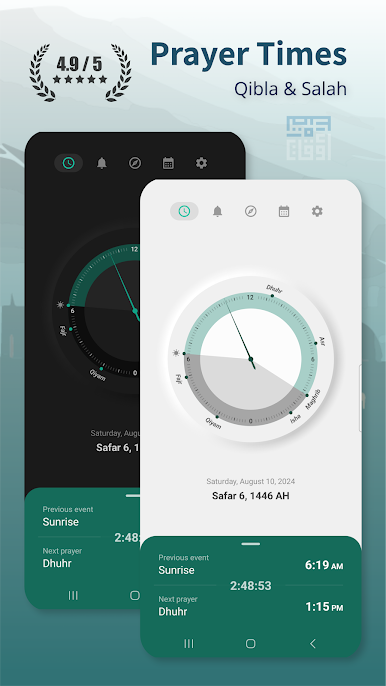
Muslim Namaz times for Fajr, Shuruq Dhuhr, Asr, Sunset, Maghrib, and Isha. Including optional times such as Qiyam at midnight, last third, and first third of the night. Get reminder notifications before prayer time including Imsak. choose from a variety of Azans for the call to prayer notification. If you are not satisfied with an Azan provided, you can select your own custom sounds from your phone to use.
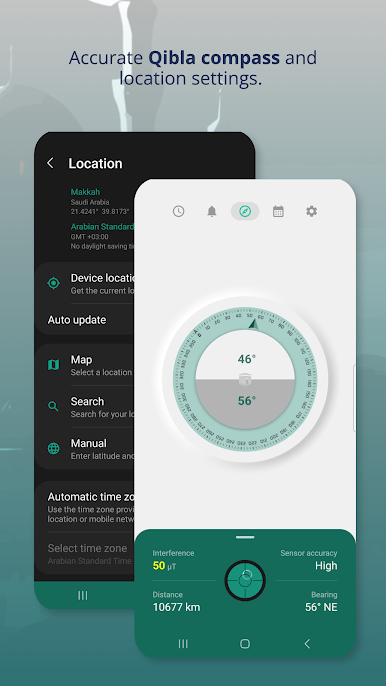
Qibla Direction:
Stable, reliable, and easy to use Qibla compass that works for Muslims anywhere in the world
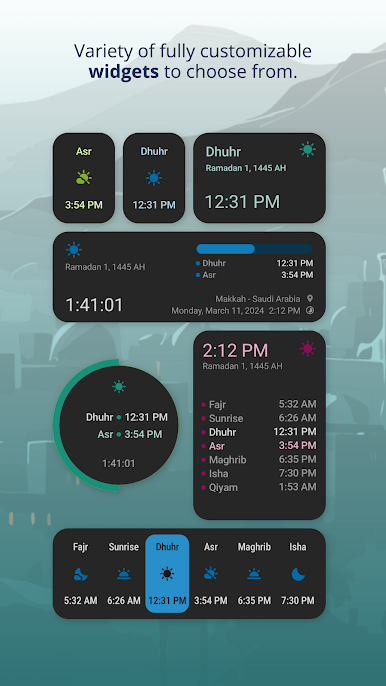
Customizable Widgets:
Choose from a variety of widgets and customize them to your personal preference. Options include color, background, text size, date, timer, and Salat selection.
Location settings:
Set your location by city search, clicking on a map, or using your phone's location. Optional automatic location updates are available if you choose while you travel. Auto location is offered as a convenience but is never required, everything can be done offline. We value your privacy!
Calculation settings:
Complete control over calculation method, Juristic, elevation adjustments, and custom angles for Namaz times. Set custom offsets and adjust each time as needed for your prayer time preference.
Notifications:
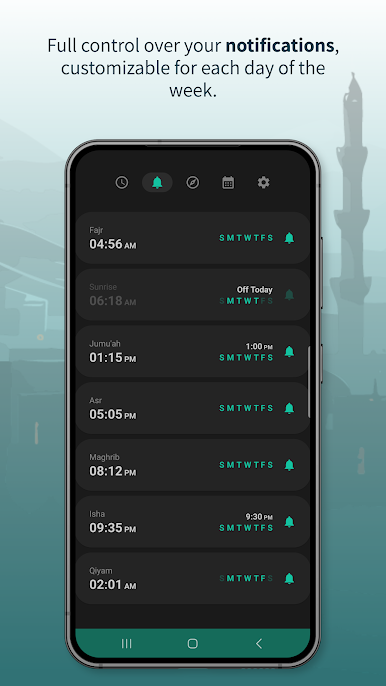
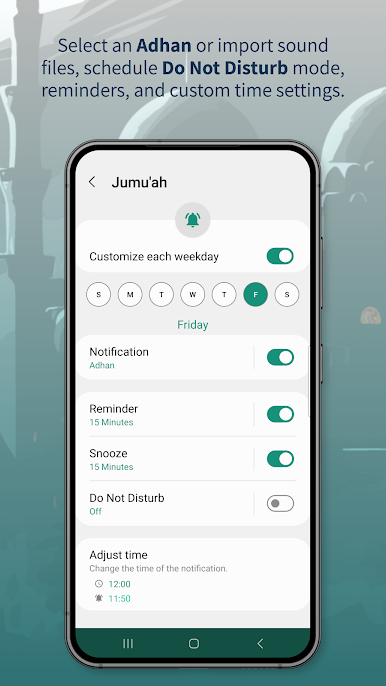
Get notifications for the call to prayer. Select from a variety of Adhans, notification tones, or silent. Customize the controls for your notifications including silent mode and snooze. Set reminder notifications for before and after Salat time.
Lock Screen Notification:
Add a lock screen notification to always and quickly view the next prayer and the time remaining. Expand to view the full list of all Namaz times for the day from your home screen.
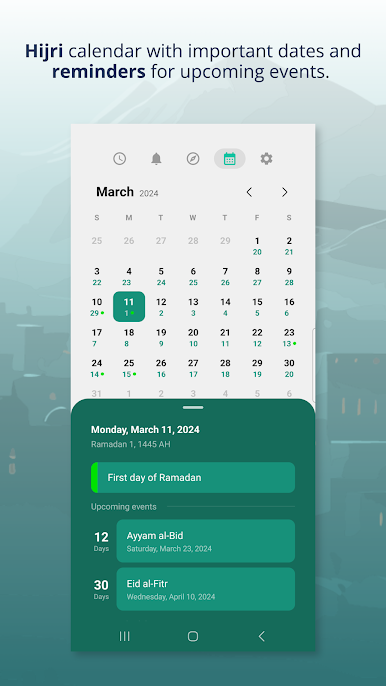
Hijri Calendar:
Select the Islamic calendar type, day change time, and custom adjustments.
Customize the application:
Your choice of color, day or night theme, language, and which Namaz times to display.
Silent mode:
After each call to prayer you can set the device to silent mode directly from the notification for any length of time you choose.
Language:
Support for nine different languages with the option to manually change the language for the app.
Complete privacy:
Your location information, preferences, or any personal info is never stored or shared.
JazakAllah Khair
~ZeeDev Islam
Qibla Direction:
Stable, reliable, and easy to use Qibla compass that works for Muslims anywhere in the world
Customizable Widgets:
Choose from a variety of widgets and customize them to your personal preference. Options include color, background, text size, date, timer, and Salat selection.
Location settings:
Set your location by city search, clicking on a map, or using your phone's location. Optional automatic location updates are available if you choose while you travel. Auto location is offered as a convenience but is never required, everything can be done offline. We value your privacy!
Calculation settings:
Complete control over calculation method, Juristic, elevation adjustments, and custom angles for Namaz times. Set custom offsets and adjust each time as needed for your prayer time preference.
Notifications:
Get notifications for the call to prayer. Select from a variety of Adhans, notification tones, or silent. Customize the controls for your notifications including silent mode and snooze. Set reminder notifications for before and after Salat time.
Lock Screen Notification:
Add a lock screen notification to always and quickly view the next prayer and the time remaining. Expand to view the full list of all Namaz times for the day from your home screen.
Hijri Calendar:
Select the Islamic calendar type, day change time, and custom adjustments.
Customize the application:
Your choice of color, day or night theme, language, and which Namaz times to display.
Silent mode:
After each call to prayer you can set the device to silent mode directly from the notification for any length of time you choose.
Language:
Support for nine different languages with the option to manually change the language for the app.
Complete privacy:
Your location information, preferences, or any personal info is never stored or shared.
JazakAllah Khair
~ZeeDev Islam
在電腦上遊玩Prayer Times - Qibla & Salah . 輕易上手.
-
在您的電腦上下載並安裝BlueStacks
-
完成Google登入後即可訪問Play商店,或等你需要訪問Play商店十再登入
-
在右上角的搜索欄中尋找 Prayer Times - Qibla & Salah
-
點擊以從搜索結果中安裝 Prayer Times - Qibla & Salah
-
完成Google登入(如果您跳過了步驟2),以安裝 Prayer Times - Qibla & Salah
-
在首頁畫面中點擊 Prayer Times - Qibla & Salah 圖標來啟動遊戲

