


SqueezePlayer
在電腦上使用BlueStacks –受到5億以上的遊戲玩家所信任的Android遊戲平台。

Run SqueezePlayer on PC or Mac
Let BlueStacks turn your PC, Mac, or laptop into the perfect home for SqueezePlayer, a fun Music & Audio app from Stefan Hansel Solutions UG (haftungsbeschränkt).
About the App
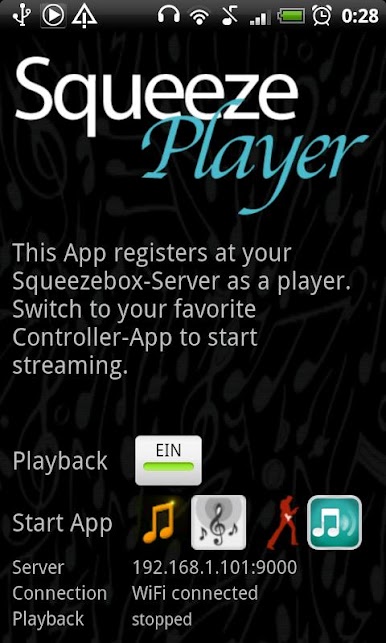
If you’re a fan of streaming music and own a Logitech Squeezebox server, SqueezePlayer makes it super easy to turn your Android device into a portable music player. Whether you’re chilling in your backyard, commuting, or just want your playlists to follow you from room to room, this app keeps your tunes right at your fingertips. No Squeezebox hardware required—just your phone, tablet, and your existing music server.
App Features
-
Seamless Streaming Anywhere
Play songs from your Squeezebox server over WiFi or mobile data, so your music’s always on—at home or out and about. Perfect for road trips, relaxing at work, or backyard listening. -
Supports Popular Music Sources
Listen to your own music, internet radio, or tracks from compatible services like Last.FM, Deezer, and WiMP. Some services (like Pandora and Rhapsody) aren’t supported due to licensing, and Spotify will need a plugin, but there’s plenty to explore. -
Wide Range of File Formats
Got MP3s, FLAC, WAV, or PCM files? SqueezePlayer handles them with no fuss. If your music’s in other formats, your Squeezebox server can take care of converting them so you can still listen on your device. -
Easy Integration with Controllers
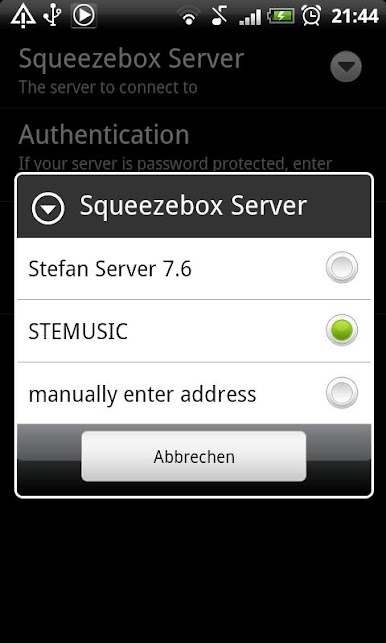
While SqueezePlayer focuses on playback (not control), it works hand-in-hand with popular Squeezebox controller apps like OrangeSqueeze, SqueezeCommander, and even the official app. Just launch your favorite controller, switch players, and you’re set. -
Flexible Setup Options
The app works with the full Squeezebox server or with a Squeezebox Touch’s built-in server if needed. There are a few networking steps if you want to play music over mobile data (like forwarding ports), but nothing too wild. -
Optimized for Versatility
You can enjoy SqueezePlayer on your Android mobile or tablet, and, if you’d like a bigger setup, it even plays nice when used with BlueStacks. Perfect for folks who like options.
BlueStacks gives you the much-needed freedom to experience your favorite apps on a bigger screen. Get it now.
在電腦上遊玩SqueezePlayer . 輕易上手.
-
在您的電腦上下載並安裝BlueStacks
-
完成Google登入後即可訪問Play商店,或等你需要訪問Play商店十再登入
-
在右上角的搜索欄中尋找 SqueezePlayer
-
點擊以從搜索結果中安裝 SqueezePlayer
-
完成Google登入(如果您跳過了步驟2),以安裝 SqueezePlayer
-
在首頁畫面中點擊 SqueezePlayer 圖標來啟動遊戲

