


Tablica wyników - Punktacja
Graj na PC z BlueStacks – Platforma gamingowa Android, która uzyskała zaufanie ponad 500 milionów graczy!

Strona zmodyfikowana w dniu: Nov 28, 2025
Run Scoreboard - Track score on PC or Mac
Upgrade your experience. Try Scoreboard – Track score, the fantastic Sports app from CensaSoft, from the comfort of your laptop, PC, or Mac, only on BlueStacks.
About the App
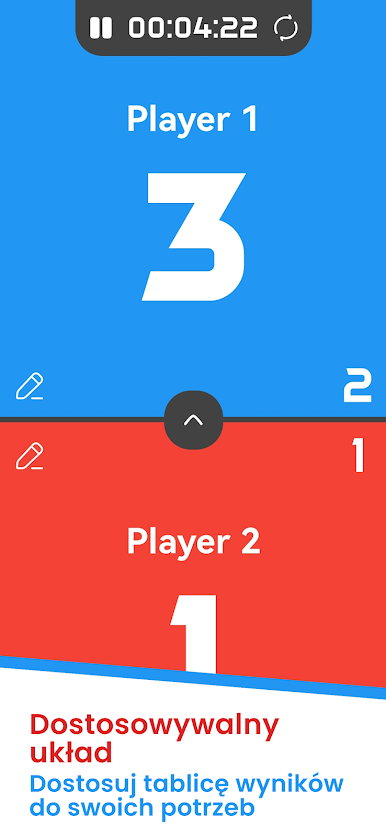
Keeping track of scores just got way simpler—no more searching for stray pieces of paper or fighting over who’s winning! Scoreboard – Track score by CensaSoft is your go-to tool for logging scores, whether you’re deep into a family board game night, cheering courtside at a local sports match, or managing points at your next friendly competition. It’s all about making scorekeeping straightforward, flexible, and even a little fun.
App Features
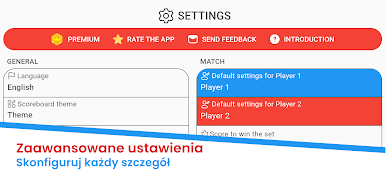
- Personalized Player Names
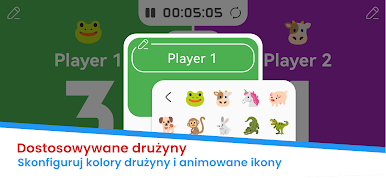
Want to give your friends funny nicknames, or maybe you’re just tired of “Player 1” and “Player 2”? Type in any name you like so everyone shows up just right on the scoreboard. - Colorful Themes and Custom Colors
Match the vibe! Pick from different backgrounds and color schemes so your scoreboard feels exactly how you want—bright and bold, calm and classic, however you like it. - Instant Score Updates
Change a point, win a round, or mark a score, and everyone knows right away. The scoreboard updates in real time, so there’s no lag between action and the numbers on screen. - Game History at Your Fingertips
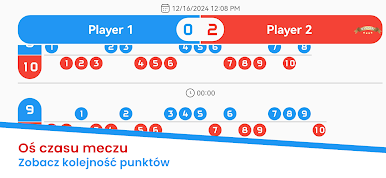
Need to settle a post-game debate or just want to revisit past glory? Browse through records of your previous games and scores whenever you want. - Score Sharing Made Easy
Show off epic wins or close matches—just share your game stats with friends or family directly from the app. - Hands-Free Voice Score Tracking
Here’s something cool: you can enable voice tracking to get vocal updates on the scores as you play. Great for when you’re totally focused but still want to know who’s ahead.
If you’re using BlueStacks, you can even handle all this on your computer for extra convenience. Scoreboard – Track score is perfect for any activity where keeping count matters, no matter what you’re playing or who’s keeping score.
Big screen. Bigger performance. Use BlueStacks on your PC or Mac to run your favorite apps.

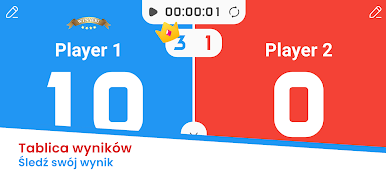
Zagraj w Tablica wyników - Punktacja na PC. To takie proste.
-
Pobierz i zainstaluj BlueStacks na PC
-
Zakończ pomyślnie ustawienie Google, aby otrzymać dostęp do sklepu Play, albo zrób to później.
-
Wyszukaj Tablica wyników - Punktacja w pasku wyszukiwania w prawym górnym rogu.
-
Kliknij, aby zainstalować Tablica wyników - Punktacja z wyników wyszukiwania
-
Ukończ pomyślnie rejestrację Google (jeśli krok 2 został pominięty) aby zainstalować Tablica wyników - Punktacja
-
Klinij w ikonę Tablica wyników - Punktacja na ekranie startowym, aby zacząć grę

